Players with a specific RPG library
If you own particular Nintendo or Steam games, or a PC game requires Windows, compatibility with that exact version is what matters. Nintendo and Valve provide guidance for specific platforms and titles.


Choose a handheld based on the specific role-playing games you want to play and the platform they’re on: for compatible Nintendo games, consider a Switch model; for a suitable Steam library, the Steam Deck; and for games that require Windows, a Windows handheld. Before setting off, check whether your game will launch without an internet connection, and plan how to keep your device powered based on the game you’ll actually be playing. A manufacturer’s battery-life estimate is no guarantee of a particular playing time. While the car is moving, this advice is for passengers, not the driver (Section 23 of the German Road Traffic Regulations, StVO).
If you own particular Nintendo or Steam games, or a PC game requires Windows, compatibility with that exact version is what matters. Nintendo and Valve provide guidance for specific platforms and titles.
When you’re likely to lose your signal, get downloads, licences and game start-up sorted before setting off. Nintendo distinguishes between downloaded virtual game cards and online licences.
Compare battery life with the game you’ll actually be playing, and check the device’s weight and charging options. Nintendo and Valve give different battery-life ranges depending on the software or content; battery capacity alone won’t tell you how long an RPG will run.
A good fit if: your RPGs are available for Nintendo Switch and you’re weighing up a dedicated handheld against a larger screen with tabletop mode.
Bear in mind: The Lite doesn’t support TV mode, and each game needs to be playable in handheld mode.
A good fit if: you want to play a specific Switch 2 game or continue using an existing Switch game that’s confirmed as compatible.
Bear in mind: Nintendo says that not all older Switch games will be supported or fully compatible.
A good fit if: the RPGs you want are in your Steam library and are suitable for the Deck.
Bear in mind: Owning a Steam licence doesn’t confirm that an individual game is compatible or will start offline.
A good fit if: the PC role-playing game you want to play, or its launcher, requires Windows.
Bear in mind: Check the set-up process and battery life for your specific game before travelling. COMPUTER BILD described setting up Windows on the ROG Xbox Ally X it tested as cumbersome.
Your choice comes down to four competing priorities: having the right games, being ready to play offline, getting enough playing time and being comfortable using the device in your seat.
| What matters to you | What to check before you buy | Who this matters most to |
|---|---|---|
| Compatible role-playing games | Check the platform and exact game version; for the Lite, check handheld mode, and for the Steam Deck, check the game’s compatibility rating. | If you already own specific RPGs, you’ll want to be able to play those exact versions. Around 29% of consumers are likely to prioritise compatibility with the games they’ve chosen. |
| Playing offline | Download the game, prepare any licences you need and test that it starts without a connection before setting off. | If you’re travelling through areas with patchy coverage, you won’t want to get stuck needing a licence or connection. Around 29% of consumers are also likely to prioritise being able to play offline. |
| Playing time between charging breaks | Test with the game you plan to play and your preferred settings; arrange a suitable way to charge on longer journeys. | If you want to play for long stretches without stopping to charge, the battery life of your specific game matters. Around 24% of consumers are likely to consider this their top priority. |
| Comfort in your seat | Compare the weight, including the controllers, screen size and the game mode you need. | If you’ll be holding the device for a long time or want to position it in different ways, weight and screen size matter. Around 18% of consumers are likely to focus on this. |
On Nintendo, an online licence may require an internet connection to start a game if its virtual game card hasn’t been loaded.
Check the licence type and the requirements for the specific RPG. Download any content you need before setting off, then test that the game starts without internet.
Nintendo and Valve say battery life depends on the software or content; the range doesn’t tell you how long your specific game will run.
Plan around the game you’ll be playing and your preferred settings, rather than relying on the most optimistic figure in a manufacturer’s estimate.
The COMPUTER BILD list distinguishes between different model ranges; a Joybuy offer for a Steam Deck OLED also lists a different brand name.
Before buying, check the full model number, variant and storage capacity.
Your statutory consumer rights are against the seller; a guarantee has its own terms and conditions.
Check the seller and guarantee terms separately, and remember that you also have statutory rights if something is faulty.
For buyers whose chosen RPGs are compatible with a suitable Nintendo handheld and its game modes.
Steam Deck OLED for players with a compatible Steam library who want to use SteamOS.
ROG Xbox Ally X for PC games that require Windows.
Legion Go Gen 2 for buyers who value a large screen and detachable controllers.
Claw 8 AI+ for PC games on Windows and buyers who want an 8-inch screen.
The following Joybuy products are described as retro handhelds with classic games. This doesn’t mean they support the specific role-playing games or game versions you want to play, so check compatibility before buying.
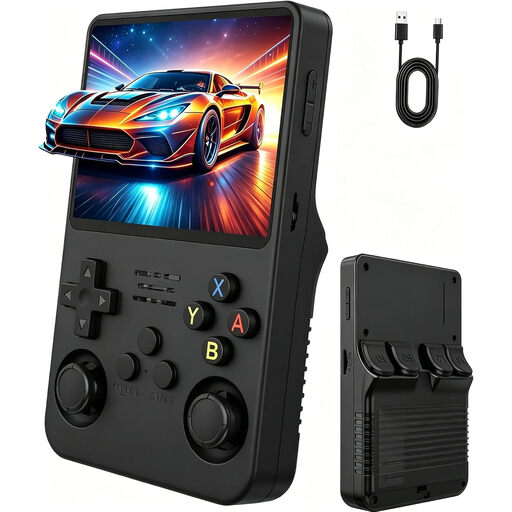 No image available
Described as a portable console for classic games; the product title specifies a 3.5-inch IPS display and two joysticks.
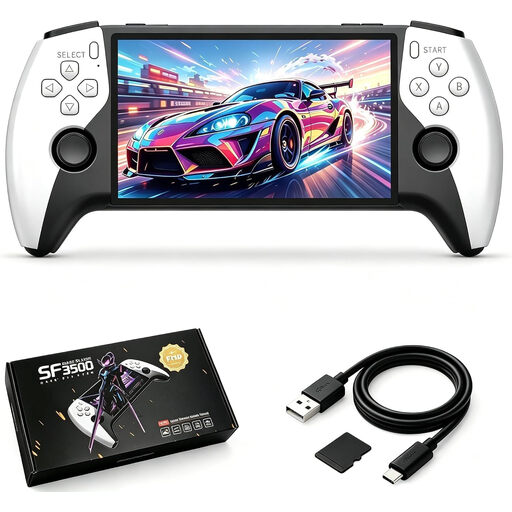 No image available
Described as a way to play classic games on the go; the product title specifies a 5.5-inch IPS screen, 32 GB of storage and USB-C charging.
 No image available
Described as a way to play classic games without downloading them separately; the product title specifies 300 pre-installed games, a 3.2-inch HD display and a rechargeable battery.
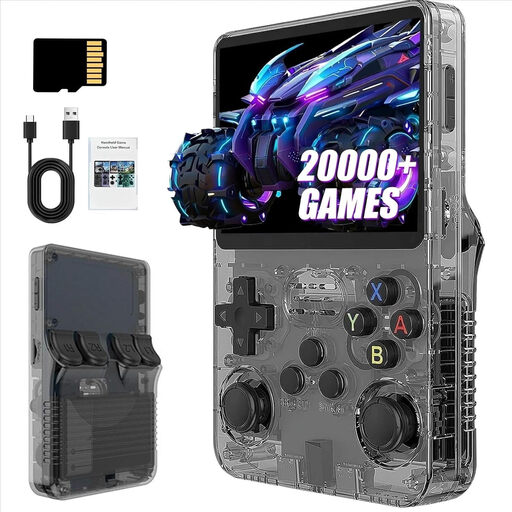 No image available
Described as a portable console for classic games; the product title specifies over 21,000 games, a 3.5-inch screen and 13 GB of storage.
No image available
Described as a portable console for classic games; the product title specifies over 21,000 games, a 3.5-inch screen and 31 GB of storage.
Yes. Nintendo says a game can run without internet if its virtual game card is loaded on the console. If you use an online licence instead, without a loaded game card, you’ll need a connection to start the game. Download the content and game card before travelling, and also check the requirements for the specific game.
A manufacturer’s estimate alone can’t reliably predict how long your specific game will run. Nintendo lists 2 to 6.5 hours for Switch 2, depending on the software and features in use; Valve lists 3 to 12 hours for Steam Deck OLED, depending on the content. Test your game in advance and plan a suitable way to charge on longer journeys.
Nintendo specifies microSD Express cards for expanding the storage; using one requires a system update via an internet connection. Before buying, check that the card is in the required format.
If you buy from a business seller, your statutory consumer rights against the seller are separate from any voluntary guarantee. According to Your Europe, you’re generally entitled to at least two years of legal protection from the date you receive the goods; if something is faulty, repair or replacement are the first options. A guarantee has its own terms and conditions.
No. Under Section 23 of the German Road Traffic Regulations, a driver must not hold and use an electronic entertainment device while driving. The exception for a stationary vehicle applies only when the engine is completely switched off. This buying guide to playing on the move is for passengers.