PC strategy gamers with an existing library
If you want to pick up your PC games while you’re away, first check that they run on the handheld and what controls they need.


Start by looking at the specific strategy games you want to play and how they’re controlled. For compatible Switch titles, including Civilization VII in the Switch 2 Edition, the Switch 2 offers mouse controls using the Joy-Con 2 in supported games. If you already own PC games, consider a Steam Deck or Windows handheld. Check that each game can launch offline before you travel, and factor in the screen, controls and model-specific battery life.
If you want to pick up your PC games while you’re away, first check that they run on the handheld and what controls they need.
If you can’t count on a stable connection, get your downloads and updates ready in advance, then test that your games launch offline before you leave.
If small buttons and map views are important, look for pointer or touch controls that suit your game, along with menus that are easy to read.
Narrow down your options by looking at your game library, reliable offline access, controls and how you’ll charge the device while you’re away.
A good fit if: Your chosen games are available as compatible Switch or Switch 2 versions, and you want to use mouse controls in supported games.
Keep in mind: Mouse controls aren’t available in every game. Check compatibility for older Switch titles individually.
A good fit if: Your strategy games are in your Steam library and you want to use the built-in trackpads for control.
Keep in mind: According to Steam Support, games that always require a connection or rely on an incompatible third-party launcher won’t work offline.
A good fit if: Your PC games require Windows, or you prefer a larger view and mouse-like controls when playing at a table.
Keep in mind: Lenovo lists an 8.8-inch screen and a right-hand controller that can be used as a mouse for the Legion Go Gen 2. This doesn’t indicate a specific play time.
A good fit if: You want to play Windows PC games and prefer a conventional handheld design with a touchscreen.
Keep in mind: Screen size and battery vary by model. Battery capacity figures don’t tell you how long your strategy game will run.
| What matters | What to check before buying | Who should prioritise it |
|---|---|---|
| Compatible games | Check the platform version and compatibility of the specific titles you want to play. | If your existing strategy game library is the deciding factor, make sure those exact titles run on the device. Around 33% of consumers put compatible games first. |
| Offline access | Update and launch your games in advance, then test them without an internet connection. | If the Wi-Fi at your holiday cottage is unreliable, you’ll want to know before you travel that your games can launch offline. Around 27% of consumers prioritise playing without Wi-Fi. |
| Controls and readability | Check whether touch, trackpad, controller or mouse mode works for the specific game. | If you spend a lot of time using maps and menus, suitable pointer controls and easy-to-read text matter. Around 20% of consumers consider these their top priorities. |
| Battery life and charging | Check the figures for the exact model and plan how you’ll charge it. | If you want to play for longer without access to a socket, consider battery life in the games you play and make sure charging is practical. Around 20% of consumers prioritise this. |
According to Nintendo, a Nintendo Switch 2 Game-Key Card doesn’t store the full game on the card; you’ll need to download it before playing for the first time.
Check the details on the specific card, and download and launch the game before you set off.
Make sure you have an internet connection and enough free storage space before you leave.
Battery life and capacity figures refer to different models and conditions, so they aren’t directly comparable measurements for the same strategy game.
Compare figures for the exact model only, and plan how you’ll charge it during longer sessions.
Before you can play offline for the first time, a game may still need to be launched online, updated or connected through a third-party launcher.
Launch each game you want to play before you travel, then test it without a network connection.
If the retailer’s description doesn’t match the model name, you can’t be sure which device you’re buying.
Check the brand, full model name and product details against the manufacturer’s information.
For compatible Switch and Switch 2 strategy games, including Civilization VII in the Switch 2 Edition.
The Steam Deck OLED is an option for compatible games in your existing Steam library.
The Legion Go Gen 2 is a Windows option with a larger screen and detachable controllers.
The ROG Xbox Ally X is a Windows handheld alternative with a built-in touchscreen.
The Claw 8 AI+ A2VM-015 is a Windows handheld alternative with an 8-inch touchscreen.
The devices below are designed for portable gaming on the go. Before buying a retro handheld, check that it supports the specific strategy games you want to play. The Switch 2 is an option for compatible Switch titles.
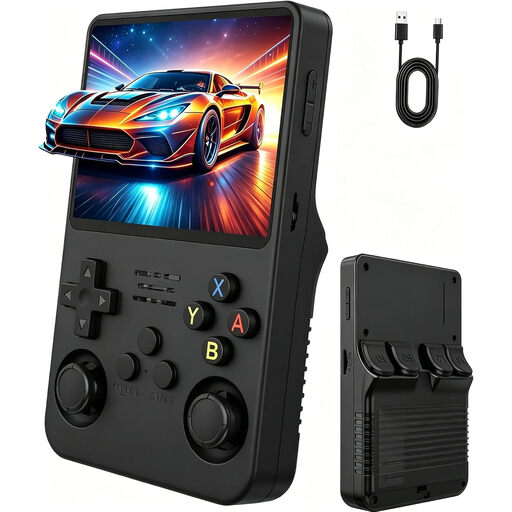 No image available
For playing classic pre-installed titles on the go. Check that your strategy games run on this device before buying.
3.5-inch IPS HD screen; two joysticks.
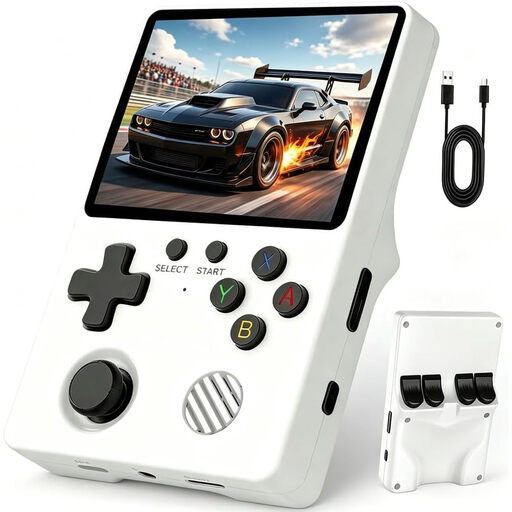 No image available
The product description lists pre-installed classics for playing without an internet connection. Check whether it includes the strategy games you want to play.
3.5-inch IPS screen; Linux system.
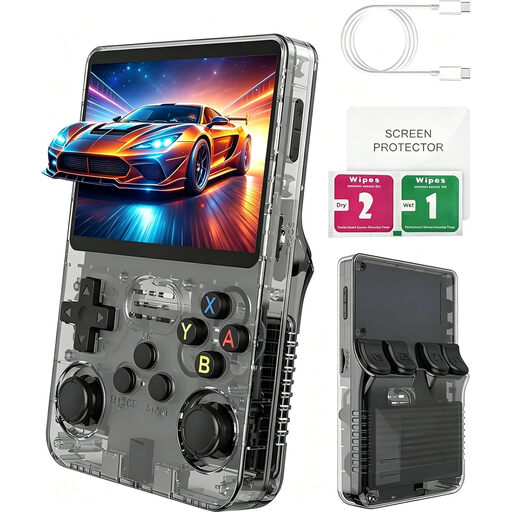 No image available
For playing pre-installed retro games on the go. Check support for your specific strategy games before buying.
3-inch IPS screen; Linux system; product name states that it includes more than 100 pre-installed games.
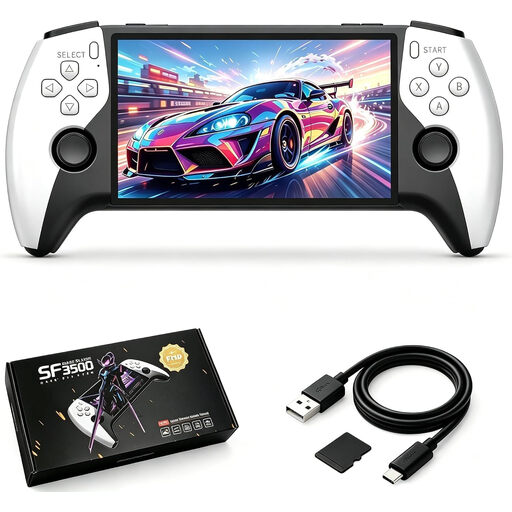 No image available
The product description lists pre-installed classics that don’t require downloads. Check whether it supports the strategy games you want to play.
5.5-inch IPS screen; 32 GB; USB-C charging.
 No image available
For compatible Switch and Switch 2 strategy games. Nintendo lists mouse controls using the Joy-Con 2 for Civilization VII in the Switch 2 Edition.
7.9-inch screen; detachable Joy-Con 2. Mouse controls are limited to supported software.
It depends on the game and its platform. On Steam Deck, fully update your games, launch them online once and then test offline mode. According to Steam Support, titles that require a connection or use an incompatible third-party launcher won’t work offline. Downloaded virtual Nintendo software cards can be played offline, while a Nintendo Switch 2 Game-Key Card needs to be downloaded before you can play for the first time.
Nintendo lists mouse controls using the Joy-Con 2 for Civilization VII in the Switch 2 Edition. This doesn’t apply to every game, so check the version you’re planning to play.
Nintendo specifies microSD Express for expanding the Switch 2’s storage. According to Nintendo, you’ll need to update the system over the internet to use one. Before you travel, also check that all your downloads have finished.
If you buy from a retailer as a consumer, you have statutory rights against the seller. These are separate from any voluntary manufacturer’s warranty. Goods bought online are generally covered by a 14-day right to cancel, although the requirements and exceptions depend on the specific purchase. The Verbraucherzentrale explains the difference in its information on statutory consumer rights and guarantees dated 28 September 2026, and on cancelling a purchase dated 13 August 2026.