Collectors of large scan archives
If you keep extensive document and project folders, you’ll need enough capacity and a reliable backup routine.


For large scan and project folders that are mainly kept for storage and backup, an external HDD is a good option. If you transfer files often or work on projects on the move, an SSD is likely to suit you better. Also plan for a separate backup that you can restore from: Germany’s Federal Office for Information Security (BSI) points out that restoring data needs to work too. Before buying, check the capacity, connection, file system and, for confidential documents, access protection.
If you keep extensive document and project folders, you’ll need enough capacity and a reliable backup routine.
If you often transfer project folders between workstations, consider drive speed, cables and connections together.
For sensitive scans, plan for access protection and the ability to restore encrypted backups, as well as enough storage.
First decide whether you’ll mainly archive the files or move them around regularly. Separately, plan how you’ll recover a lost or damaged copy.
| Consideration | What to check before buying | Who needs to think about this most? |
|---|---|---|
| Capacity for growing folders | Check how much storage you’re using and how much you expect it to grow; confirm the capacity of the specific model. | As my scan and project folders grow, I want enough room for more files. Around 31% of consumers prioritise available capacity. |
| Restorable backup | Plan separate working and backup copies; try restoring a file. | If I need to recover files after a fault or accidental deletion, I want a separate, tested backup. Around 31% of consumers prioritise the ability to restore their files. |
| Speed and connection | Compare your computer’s USB connection and cable with the requirements of the specific model; check the conditions behind the manufacturer’s figures. | If I transfer project folders often, I want my drive and computer to work well together. Around 23% of consumers pay particular attention to transfers and connection requirements. |
| Protecting confidential scans | Check that the encryption you plan to use is compatible and decide how to store the key and backup. | If my scans contain sensitive documents, I want to make them harder for others to access while still being able to open the files myself. Around 15% of consumers focus on confidentiality. |
If the external drive is the only place your files are stored, a drive failure could mean losing your scans.
Keep working files and backups separate, and check that you can restore a file.
Apple does not support a Windows-formatted volume as a Time Machine destination.
Check the file system and intended backup use before you add files to the drive. Reformatting can delete any data already on it.
Setting up a suitable volume can take extra time.
Samsung quotes maximum sequential read and write speeds for the T7 Shield. According to the manufacturer, these require a suitable host, compatible cables and UASP enabled. They are not a guarantee of the speed you’ll get when transferring lots of individual scans.
Check your computer’s connection and cable, and compare the manufacturer’s conditions with how you plan to use the drive.
Encryption can make it harder for others to access your files, but it cannot restore files you’ve lost.
Plan access protection and a separate backup independently. Store the key somewhere safe so you can still access your data later.
Setting up encryption and storing the key securely need extra attention.
The Canvio Basics is a range of external HDDs for storing large amounts of data and straightforward use with Windows.
The portable T7 Shield SSD is worth considering if you transfer files often or work on projects on the move.
The One-Touch range is a line of portable HDDs for which Seagate also describes backup features.
WD Elements Portable is a range of external HDDs; the manufacturer lists a 4-TB version.
This selection includes external HDDs for large scan and project folders, from portable models to a desktop hard drive.
 No image available
For large scan and project folders, if you’re looking for a portable drive.
5 TB; USB-C; USB 3.2 Gen 1; portable 2.5-inch HDD weighing 240 g.
No image available
For large folders, if you’re looking for a portable HDD with the stated capacity.
6 TB; USB-C; USB 3.2 Gen 1; portable 2.5-inch HDD weighing 240 g.
No image available
For scan and project folders, if you want a portable external HDD.
4 TB; USB-C; USB 3.2 Gen 1; portable 2.5-inch HDD weighing 240 g.
 No image available
For smaller scan and project folders, if you’re looking for a portable drive for Windows and Mac.
2 TB; USB-C; USB 3.2 Gen 1; exFAT; portable 2.5-inch HDD weighing 131 g, with USB power.
 No image available
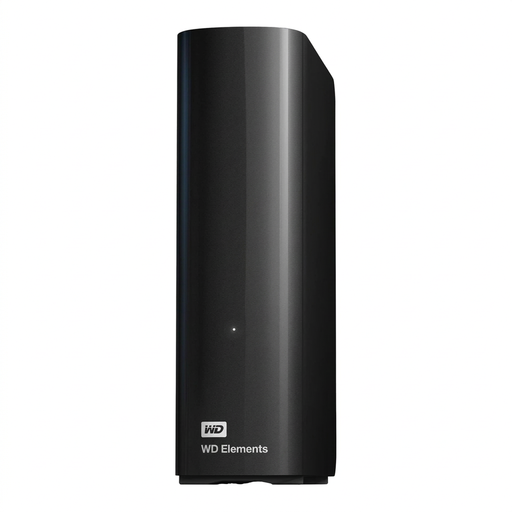
For large folders at a fixed workstation, if a desktop hard drive suits your needs.
14 TB; USB 3.0; 3.5-inch desktop hard drive with external power supply. According to the description, it comes preformatted with NTFS for Windows; reformatting is required for macOS.
No, not if that leaves you with only one copy. Germany’s Federal Office for Information Security recommends regularly backing up important personal files. You should also test that you can actually restore a file.
Not if the volume is formatted for Windows: according to Apple, Time Machine cannot use it as a backup destination. Apple recommends APFS or APFS (Encrypted) for a new Time Machine volume. Reformatting will erase any data already on the volume.
No. Samsung describes the T7 Shield’s figures as maximum sequential read and write speeds, and specifies USB 3.2 Gen 2 on the host and cable, as well as UASP enabled, as requirements.
You can’t infer a general requirement to encrypt every personal collection of scans. The European Commission explains that the GDPR does not apply to activities carried out solely for personal or household purposes with no professional or commercial connection. For personal data processed professionally, the responsible organisation must assess the applicable requirements and suitable safeguards for the specific case; the BSI describes encryption as a way to protect against unauthorised access.
Check whether you’ll need another drive for a separate backup and which backup or recovery features come with the specific model. The Seagate data sheet lists these options for the One-Touch generation described there, not for all external drives.