For a regular local backup of your photos, a portable HDD may be a good fit if storage capacity matters more to you than frequent, fast transfers. If you’ll be carrying it around often or repeatedly copying large files, an SSD is also worth considering. The key things to check are whether it has enough space for your photos and planned backups, whether it has the right connections, and whether its file system works with your devices. The German Federal Office for Information Security also recommends checking that you can restore files from your backup.
What different users need
Keep your project photos safe
If you want to be able to access your photos after accidentally deleting them or if a device fails, you need more than just storage space: you need a copy that you can actually read and restore. The German Federal Office for Information Security recommends checking your backup from time to time.
Work on more than one computer
If you edit or show project files on different devices, the connection, file system and backup method need to work with the computers you use. Also check whether the software includes your project folders in the backup.
Take your photos with you securely
If you carry a local copy with you and it may contain personal photos, access protection could be important. At the same time, make sure you’ll still be able to unlock and restore your files later.
What to consider when buying
Portable HDD
A good fit if: you mainly want a regular extra local copy and fast transfer speeds aren’t a priority.
Things to weigh up: For the stated Mac use, the manufacturer says the Toshiba Canvio Slim needs to be reformatted. Back up any files already on it elsewhere first.
External SSD
A good fit if: you’ll be carrying the drive around often or copying large batches of photos repeatedly, and your devices have compatible connections.
Things to weigh up: The maximum speed quoted by Intenso for the TX500 requires a compatible USB 3.2 Gen 2x1 interface.
HDD with access protection
A good fit if: you carry a portable copy containing photos of people and want to restrict access to the files stored on it.
Things to weigh up: Verbatim lists fingerprint access and AES hardware encryption for model 53650, and notes that a security update is available. These manufacturer claims are no substitute for keeping a second copy or carrying out an independent security assessment.
| Priority |
What to check before buying |
Who it matters most to |
| Restorable backup |
Which folders you plan to back up and the backup method; try opening or restoring files. |
If I want to access my project photos after a device problem, I need a separate, tested copy. Around 28 % of consumers put the ability to restore files first. |
| Compatibility |
Connections and cables; the file system and backup method supported by the devices you use. |
If I edit my photos on different computers, the copy needs to be readable on the devices I actually use. Around 22 % of consumers prioritise device compatibility. |
| Storage space |
The size of your existing photo folders and any likely additions; extra space for your chosen backup method. |
If my collection is growing or I want to keep several versions of a project, the specific model needs to have enough room. Around 22 % of consumers put having the right capacity first. |
| Portability and transfer needs |
How often you’ll carry the drive around and how often you’ll copy large amounts of data; whether it has the right connections for how you’ll use it. |
If I regularly take files between work locations or often transfer large amounts, the design and transfer process matter most. Around 17 % of consumers prioritise portability and transfer needs. |
| Access protection |
Setup and unlocking method; available manufacturer updates. |
If I carry photos of identifiable people, I want to restrict access to the files while still being able to open them again. Around 11 % of consumers put access protection first. |
Common buying mistakes
-
Assuming extra storage automatically means you have a backup
A new drive won’t automatically contain an up-to-date copy of your project photos. Even a backup you’ve set up is only useful if it includes the files you need and you can read them.
Decide which folders to back up, copy them regularly and test restoring individual files. The German Federal Office for Information Security recommends checking that backups can be read.
-
Focusing only on the advertised maximum SSD speed
The maximum speed quoted by Intenso for the TX500 requires a USB 3.2 Gen 2x1 interface. The drive may not reach that speed with a different connection.
Compare your devices’ connections with the requirements of the specific drive, and check which cables are included. If you only back up occasionally, maximum transfer speed may be less important when choosing a drive.
-
Checking the format and security features only after adding your files
If reformatting is required, files already stored on the drive could be at risk. For the stated Mac use, the manufacturer says the Toshiba Canvio Slim needs to be reformatted. If you’re using Apple Time Machine, check how to set it up and use the backup volume beforehand.
Check the file system and backup method before copying anything for the first time. If your drive has access protection, read the setup and update information too.
Brands to consider
Toshiba
The Canvio Slim is a portable, USB-powered HDD for local backups.
- Toshiba lists 1 TB and 2 TB capacities, USB 3.2 Gen 1 and downloadable backup software for this range.
- According to the manufacturer, reformatting is required for the stated Mac compatibility. Back up any existing files elsewhere first.
Intenso
The TX500 is an external SSD for portable project backups on devices with a compatible USB-A or USB-C connection.
- Intenso lists 500 GB, 1 TB and 2 TB capacities, two included cables and speeds of up to 1,000 MB/s for the TX500.
- According to the manufacturer, the stated USB 3.2 Gen 2x1 speed requires a compatible interface.
Verbatim
The 1 TB Fingerprint Secure Portable Hard Drive, model 53650, is an HDD with manufacturer-stated access protection features.
- Verbatim lists fingerprint access, an administrator password and AES hardware encryption.
- The manufacturer notes that a security update is available for this model. These security claims have not been independently verified.
Seagate
One Touch is a range of portable HDDs for photo and file backups; features may vary by model.
- Seagate lists USB 3.0 and a USB-A cable for model STKY1000400.
- Check the full model number and the features of the specific product. If your computer only has USB-C ports, you may need an additional adapter.
Joybuy products for local photo backups
This selection includes portable HDDs for regular local backups and external SSDs for frequent carrying or repeated transfers. One of the HDD models also lists password protection and hardware encryption in its product details.
 No image available
WD Elements 2 TB, external HDD, USB-C
A portable HDD for a local copy of your photos and files, with a stated capacity of 2 TB.
The product details list USB-C, USB 3.2 Gen 1, 2.5 inches, exFAT and USB power.
View at Joybuy
 No image available
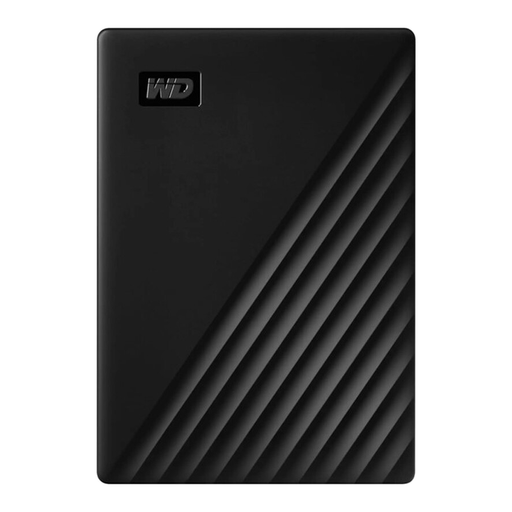
Western Digital My Passport 1 TB, external HDD
A portable 1 TB HDD for a local copy of your project photos and other files.
The product details list USB 3.0. Depending on your operating system, you may need to format the drive before transferring files.
View at Joybuy
 No image available
WD My Passport 5 TB, external HDD
The 5 TB model is worth considering if you need plenty of local storage for photos and files.
The product details list USB 3.0, password protection and 256-bit AES hardware encryption. These claims have not been independently verified.
View at Joybuy
 No image available
Samsung Portable SSD T7 2 TB
An external SSD for a local photo backup if you want to use the drive with both USB-C and USB-A devices.
The product details list 2 TB, USB 3.2 Gen 2, and USB-C-to-C and USB-C-to-A cables.
View at Joybuy
 No image available
Samsung T9 1 TB, external SSD
A portable SSD for a local photo backup if you plan to carry the drive around often.
The product details list USB 3.2 Gen 2x2, USB-C-to-C and USB-C-to-A cables, and read and write speeds of up to 2,000 MB/s. The stated maximum speed won’t necessarily be achievable on every computer.
View at Joybuy
Frequently asked questions
How do I back up a project folder from Windows to an external drive?
Windows File History can back up to a selected external drive and restore previous versions of files. Check that your project folder is in a library included in the backup. Microsoft says you can add folders from other locations to a library. Then test restoring a file.
Can I use the same drive for Time Machine and regular project files?
Apple recommends using a Time Machine backup volume only for Time Machine backups. Before setting it up, check whether the drive will need to be erased or reformatted, and back up any files already on it elsewhere first. A separate drive or partition may be a better option.
Can I simply save photos of identifiable classmates locally and publish them later?
There isn’t a blanket yes or no. According to guidance from the data protection authority in Rhineland-Palatinate, taking photos of identifiable people requires their consent or another valid legal basis. Whether the specific use in a school setting and any later publication are permitted depends on the project and the relevant rules. An external hard drive or encryption does not give you permission.
What are my rights if a product develops a fault after purchase in Germany?
When you buy from a business seller, EU consumer law gives you a minimum legal guarantee of two years from the date you receive the goods. An additional manufacturer’s warranty does not replace these rights. For any extra cover, check the terms for the specific model.


