A desktop HDD could suit a large archive of older designs that will mostly stay in one place. If you regularly copy files or take them with you, a portable SSD may be an alternative. You’ll also need to consider the right connection, a separate backup routine you can restore from, and carefully configured access protection for confidential files.
Who these drives may suit
Teams with a growing design archive
If you keep lots of project versions at a fixed workstation, plan for capacity, version storage and a separate backup together. Germany’s Federal Office for Information Security (BSI) also recommends thinking about how you’ll restore your data.
Teams that regularly hand over files
If you often copy large design files or take them elsewhere from time to time, the right connections and cables matter just as much as the speed supported by the specific workstation.
Teams working with confidential designs
If several people use the same computer, decide who can read the archive files and how access protection and password or key management will fit into your workflow.
What to consider when choosing
External desktop HDD
A good fit if: You keep lots of older design versions at a fixed workstation and don’t need to take the drive with you often.
Bear in mind: The power supply and stationary setup limit portability; a single archive drive is not a separate backup.
Portable external SSD
A good fit if: You often copy designs, use them elsewhere or move them between compatible connections.
Bear in mind: The transfer rate you achieve depends, among other things, on the USB mode, cable and host; portability is no substitute for a separate backup.
| Purchase priority |
What to check before buying |
Who it matters most to |
| Space for designs and versions |
Check folder sizes, expected growth and how many project versions you need to keep; for a WD My Book, check the capacity of the specific variant. |
If your archive of older project versions is growing at a fixed workstation, choose a capacity that meets your needs. Around 29% of consumers prioritise archive size and versions. |
| Data recovery |
Decide which folders and versions to back up, where to keep another copy and whether you can restore a file. The BSI recommends keeping a separate copy and making sure it can be restored. |
If you need to recover earlier design versions after an error or loss, a tested backup routine matters. Around 29% of consumers put recovery first. |
| Access protection |
Decide who can read the files and what encryption you can set up with the drive and operating system. The BSI lists encryption as a way to protect data on shared computers. |
If you want to protect confidential designs from other users, plan for encryption and key management. Around 24% of consumers consider access protection their top priority. |
| Connection and file transfers |
Check the USB port, supported mode and cable at your workstation. Samsung quotes read speeds of up to 1,050 MB/s and write speeds of up to 1,000 MB/s for the T7 Shield, provided, among other things, that the host and cable support USB 3.2 Gen 2 and UASP is enabled. |
If you regularly transfer designs between compatible devices, the drive’s connection needs to suit your workstation. Around 18% of consumers say the connection and speed are what matter most. |
Common archiving mistakes
-
Using the archive drive as your only copy
A fault or damage where the drive is stored could put both your archive and what you thought was your backup at risk.
Keep a separate copy and test that you can recover a design version from it.
An additional copy needs more storage space, and you’ll need to allow time for recovery tests.
-
Assuming an SSD’s top speed is the speed you’ll get in practice
The maximum speeds quoted by Samsung and Crucial depend on the conditions of the connection and the host you use.
Before buying, check your workstation’s USB mode and make sure you have the right cable.
-
Reformatting an archive drive for Time Machine without checking first
Apple warns that reformatting will erase existing files on the volume.
First, back up your files elsewhere and decide whether the drive will be used for archiving or as a backup volume.
-
Assuming a protective casing or password option guarantees complete data security
A protective casing won’t prevent accidental deletion; recovery can also be difficult if the key isn’t available.
Set up access protection carefully, keep your password somewhere safe and maintain a separate copy that you can restore from.
Key brands at a glance
Western Digital
My Book is a range of desktop HDDs designed for large archives at a fixed workstation.
- Western Digital lists an 8 TB capacity for the WDBBGB0080HBK-EESN variant.
- Western Digital describes encryption and password protection for its backup solutions; check the setup and features of the specific model. A single My Book is not a separate backup.
Seagate
Expansion Desktop is a range of desktop HDDs that adds storage capacity at your workstation.
- Seagate lists USB 3.0 and compatibility with most Windows and macOS systems.
- A power supply is required. Seagate says the drive needs to be reformatted for Time Machine; the general range description doesn’t specify the features of every variant.
Samsung
The portable T7 Shield is covered here by the black 2 TB variant, MU-PE2T0S/EU.
- Samsung lists an IP65 rating for this variant, along with maximum sequential speeds of 1,050 MB/s for reading and 1,000 MB/s for writing.
- These maximum speeds require a compatible host and suitable cable. Samsung excludes liquid and dust damage from its warranty.
Kingston
XS1000 is a compact range of portable SSDs with connection options provided by the included accessories.
- Kingston lists variants up to 2 TB and read speeds of up to 1,050 MB/s over USB 3.2 Gen 2.
- Whether the connection is compatible also depends on the ports at your workstation; the speed quoted is the manufacturer’s maximum.
Crucial
The 2 TB portable X9 Pro is an option if casing protection and a suitable encryption solution are important to you.
- Crucial lists sequential read and write speeds of up to 1,050 MB/s for the X9 Pro, along with an IP55 rating. The manufacturer says it supports BitLocker To Go on Windows and FileVault on macOS.
- The quoted speeds are manufacturer figures and depend on the host. According to the German product description, a USB-A adapter is sold separately.
Joybuy products for external archives
This selection includes portable and desktop HDDs, as well as a portable SSD for external file storage. Choose a capacity, connection and archiving routine to suit your shared workstation.
 No image available
WD Elements Portable 5TB USB-C
A portable 5 TB HDD for storing designs externally; USB-C is listed in the product name.
View at Joybuy
 No image available
WD Elements Portable 2TB, USB-C, USB 3.2 Gen 1, 2.5-inch, exFAT
A portable 2 TB HDD for external file storage; the product details list USB-C, USB 3.2 Gen 1 and exFAT.
View at Joybuy
 No image available
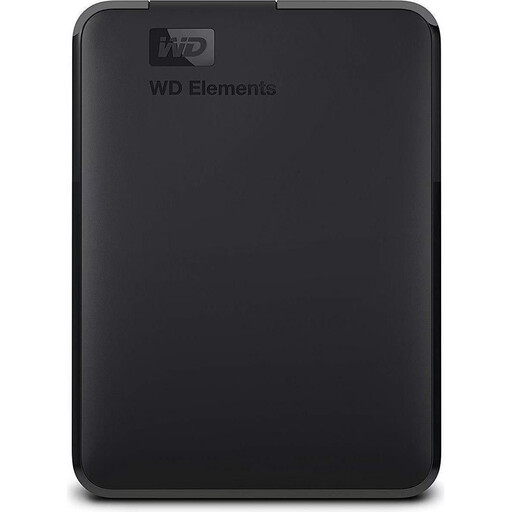
WD Elements Portable 2TB, USB 3.0
A portable 2 TB HDD with USB 3.0 for external file storage. The product details list NTFS as the pre-formatted file system and say the drive needs to be reformatted for the intended use with a Mac.
View at Joybuy
 No image available
WD Elements Desktop 8TB, USB 3.0, 3.5-inch
A desktop 8 TB HDD for an archive at a fixed workstation. According to the product details, it needs an external power supply; it comes pre-formatted as NTFS, and the details say it needs to be reformatted for Mac.
View at Joybuy
 No image available
KEXIN portable external SSD, 256 GB
A portable SSD with 256 GB for external file storage; the product name lists USB 3.1 and USB-C.
View at Joybuy
Frequently asked questions
If all my designs are on the archive drive, does that count as a backup?
No, not if it’s the only copy you have. Keep a separate backup and test whether you can restore a file from it. The BSI recommends storing a separate copy and restoring the data to check it works.
How do I include project folders in Windows File History?
You can use an external drive as the backup destination. Microsoft explains that File History backs up libraries. If a project folder is outside them, add it to an existing or new library, then check that you can restore a version.
Can I use the same drive as it is for file storage and a new Time Machine backup?
Don’t assume that you can. Apple recommends APFS for new Time Machine volumes and warns that any required reformatting will erase existing files. Decide how you’ll use the drive for archiving and backups before setting it up.
What does a manufacturer’s warranty cover if I lose my designs?
A warranty is a voluntary benefit and should be distinguished from your statutory rights against the seller. Replacing a faulty drive is no substitute for keeping your own backup that you can restore from.


