Joybuy products for local backups
The portable HDDs and SSDs below can be used as local storage for copies of your files and spreadsheets. Compare the capacity and connection with the details for each variant, and make sure they suit your backup routine.
 No image available
WD Elements Portable 5TB USB-C
This portable HDD is an option if you want to store other files locally as well as spreadsheets.
5 TB storage; USB-C.
Joybuy
 No image available
WD Elements Portable 2TB, USB-C
This portable HDD could be a good choice for storing spreadsheets and other files locally.
2 TB; USB-C; USB 3.2 Gen 1; 2.5-inch; exFAT.
Joybuy
 No image available
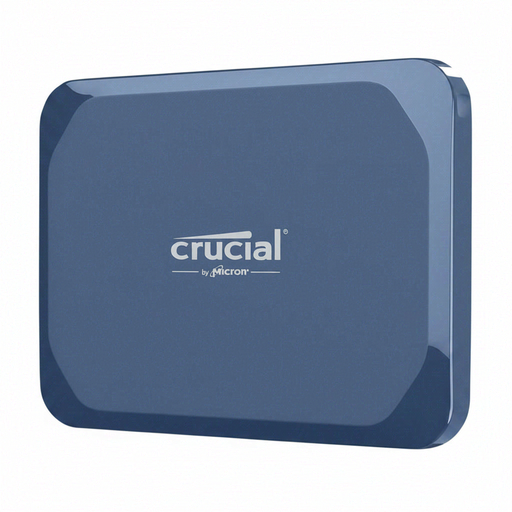
Crucial X10 Portable SSD 1TB
This portable SSD is an option if you want a drive for local files that you can take with you often.
1 TB storage.
Joybuy
 No image available
WD My Passport External Hard Drive 2 TB
This portable HDD lists password protection and automatic backup scheduling among its features for local files.
2 TB; USB 3.0; the product description says password protection and backup scheduling need to be set up using downloadable software.
Joybuy
 No image available
Samsung Portable SSD T7 2TB, Titanium Grey
This portable SSD gives you a way to keep spreadsheets and other local files on a drive you can take with you.
2 TB; USB Type-C 3.2 Gen 2.
Joybuy
Frequently asked questions
How can I back up earlier versions of my spreadsheets in Windows without the cloud?
File History can save earlier versions to an external drive, as Microsoft Support explains. Check that your spreadsheet folder is included, then test restoring an older file. According to Microsoft, the separate Windows Backup app syncs selected folders with OneDrive, so it isn’t a substitute for backing up folders exclusively to a local drive.
Can I back up my Mac without the cloud, and how much storage do I need?
Yes. Apple Support describes using Time Machine with a connected external storage device. For a full Mac backup, Apple recommends a drive with at least twice the capacity of your Mac. This recommendation is for Time Machine and isn’t a general minimum for individual spreadsheets. Setting it up may erase the destination volume.
Do I need a particular encrypted SSD for business spreadsheets?
No. The European Data Protection Board’s guidelines do not require a particular SSD model in every case. For controllers and processors, technical and organisational measures need to be appropriate to the risks. The right safeguards depend on the data and how it is processed. The German Federal Office for Information Security describes software- and hardware-based encryption.
What should I check about warranties and data recovery services before buying?
Check the terms for the specific variant and market where you’re buying it. Seagate’s 2021 data sheet specifies a two-year limited warranty for Expansion Portable in EMEA and notes that the Rescue service is not available in every country. This does not guarantee that recovery will be successful or that every purchase comes with the same service terms.


