For a spoken book review, a headset with a boom mic that you can position close to your mouth and keep in place is a sensible starting point. Shure explains that a microphone cannot effectively separate your direct voice from room reflections, while RØDE highlights the importance of keeping the microphone close. Make a test recording where you plan to record, then choose a connection and fit that suit your device, recording time and need to move around.
Who is this guide for?
Speakers in echoey rooms
If you’re recording a book review on your own and hear room echo in test recordings, look for a boom mic you can position close to your mouth, and consider where you record. A headset can’t change the room’s acoustics. Shure and RØDE explain why microphone distance and reflections matter when recording.
Recording at a computer
For longer recordings at a desk, you’ll want a USB connection that works with your computer, easy-to-reach controls and a comfortable fit for the duration of your recording. Logitech, HP Poly and Jabra’s product information covers a range of connection and control options.
Recording on the move
If you want to move away from your desk while speaking, check that the headset’s microphone, connection and, where applicable, battery work with your recording device. beyerdynamic lists different compatibility details for the MMX 150 wireless, depending on the connection type.
What should you look for when buying?
If you can hear room echo, start by checking the microphone position and where you’re recording. Shure points out that a microphone can’t improve a room’s acoustics, so noise cancellation for calls doesn’t mean your voice recordings will have less echo.
| What to consider |
What to check before buying |
Who it matters most to |
| Clear speech, even with room echo |
Check whether the boom mic can be positioned close to your mouth and stays in place, then make a test recording where you plan to record. |
When I’m speaking in an echoey room, I want to keep the microphone close to my voice; a different headset alone won’t make the room echo-free. That’s why around 42% of consumers put clear speech, even with room echo, first. |
| Connection to your recording device |
Check that the connection on the exact model works with your device, and confirm that the microphone also works through that connection in your recording app. |
I want to be sure the headset and recording device will actually work together over the connection I choose. Around 25% of consumers prioritise device compatibility. |
| Comfort during longer recordings |
Try the fit for a longer period and check that the mute and microphone controls are easy to reach. |
When I’m recording longer passages and listening back afterwards, I want my headset to feel comfortable and be easy to use. That’s why around 17% of consumers prioritise comfort. |
| Freedom of movement |
Check that the microphone works in your preferred connection mode, and consider your device’s battery and connection requirements. |
When I want to move around while speaking, a reliable connection without an awkward cable is essential. Around 16% of consumers put freedom of movement first. |
Common misconceptions
-
Assuming noise cancellation will eliminate room echo
Your direct voice and its reflections are picked up in the same room. A microphone’s noise cancellation for calls doesn’t prove that it will reduce echo in your recording.
Before choosing a different headset, try a short test recording to compare the microphone position and recording location.
Recording again or finding a more suitable location can take extra time.
-
Choosing by the shape of the plug alone
PC and console connections can differ for 3.5 mm headsets. And with wireless models, not every documented connection is designed for every recording device.
Check the exact model against your recording device, microphone input and the connection mode you’ll actually use.
Depending on your device, you may need a suitable additional cable.
-
Assuming closed earcups mean less echo in your recording
Passive isolation mainly affects what you hear when listening back. On its own, it doesn’t tell you how echoey your microphone recording will sound.
Check listening comfort and recording quality separately: make a test recording, then listen back to it.
Brands and product ranges to consider
Logitech
The wired H390 range is designed for use at a computer. Choose the USB-A or USB-C version that suits your setup.
- Logitech describes a repositionable microphone and an in-line mute control. The USB-A version has a 1.9 m cable, according to the manufacturer.
- Information about noise cancellation for calls doesn’t prove that room echo will be reduced by a specific amount in a voice recording.
HP Poly
The wired Blackwire 5200 range includes different fit and connection options for working at a computer.
- HP describes the Blackwire 5220 as a stereo model and the 5210 as a mono model. The manufacturer also lists a directional microphone and in-line controls for the range.
- Check the connections and adapters for the specific model. Manufacturer information about communication performance isn’t proof of an echo-free recording.
Jabra
According to the manufacturer, the wired Evolve2 40 SE is designed for communication-focused workplaces.
- Jabra lists three microphones, a flexible boom mic and passively isolating ear cushions.
- The advertised reduction in call noise isn’t the same as a measured reduction in room echo in a recording. Check the connection and version, too.
EPOS
The wired H6PRO Closed is a closed-back gaming headset with a detachable boom mic.
- The manufacturer’s data sheet describes an adjustable boom mic and different 3.5 mm cables for PC and console use.
- Check your recording device’s plug configuration and microphone input. Its gaming focus alone doesn’t prove it’s suitable for professional voice production.
beyerdynamic
The MMX 150 wireless is a closed-back headset with a detachable microphone, for recordings where freedom of movement matters.
- beyerdynamic lists battery life of up to 50 hours and sets out compatibility separately for wired and Bluetooth connections.
- Battery life is a manufacturer’s estimate and may vary depending on your settings and use. Going wireless won’t reduce room echo.
Joybuy products for voice recording
The Joybuy products below include wired USB and 3.5 mm headsets, as well as a wireless model with a microphone. If you can hear room echo, it’s still important to make a test recording where you plan to record.
 No image available
Logitech 960 Stereo Headset, USB
For recording voice at a computer, if you’re looking for a wired USB headset with an adjustable boom mic.
The product title lists a 2.4 m cable and compatibility with PC, Mac and laptop. The product description says the adjustable boom mic can be positioned close to your mouth.
Joybuy
 No image available
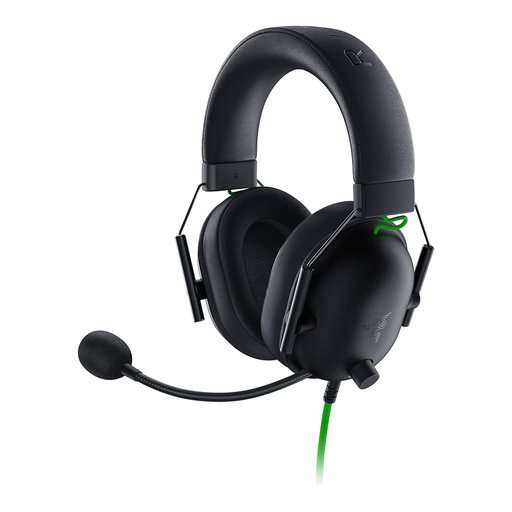
Razer BlackShark V2 X
A wired option for a recording device with a compatible 3.5 mm microphone input.
The product description says the flexible microphone can be positioned close to your mouth. A Y-splitter is listed for PCs with separate audio and microphone sockets.
Joybuy
 No image available
Logitech G PRO X Gaming Headset, USB
For wired recording at a computer, if you prefer a detachable microphone and a USB connection.
The product description lists an external USB sound card and says the microphone is detachable and can be positioned close to your mouth.
Joybuy
 No image available
Logitech H570e Mono Headset, USB-A
A wired mono option if your recording device has a compatible USB-A connection.
The product description features a flexible microphone boom and recommends positioning it about 2–3 cm from your mouth. An in-line mute control with an LED indicator is also listed.
Joybuy
 No image available
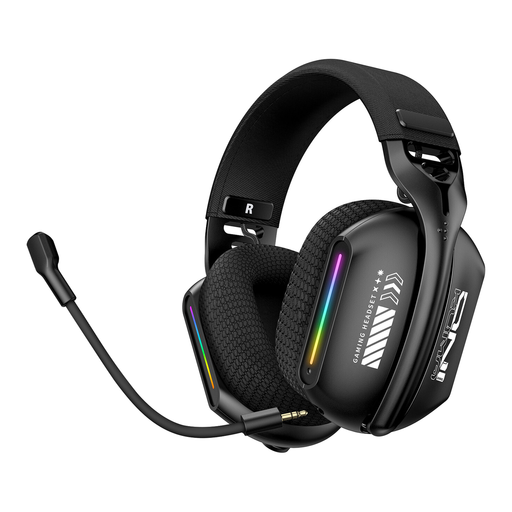
ONIKUMA GT808
For recordings where you want freedom of movement and can check the connection with your recording device in advance.
The product description lists Bluetooth, 2.4 GHz wireless and wired modes. It says the microphone rotates through 360° and can be adjusted to different angles. For wireless use, you’ll also need to consider battery life and device-specific connections.
Joybuy
Frequently asked questions
Will a noise-cancelling headset get rid of room echo?
No, you shouldn’t rely on it to do that. Shure explains that a microphone can’t effectively separate direct speech from reflected speech or improve a room’s acoustics. First, check the microphone distance and recording location with a test recording.
How should I position the microphone for a test recording?
Position the boom mic close to your mouth, but not directly in front of your breath, then read a short passage where you plan to record. Listen back to the recording, and try a different location if you can hear echo. Don’t assume that distance recommendations for standalone microphones apply to a headset boom mic.
What are my rights if the headset is faulty?
For a consumer purchase from a business seller in the EU, you’re generally entitled to a legal guarantee of at least two years from the date you receive the goods; Your Europe sets out this minimum period. A voluntary manufacturer’s warranty may also apply, but it doesn’t replace your legal rights against the seller.
Can I use extracts from a book or audiobook in a review I publish?
Section 51 of the German Copyright Act (UrhG) allows quotations from published works only to the extent justified by the specific purpose of the quotation. Whether a particular extract from a text or audiobook qualifies depends on the work, the extract and how you plan to use it; the provision doesn’t give blanket permission to use any audio extract.


