Club team with a laptop
You’re recording a short message on a computer and mainly need a suitable connection and a way to monitor the voice recording.


For recording a club anniversary message at a computer while seated, a wired USB headset is usually the simplest place to start, provided it’s compatible with your computer and recording device. A separate XLR headset microphone is better suited to setups that already have audio equipment. Wireless is mainly useful if the speaker needs to move around, and requires additional checks on the system and frequency.
You’re recording a short message on a computer and mainly need a suitable connection and a way to monitor the voice recording.
You’re filming someone who’s seated and weighing up visible earcups against a separate headset microphone worn around the neck, which requires an additional audio connection.
You can connect an XLR microphone or wireless receiver to your existing equipment, and will check the exact microphone and system version first.
A good fit if: You’re recording someone seated at a computer and don’t plan to use a separate audio interface.
The trade-off: The cable limits how far you can sit from the computer, and the headband and earcups may be visible on camera.
A good fit if: You already have a suitable XLR microphone input and would prefer a headset microphone worn around the neck to a computer headset.
The trade-off: An XLR microphone can’t be plugged straight into a computer like a USB headset. You’ll also need a compatible recording device, input gain and cable.
A good fit if: The speaker needs to move away from the recording position during the recording, or a cable would get in the way.
The trade-off: You’ll also need a transmitter, receiver, power supply and connection to the recording device. The frequency and operating conditions must be suitable for the specific system.
| Priority | What to check when buying | Who it matters most to |
|---|---|---|
| Clear speech | Microphone boom and positioning; check the level and sound with a test recording from the seat you’ll use. | If a clear voice matters more to me than extra features, I’ll check the microphone position and recording level first; around 33% of consumers put speech clarity first. |
| The right connection | Identify the recording device and socket; check that USB-A, USB-C, XLR or system-specific connections match the exact model. | If I want to connect the headset to my computer or existing audio equipment without extra steps, I’ll check the specific connections; around 27% of consumers prioritise device compatibility. |
| Fit and on-camera appearance | Check how the headset looks on camera when worn; compare headband, stereo and neckband styles. | If the message is being filmed or you’re planning longer rehearsals, I’ll pay particular attention to how the headset looks and fits; around 20% of consumers put appearance on camera and fit first. |
| Additional equipment | Check the inputs you already have and factor any required interface, receiver or connection cable into your plans. | If I might only use the headset for this club recording, I’ll want to avoid unnecessary extra equipment; around 13% of consumers prioritise the overall setup effort. |
| Freedom of movement | First, work out how far you actually need to move; for wireless, check the transmitter, receiver, connection and frequency version. | If I really need to move away from the computer during recording, I’ll weigh up wireless against the extra setup involved; around 7% of consumers put freedom of movement first. |
An XLR microphone or a microphone designed for a bodypack transmitter uses a different connection from a USB computer headset. Without suitable recording equipment, you may need additional hardware.
Before choosing a model, decide which recording device you’ll use and plan the complete connection setup.
Features on the microphone and earcups can’t replace a test recording from the actual seat you’ll use. Room noise, positioning and recording level also affect the audio.
Make a test recording, listen back through headphones and check the level before recording the message.
Wireless mainly solves a problem with movement or cables, but adds another transmission link and more system components.
Choose wireless only if you genuinely need to move around, and check that the frequency version is suitable for use in Germany.
The H390 is a computer headset with a USB connection, microphone boom and in-line controls.
The IMPACT 100 MS Stereo USB-C+A is a lightweight, wired on-ear option for computer recording.
The Evolve2 40 SE is available in different USB, mono, stereo and communications platform versions.
The Blackwire 3200 series includes wired computer headsets with different connection and wearing options.
The WH20 is a separate headset microphone for a compatible audio input; the WH20XLR version is relevant if you already have XLR equipment.
The ME 3 is a headset microphone option for specific compatible wireless systems.
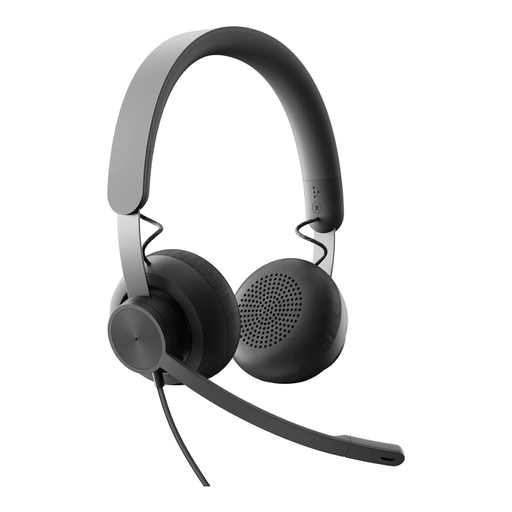
The following wired headsets may suit a seated computer recording, provided they’re compatible with your recording device.
 No image available
It may suit a seated computer recording if your recording device has a compatible 3.5 mm input.
 No image available
A suitable option for computer recording if you’re looking for a USB headset and your recording device is compatible.
Product name specifies: USB connection and use with PC, Mac or laptop.
 No image available
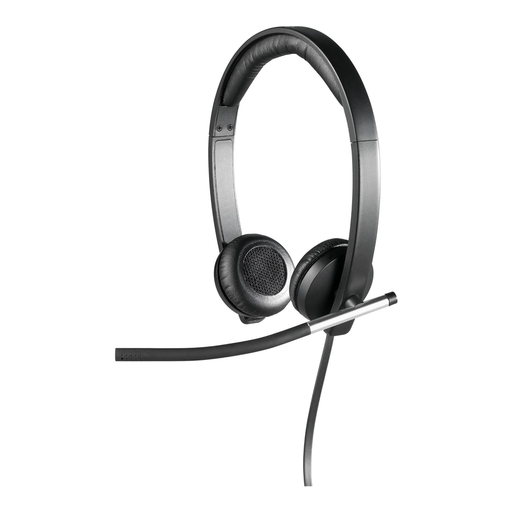
It may suit computer recording if you’re looking for a wired USB headset with stereo sound and an over-ear design.
Check that the specific USB connection is compatible with your recording device.
 No image available
A suitable option for seated computer recording if you’re looking for a wired USB headset with a microphone.
Product name specifies: stereo version and 2.4 m cable. Check that the USB connection is compatible with your recording device.
 No image available
It may suit computer recording if you’re looking for a wired USB headset and your recording device supports the required connection.
In your recording software, explicitly select the headset or connected audio interface as the input device. Make a short test recording, watch the level and listen back. The Audacity manual notes that clipping can’t simply be undone after recording.
No, not automatically. Jabra says the USB-C version can be connected to a mobile device’s USB-C port, but not every USB-C device or app supports the audio connection. Check that your device and the app you’re using are compatible.
Before buying, check whether you’ll need an audio interface for XLR or a complete transmitter system for wireless. If a product is faulty, your statutory rights against the seller are separate from any voluntary manufacturer’s or retailer’s guarantee, as explained by the German Consumer Advice Centre.
Not simply because it’s a club message. If someone can be identified in a recording, processing their personal data needs an appropriate legal basis. The recording and publication must be considered in relation to the specific purpose. Data protection authorities in Lower Saxony and Rhineland-Palatinate explain the possible legal bases and information requirements for clubs. Whether consent is required in a particular case depends on the intended use and the people involved.
Not as a general rule. In 2026, the Federal Network Agency allocated frequencies for wireless microphones on a general basis, subject to technical and operating conditions. Whether a particular system is covered depends on its frequency version and how it’s used, so check the specific device details against the applicable allocation.