Housemates with background noise
You want to be easy to hear during family calls, even when someone is talking in the next room, and need a mute button that’s quick to reach.


For a family call in a shared house, choose a headset whose microphone and connection work with the device you actually use. If possible, test the microphone recording with the usual background noise in the room. A wired USB model saves you having to charge it, as long as your computer supports the connection. Bluetooth gives you more freedom to move around, but relies on a charged battery and a stable connection. ANC in your headphones doesn’t replace checking how your microphone sounds to others.
You want to be easy to hear during family calls, even when someone is talking in the next room, and need a mute button that’s quick to reach.
You want to listen to your family through headphones rather than a speaker, while being considerate of your housemates.
You use a computer or mobile phone depending on the occasion, so you need to check the connection, audio settings and, where relevant, Bluetooth pairing.
A good fit if: You’re at your computer and have a compatible USB port.
The trade-off: The cable limits how much you can move around, and the USB-A or USB-C connector needs to match your device.
A good fit if: You want to get up during a call or switch between compatible devices.
The trade-off: You’ll need to keep the battery and connection in mind, and may also need a USB receiver.
A good fit if: You mainly make calls on your mobile phone and prefer compact earbuds.
The trade-off: Test the fit and microphone quality with the device you use for calls.
| What matters | What to check when buying | Who it matters most to |
|---|---|---|
| Making your voice easy to understand | Microphone position, an easy-to-reach mute button and a test recording with typical shared-house background noise. | If someone is talking in the next room, you’ll want your family to hear you clearly. This is a priority for around 28% of consumers who value clear speech. |
| Listening without disturbing others | Fit and volume controls; don’t confuse ANC in your headphones with noise cancellation on the microphone. | If you’re making a call in a shared space, you’ll want to hear your family without playing the call through a speaker. Around 22% of consumers prioritise this. |
| A connection that works with your device | Check that USB-A, USB-C or Bluetooth is compatible with your device, then test the input and output in your calling app. | If you use different devices, you’ll want to make sure the headset can pick up and play back speech on the computer or mobile phone you plan to use. Around 22% of consumers pay particular attention to compatibility. |
| A comfortable fit | Check the headband adjustment and padding; for in-ear headphones, make sure the tips fit properly. | If a family call runs long, you’ll want your headset to stay comfortable. Around 17% of consumers consider comfort their top priority. |
| Freedom to move around | Check Bluetooth support, battery level and, where relevant, whether a USB receiver is included. | If you want to get up during a call, a wireless model could be a good choice. Around 11% of consumers prioritise this. |
ANC in your headphones reduces the noise you hear. Whether your family can hear background noise from your shared house depends on the microphone and your surroundings.
Check the microphone specifically and test it with the usual room noise. If noise bothers you while listening, assess the fit and, where relevant, ANC separately.
Having a USB port doesn’t automatically mean the headset’s microphone and audio will work with the device you plan to use for calls.
Check whether USB-A or USB-C matches your device and what’s included with the exact model. Before your call, test the headphones and microphone separately.
Bluetooth calls rely on a connection and the right device settings. A flat battery can interrupt your call.
Check the connection and battery level in good time. Select the right microphone and headphones in your calling app.
The H390 is a wired USB option for calls on a compatible computer.
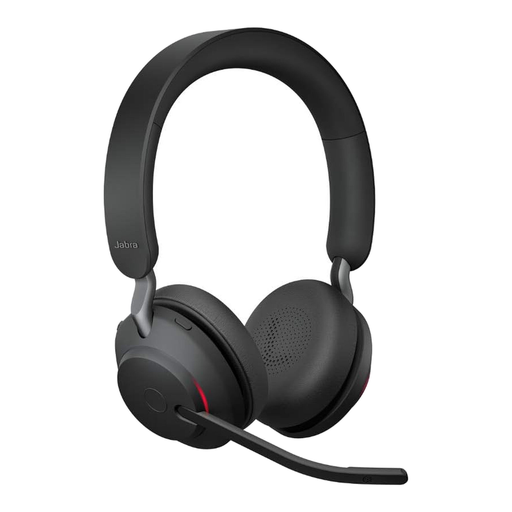
The Evolve2 range includes wired and wireless over-ear headsets for calls.
The IMPACT 100 UC Stereo USB-C+A is a wired option for calls on a compatible computer.
The Voyager 4300 UC series offers wireless over-ear headsets for calls when you don’t want to stay at your desk.
The FreeBuds 7i are a compact in-ear alternative, particularly for family calls on a compatible mobile device.
This selection includes wired USB and wireless over-ear headsets for family calls on a compatible computer or mobile device.
 No image available
The over-ear design with a microphone is an option for family calls on a compatible device.
The product name lists Bluetooth 5, a stated battery life of 22 hours, a microphone boom and ANC. The listed platforms are PlayStation, PC, Mac and Switch.
 No image available
A wireless over-ear option if you want to move around during computer calls and can test the connection beforehand.
The product name lists a charging stand, a USB-C Bluetooth adapter and MS compatibility. It also lists 8-microphone technology and ANC.
 No image available
The wireless design with a microphone could work for calls on a compatible mobile device or computer.
The product name lists SmartSwitch Dual Wireless, a noise-cancelling microphone, 50 mm drivers and USB-C.
 No image available
A wireless on-ear option for calls on a compatible computer if you’re looking for a headset with a microphone boom.
This version is listed with a rotating microphone boom, three microphones and a USB-C Bluetooth adapter. The product name also mentions UC certification and a noise-cancelling version.
 No image available
A wired option for calls on a computer if your device has a compatible USB-A port.
This version is listed with USB-A, two built-in microphones and an in-line mute function. The adjustable headband and memory foam ear cushions are also listed.
In Zoom, select the microphone and headphones you want to use before joining, then run the speaker and microphone test. If possible, speak in the usual conditions in your shared house. A successful device test alone doesn’t measure noise cancellation. Zoom explains this test in its help articles.
Not necessarily. ANC in your headphones mainly affects the noise you hear; how your voice comes through depends on the microphone, its processing and your surroundings. Test the microphone recording separately.
Don’t keep turning up the volume to drown out background noise. The World Health Organization recommends limiting volume and listening time, and using well-fitting or noise-reducing headphones so you’re less likely to need loud playback.
Your statutory rights are generally against the seller. A manufacturer’s warranty is separate and subject to its own terms. The Verbraucherzentrale explains the difference in its information dated 28 September 2026. If a product is faulty, repair or replacement may be available in the first instance as a remedy.
When monitoring Bluetooth devices on the market, the Bundesnetzagentur checks factors including CE marking, manufacturer details, German-language instructions and the declaration of conformity. CE is the manufacturer’s declaration of conformity, not an independent endorsement of microphone quality. You’ll need to check the specific product to see whether a particular listing meets all the requirements.