Storytellers who care about sound
If you want your personal monologue to sound clear, recording a sample will tell you more than looking at call features alone. RØDE describes the NTH-100M as a headset for media production and podcasting.


A USB headset is a good choice for recording a long family voice message directly on your computer, without a separate audio device. An analogue or broadcast headset may suit you if your connections and audio equipment are already compatible. Before you start, record a typical passage, listen back to the saved file, and check the fit, microphone input and recording level. Manufacturer claims about comfort or noise cancellation are no substitute for trying it out yourself.
If you want your personal monologue to sound clear, recording a sample will tell you more than looking at call features alone. RØDE describes the NTH-100M as a headset for media production and podcasting.
A good fit and a reliable recording process matter for longer passages. RØDE says the NTH-100M has an adjustable headband and cushioned ear pads; the only way to find out whether it’s comfortable for you is to wear it.
If you want to get started without a separate audio device, check the connector on the exact variant and select the headset as the microphone input in your recording software. Logitech describes the USB-A version of the H390 as suitable for connecting to a computer.
For a long, personal family voice message, the right choice depends on whether sound quality, comfort, connectivity or background noise at your recording location matters most to you.
A good fit if: you want to record directly on your computer and connect the microphone and headphones without a separate interface.
Bear in mind: Logitech describes the H390 primarily as a headset for calls, so you should make your own recording to check whether it gives you the voice sound you want.
A good fit if: your device supports the headset’s microphone input and you want to monitor your voice through the same headset as you speak.
Bear in mind: the supplied TRRS cable is designed for the microphone on the RØDE NTH-100M. A suitable additional device may be needed for an XLR connection.
A good fit if: you already have a compatible XLR microphone input and headphone output. Audio-Technica lists these connections for the specified BPHS1 version.
Bear in mind: without compatible inputs, the BPHS1 cannot be used directly as a USB headset with a laptop. It also doesn’t guarantee a trouble-free recording in your own room.
| What matters | What to check when buying | Who is this important to? |
|---|---|---|
| Voice quality | Position the microphone boom correctly and record a typical passage; listen to the saved file through headphones. | If I want my voice to sound natural and clear in a personal monologue, I listen back to a recording before doing a long take. Around 29% of consumers put voice quality first. |
| Comfort during long takes | Try the headband and ear pads for as long as possible, ideally for a similar length of time to your planned recording. | For longer passages, I want to avoid pressure or heat that might make me stop. Around 29% of consumers prioritise comfort during long takes. |
| Connectivity and recording process | Check that the exact variant’s connector is compatible with your device; test the microphone input and level, then export a backup. | If I want to record without extra setup and make sure my long take is safely saved afterwards, I check the entire signal path in advance. Around 24% of consumers prioritise connectivity and recording security. |
| Noise at home | Make a test recording at your chosen location; check separately whether a feature affects the microphone or just what you hear. | If voices or everyday household sounds are an issue where I’m recording, I want to hear how my voice is actually captured in those conditions. Around 18% of consumers consider household noise their main concern. |
Noise reduction on the microphone and sound isolation for your ears are different features. Manufacturer claims about calls don’t show how your voice will sound in your room.
Make a test recording at your planned location with the usual background noise, then listen back to the saved microphone track.
If you don’t also export and back up the recording, a problem with the project or file could mean losing your work on the take.
Check the saved file and make a separate backup before editing. Audacity recommends exporting important recordings before editing them.
The NTH-100M is an analogue-connected, over-ear headset that RØDE also describes as suitable for media production and podcasting.
The BPHS1 is a broadcast headset for equipment with compatible microphone and headphone connections.
The H390 is a wired computer headset option for making a test recording without a separate interface.
The wired Evolve2-40-SE range is designed for office communications and may interest those looking for a microphone boom and passive noise isolation.
The wired Blackwire range includes various office headsets. On the 8225, microphone noise reduction and ANC for listening should be considered separately.
The Joybuy picks below include headsets designed for office and gaming use. For the specific version you’re considering, check that the connection and microphone input are compatible with your recording device.
 No image available
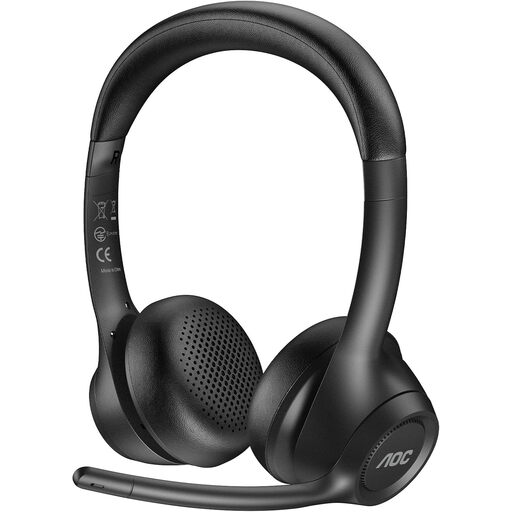
If you’re considering this headset for longer voice recordings, first check that your recording software recognises it as a microphone input.
The product name describes it as a wireless headset with a microphone for work.
 No image available
If you’re considering a wireless headset for longer voice recordings, check the connection and listen to the microphone track before making a long take.
The product name lists Bluetooth 5, a boom microphone and up to 22 hours of battery life. This battery life claim says nothing about recording quality.
 No image available
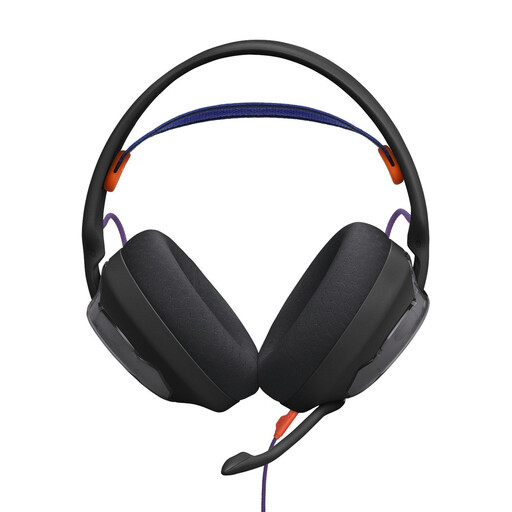
If you’re considering this wired gaming headset for a voice message, check that your recording device recognises the microphone input on the specific version before making a long take.
 No image available
For a long voice message, test in advance that the microphone input on this wired version works with your recording device.
The product name lists a flip-up boom microphone.
 No image available
For a straightforward wired setup, check that your recording device’s 3.5 mm connection also works as a microphone input.
The product name lists an adjustable microphone and volume and mute controls on the cable.
Select the headset explicitly as the input source in your recording software, check the level meter and listen to a short saved test recording. Audacity also recommends exporting an important recording as a backup before editing.
No. RØDE explains that the microphone needs suitable plug-in power when connected to an XLR microphone input. Check the entire microphone and headphone signal path before choosing this connection.
Check whether replacement parts are available for the version you choose; Audio-Technica says the cable and ear pads on the BPHS1 are replaceable. The Verbraucherzentrale distinguishes the statutory consumer rights that apply to faulty goods from a voluntary manufacturer’s warranty. Online purchases usually come with a 14-day right to cancel.
Section 201 of the German Criminal Code (StGB) covers the unauthorised recording of another person’s private speech and making such a recording available to others. Get permission from anyone involved before recording together or sharing the recording. Recording your own spoken message is not the same as recording someone else’s words.