Recording a story in a room with a fan
If you’re recording a story from your club, check the microphone position and how clearly you can hear the voice in a test recording with the fan running.


First, choose a headset or microphone with connections that match your recording device. Then, make a test recording with the fan running and listen back without editing to check that the voice is clear. An adjustable microphone boom helps you position the mic, but it cannot guarantee a recording free from background noise.
If you’re recording a story from your club, check the microphone position and how clearly you can hear the voice in a test recording with the fan running.
If you already use a computer, recorder or audio interface, check that its microphone input and headphone connection work with the specific headset variant.
For longer conversations or several speakers, you’ll need a suitable microphone position, a reliable way to monitor the recording and clear audio from everyone.
First, check how the microphone and headphones connect to your recording device. Then test the voice and fan noise together in the place where you plan to record.
| What matters | What to check before buying | Who is it most important for? |
|---|---|---|
| Recording a clear voice with a fan running | Microphone position; an unedited test recording with the fan running | If I’m recording a story from my club in the same room as a running fan, I want to be able to hear the voice clearly in the test recording. Around 36% of consumers put speech clarity first. |
| Connection and monitoring | Microphone and headphone sockets; the complete model variant | If I want to keep using my existing recording device, the microphone and headphones need to work with it. Around 29% of consumers prioritise the right connection and recording set-up. |
| Recording several voices | A test with all speakers; the microphone inputs required | If I’m recording a conversation with several club members, I want to capture and monitor every voice clearly. Around 21% of consumers prioritise recording several voices. |
| Comfort during longer sessions | Try the fit and microphone position; check the monitoring connection | If a story takes a while to record, I want to wear the headset comfortably and monitor the recording. Around 14% of consumers pay particular attention to comfort and control during longer sessions. |
Closed-back earcups can help when monitoring, but they don’t prove that the microphone will keep the fan out of your recording.
Check the microphone technology used in the specific model and listen to a test recording with the fan actually running.
The microphone and headphones may have different connections, and similarly named variants may also need a different set-up.
Check the full model variant and its plugs against the inputs and outputs on your recording device.
Depending on your set-up, you may need extra equipment. Shure specifies an optional RPM626 preamplifier for wired use of the Shure SM35-TQG.
A headset microphone is positioned for the person wearing it; it won’t automatically pick up other speakers sitting further away clearly.
Listen to a test recording with everyone who’ll be speaking and, if needed, plan for additional microphones and suitable inputs.
Extra microphones and recording connections can make your set-up more complex and need to be factored into your plans.
beyerdynamic states that DT-297 versions are supplied without a connection cable.
Before buying, check what’s included and which cable suits the specific variant and your device.
You may need to buy a suitable cable separately.
The BPHS1 combines closed-back headphones with a dynamic cardioid microphone, making it an option for a compatible broadcast recording set-up.
The NTH-100M is a headset option for devices with a suitable combined 3.5 mm socket, or separate sockets and a compatible splitter.
The SM35 is a headset microphone for people who don’t need built-in headphones and have compatible recording equipment.
The Evolve2-40-SE range is designed for computer and UC calls, and may be worth considering for a straightforward desk set-up.
The DT 297 PV MK II is a broadcast headset with a condenser microphone, available in different versions for professional recording equipment.
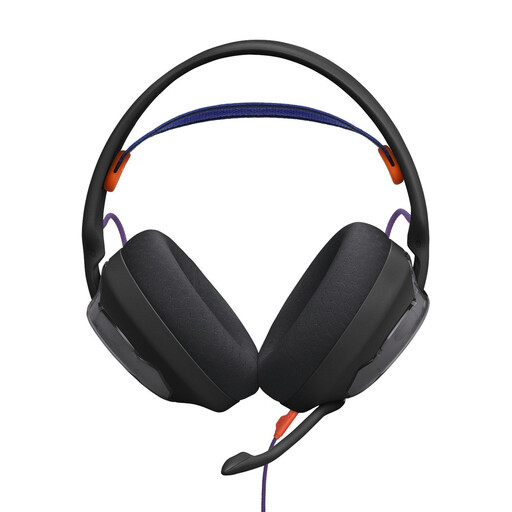
These Joybuy products are wired or wireless headsets with microphones for recording one person at a time. Check that each one connects to your recording device.
 No image available
Could be suitable for recording one speaker if the microphone and headphone connections match your recording device. Test the voice with the fan running.
The product details specify a detachable microphone and a 3.5 mm connection.
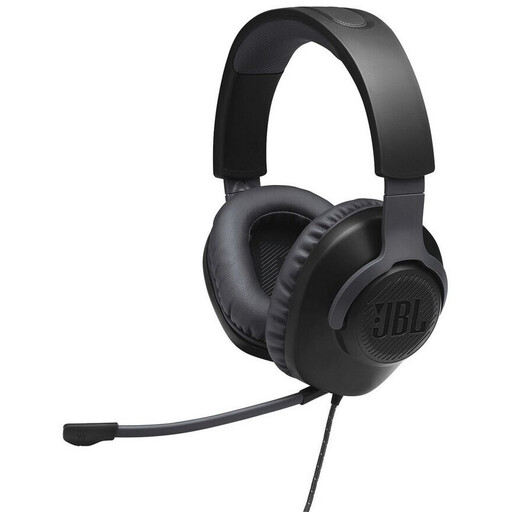 No image available
Could be worth considering for recording one speaker if the 3.5 mm connection matches your recording device. A test recording will show how the voice sounds with the fan running.
The product details specify a detachable, adjustable microphone and a 3.5 mm connection.
 No image available
Could be an option for recording one speaker if your chosen recording set-up works with the device. Test the voice recording rather than relying on noise-cancelling claims.
The product name specifies 2.4 GHz, Bluetooth and wired operation, as well as 50 mm drivers.
 No image available
Could be suitable for computer recording if the USB recording connection works with your software. Test the voice with the fan running nearby.
The product details specify a detachable microphone and an external USB sound card.
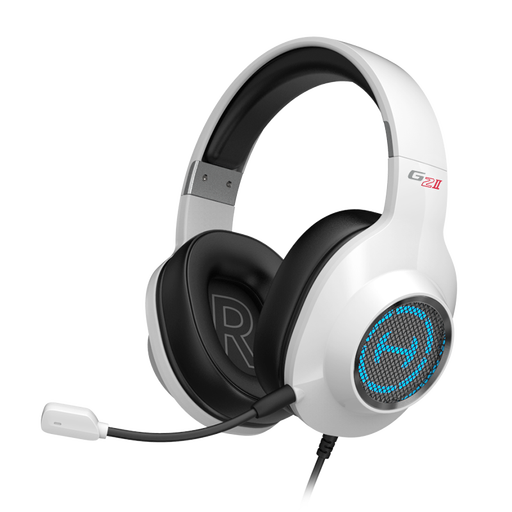 No image available
Could be suitable for recording one speaker on a computer if it connects to your recording device. Listen to a test recording with the fan running.
The product name specifies a USB connection, and the product details list a swivel microphone.
No, the label alone doesn’t prove that it will. Test the microphone recording with the fan running; noise isolation in the headphones affects, first and foremost, what the person wearing them can hear. Audacity describes noise reduction for steady background noise and warns that processing that’s too strong can cause audible artefacts.
First, check that the sockets on your recording device match the full headset variant. Then record a short passage with the fan running, adjust the microphone and listen to the unedited file using the intended headphone connection. According to RØDE, the supplied TRRS cable is required for the microphone to work with the NTH-100M.
Yes. Audacity describes reducing noise by sampling a short section that contains only the steady background sound. According to Audacity, settings that are too strong can noticeably distort the voice, so editing is no substitute for a clear original recording.
Depending on the model, you may need a suitable recording connection, preamplifier or separate cable. Shure specifies an optional RPM626 preamplifier for wired use of the SM35-TQG, while beyerdynamic supplies DT-297 versions without a connection cable. Where the conditions set out in § 437 BGB are met, remedies for a defect include the right to require subsequent performance, withdraw from the contract or request a price reduction. These statutory rights are distinct from voluntary manufacturer warranties.
Discuss the recording and any possible future publication beforehand. Permission for one purpose doesn’t automatically mean permission for every other use. § 201 StGB covers the unauthorised recording of another person’s non-public spoken words and certain other uses. Processing personal data also requires an applicable legal basis under Article 6 GDPR; informed consent may provide such a basis.