Audio guide recordists
You’re recording a seated narrator and want clear, consistent speech above all, without the microphone distance changing.


Choose a headset based first on the inputs available on your recording device: USB works with a compatible computer, while XLR requires a suitable audio interface or mixer, and headsets with a jack plug need a compatible microphone input. A headset microphone can keep a consistent distance from the speaker’s mouth, but it won’t eliminate room echo or breathing sounds. Record a voice sample in the intended seat, and if you’ll be recording for longer periods, check that the headband and ear cushions are comfortable too.
You’re recording a seated narrator and want clear, consistent speech above all, without the microphone distance changing.
You want to record using your existing computer and first need to check which USB or analogue microphone input you can actually use.
You’re reading or narrating longer passages while seated, so you’re paying particular attention to the headband, ear cushions and whether the microphone position can be adjusted consistently.
A good fit if: you want to record directly on a computer with a compatible USB port.
Worth noting: In its test, c’t described the voice on the ATH-M50xSTS-USB as detailed, but sometimes slightly sharp. A test recording can help you find the right microphone position.
A good fit if: your recording device has a compatible headset microphone input or suitable separate connections.
Worth noting: Bonedo reported good voice quality and comfort from the RØDE NTH-100M it tested, but found that its ear cups offered relatively moderate noise isolation.
A good fit if: you have a suitable audio interface or mixer and have planned for separate microphone and headphone connections.
Worth noting: The connection you need for the Shure BRH440M depends on the cable version; the Audio-Technica ATH-M50xSTS has separate XLR and jack connections for the microphone and headphones.
For a seated narrator, the main things to consider are a suitable microphone distance, compatibility with your existing recording device and a comfortable fit for the planned recording time.
| What matters | What to check before buying | Who is this important to? |
|---|---|---|
| Clear voice at the recording location | Record at the intended seat at a normal speaking volume, and listen for echo, breathing sounds and changes in audio levels. | If you’re recording a narrator and want to keep the microphone distance as consistent as possible, clarity is the priority; around 36% of consumers put it first. |
| The right connection | Check the microphone and headphone plugs on the specific model against the inputs on your recorder or computer. | If you want to use your existing recording device without needing extra equipment you hadn’t planned for, the connection is crucial; around 29% of consumers prioritise connection compatibility. |
| Comfort during longer sessions | Try the headband, cushions and microphone arm before a long recording session; check whether suitable replacement parts are available if needed. | If you’re speaking for longer periods while seated, the headset should feel comfortable and be easy to adjust to the same position each time; around 21% of consumers prioritise long-term comfort. |
| Background noise and monitoring | Test the headset with the sounds you’ll encounter at the actual recording location, then listen back to the recording through headphones. | If you have to record despite background noise, it’s important to know what will be audible in the recording from your seat; around 14% of consumers put dealing with unwanted noise first. |
The microphone and headphones may use separate signal paths. For example, the ATH-M50xSTS has separate XLR and headphone connections, while the Shure BRH440M is available with different cable options.
Before making a decision, check the connections on the specific headset against the inputs on your recording device.
Depending on the connection, you may also need an audio interface, suitable cables or adapters.
A microphone can’t improve the acoustics of a room. Shure recommends keeping the distance between the sound source and the microphone consistent.
Record complete sample sentences from the intended seat and listen back before deciding on the surroundings or microphone position.
Finding a quieter recording space or making extra takes can take more time.
In its test of the Audio-Technica ATH-M50xSTS-USB, c’t noted breathing sounds as a reason to adjust the microphone position using test recordings.
Move the microphone in small steps, listening for breathing sounds, room echo and background noise as you go.
The ATH-M50xSTS and ATH-M50xSTS-USB offer different connection options in a headset with a microphone arm.
The NTH-100M is an analogue over-ear headset with a detachable microphone for voice recording and monitoring.
The BRH440M is a broadcast headset for compatible professional signal paths, with a choice of cable options.
The MMX 300 PRO is a closed-back analogue gaming headset for a compatible jack connection setup.
This selection includes headsets and microphone solutions for seated voice recording, with wired or wireless connections. Before recording, check that the microphone and playback connection both work with your device.
 No image available
The boom microphone is described as an adjustable microphone solution for a seated narrator; test the voice recording from the intended position.
Over-ear gaming headset; wireless connection, Bluetooth 5, 22-hour battery life and detachable 3.5 mm cable, according to the product name.
 No image available
The detachable microphone and different connection modes may be useful for voice recording; check in advance which mode works with your recording device.
The product name lists 2.4 GHz wireless, Bluetooth and wired modes.
 No image available
The headset is described as being designed for professional calls. Check whether the connection via the base station and the microphone suit your recording setup.
The product name lists DECT, a range of 150 m and a base station with a USB-C to USB-A cable. For the PC connection described, the base station is connected by cable.
 No image available
The adjustable boom microphone can be positioned for seated speech; make a test recording to check that your voice sounds clear from the intended position.
Wired headset; the product name lists USB and a 3.5 mm jack.
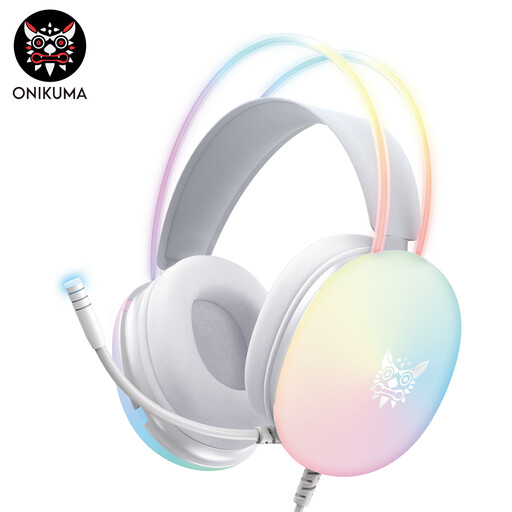 No image available
The retractable, swivelling microphone can be positioned for a seated speaker. Check the fit before longer recording sessions.
In-ear earphones with a 3.5 mm audio connection; according to the description, USB powers the RGB lighting, while audio runs through the 3.5 mm connection.
No. A headphone output alone doesn’t mean there’s a microphone input. Check the specific device to see where the microphone and headphone signals connect; on the analogue Audio-Technica ATH-M50xSTS, the microphone’s XLR connection and the headphone connection are separate.
Adjust the microphone arm and record a short passage from the intended seat. Listen for echo and breathing sounds, and change the position if needed; the c’t test of the ATH-M50xSTS-USB didn’t recommend a one-size-fits-all position as close to the mouth as possible. Microphone technique alone can’t fix poor room acoustics.
Follow the care instructions for the specific model and check which replacement parts are compatible. Shure lists replaceable ear cushions and a windscreen for the BRH440M; RØDE documents detachable ear cushions for the NTH-100M.
For a consumer purchase, your statutory rights against the seller are separate from any voluntary manufacturer’s guarantee. The European Commission explains that sellers are liable for defects that existed when the goods were delivered and become apparent within two years; check the terms of any additional guarantee.
There’s no blanket yes or no: section 201 of the German Criminal Code (StGB) prohibits recording another person’s words spoken in private without authorisation. Discuss the recording with the speaker in advance and agree separately on the planned publication. A German data protection authority provides a podcast template with separate consent statements for recording and publication; further data protection requirements depend on how the recording is used.