People speaking with a fan running
You want to record your voice clearly and position the microphone boom close to your mouth. Check the result with the fan switched on at the intended recording location.


For a single person speaking, a well-positioned microphone boom with a connection that’s compatible with your recording device is a sensible starting point. A test recording at the actual recording location will show whether your voice remains clear with the fan running. If you also want to capture questions and contributions from other club members, your setup needs to support suitable microphone inputs and channels. A single headset worn by one person won’t automatically capture everyone’s voice.
You want to record your voice clearly and position the microphone boom close to your mouth. Check the result with the fan switched on at the intended recording location.
You want to capture questions and other memories as well as the main speaker. Make sure you have suitable microphone inputs and enough recording channels.
You want to connect a headset to a computer, smartphone or recorder. Before choosing a model, check that the microphone function of its connector is compatible with your device’s input.
First decide whether you want to record one voice or several. Then check that the headset connection is compatible with your recording device, and listen to a test recording with the fan running.
| Consideration | What to check before buying | Who is this important for? |
|---|---|---|
| Clarity with fan noise | Check the microphone boom and polar pattern for the exact model variant; make a test recording in the intended location with the fan running. | If the fan is running, you’ll want to position the microphone boom so your voice remains clear, and listen to the result beforehand. Around 33% of consumers consider clarity with fan noise their top priority. |
| Capturing all the voices you want | Decide in advance who should be heard; if using several microphones, check the inputs, drivers and recording software together. | If you want questions and contributions from other club members to be included in the recording, plan how to capture them. Around 27% of consumers prioritise making several voices clearly audible. |
| Connecting to your recording device | Check that the connector and microphone function of the exact model variant are compatible with your device’s inputs. | You want to connect the headset to your existing recording equipment without discovering during setup that the microphone connector isn’t compatible. Around 20% of consumers prioritise compatibility with their recording device. |
| Comfort during longer recordings | If possible, test the fit for the length of time you plan to record; if the ear cushions are replaceable, check what’s included. | For longer recordings, you’ll want to wear the headset comfortably and keep the microphone in a stable position. Around 20% of consumers put a comfortable fit during longer conversations first. |
Noise reduction for listening and microphone processing are different functions. Product claims about calls don’t automatically mean you’ll get a recording of club stories free from interference when a fan is running.
Assess the microphone function and headphone ANC separately, and listen to a test recording made at the intended location.
The Audio-Technica BPHS1, in the version described, has separate XLR and 6.3 mm connections. beyerdynamic states that the DT 297 PV MK II is supplied without a connection cable.
Before buying, check the signal path from the microphone to the recording software, as well as the headphone connection.
Depending on the connection setup, you may also need a suitable cable or an audio interface.
A headset worn by one person positions its microphone next to that person. To record voices separately, your hardware, drivers and software must also support the microphones and channels you want to use.
Decide in advance which people should be clearly audible in the finished recording, then check that you have the necessary inputs and recording channels.
The BPHS1 and StreamSet model ranges offer different headset and connection options.
The NTH-100M combines over-ear headphones with a detachable microphone.
The H390 is a USB computer headset for one person speaking on a compatible computer.
According to the manufacturer, the DT 297 PV MK II is a broadcast headset with closed-back headphones and a directional condenser microphone.
The Evolve2 75 is a wireless option for office work and calls when freedom of movement is important.
The following Joybuy picks are headsets with microphones for one person speaking; connections and microphone features vary by model. Check that the exact version is compatible with your recording device, and test it with the fan running.
 No image available
For one person speaking, the product description lists a directional boom microphone for voice communication; this doesn’t prove it will make a recording free from fan noise.
Bluetooth and a detachable 3.5 mm cable are listed as connection options. ANC for listening shouldn’t be confused with the microphone’s recording performance.
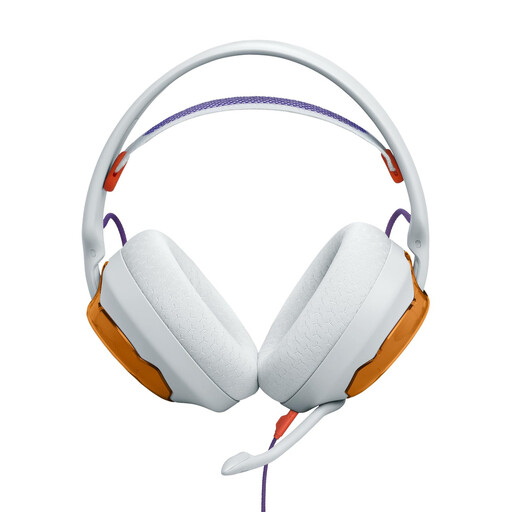 No image available
According to the product description, the detachable boom microphone can be positioned close to your mouth; still, test the voice recording at the location you plan to use.
The listed features include a unidirectional cardioid microphone, a foam windscreen and a 3.5 mm connection. For a PC with separate headphone and microphone sockets, the product description states that you’ll need a Y-splitter, which isn’t included, to use all the headset’s features.
 No image available
The product description lists a noise-cancelling microphone for voice communication; that doesn’t tell you how well it will record with a fan running.
The headset uses DECT and comes with a base station that connects to a computer via USB. The stated range is 150 m.
 No image available
According to the product description, the adjustable microphone can be positioned close to your mouth. Check that your recording device’s 3.5 mm connection supports a microphone signal.
Other listed features include an in-line volume control and mute switch, plus compatibility with PC, Mac, laptop, tablet and smartphone.
 No image available
For one person speaking, the product description lists a flexible microphone for voice communication. A test recording will show how it performs at the intended location.
USB and 3.5 mm are listed as connection options. Check which one is compatible with your recording device.
Not necessarily: the microphone on a headset is positioned next to the person wearing it. If you want to record other voices using separate microphones, you’ll need compatible inputs, hardware, drivers and recording software.
Set up the microphone input to suit your model variant, position the microphone boom, then listen to a short recording with the fan running and everyone who’ll be speaking in place. The supplied TRRS cable is required for the microphone on the RØDE NTH-100M to work; you’ll need to choose a connection cable separately for the beyerdynamic DT 297 PV MK II.
That depends on the headset version and the recording equipment you already have. Separate connections may require suitable cables or an interface; according to the manufacturer, the beyerdynamic DT 297 PV MK II is supplied without a connection cable. The statutory warranty provided by the seller is separate from any voluntary guarantee.
For words spoken in private, § 201 StGB specifically prohibits unauthorised audio recording and the unauthorised use or sharing of such a recording. Get the participants’ agreement before you start recording. Processing personal data also requires a legal basis under the GDPR; informed consent may provide such a basis. Whether a particular recording can be shared or published depends on its purpose and the circumstances. The relevant sources are § 201 StGB, published by the Federal Ministry of Justice, and guidance from the Federal Commissioner for Data Protection and Freedom of Information.