Presenters speaking near a fan
You’re recording your own exhibition presentation and want your voice to stand out over the steady sound of a fan. The microphone’s position and a test recording at the location are key.


For a clear exhibition presentation, test a directional microphone positioned close to your mouth at the planned recording location. None of the model specifications listed here proves that a particular microphone will remove the fan from your recording completely. A broadcast headset is a good fit if you also want to monitor your voice through headphones, while a lighter headworn microphone may suit you better if freedom of movement matters more. In either case, check that the connections are compatible and that any required power supply is available.
You’re recording your own exhibition presentation and want your voice to stand out over the steady sound of a fan. The microphone’s position and a test recording at the location are key.
You have separate microphone and headphone sockets and want to listen to your presentation while recording. Check that the plugs and inputs in your setup are compatible.
You want your hands free as you walk and need a secure fit. If you’re using a wireless system, you’ll also need to check that the transmitter and receiver are compatible and that the relevant frequency conditions are met.
First decide what matters most to you: clear speech, compatibility with your recording equipment, freedom of movement or the ability to monitor your audio.
A good fit if: You’re speaking yourself, need your hands free and have a suitable microphone input.
Consider: This design doesn’t include headphones for monitoring. A directional pickup pattern is not proof that fan noise will be reduced at your recording location.
A good fit if: You want to record your voice and monitor the recording at the same time through the built-in headphones.
Consider: The microphone and headphones may need separate, compatible connections. Closed-back earcups don’t prove that fan noise in the recording will be reduced.
A good fit if: You want to move around while speaking and have a compatible transmitter or a microphone input with the required power supply.
Consider: A microphone with an omnidirectional pickup pattern and plug-in power can’t be assumed to be better suited to recording next to a fan just because of its design.
| Priority | What to check before buying | Who it matters most to |
|---|---|---|
| Clear speech | Pickup pattern and direction; make a test recording with speech and fan noise at the planned location. | If I’m speaking next to a fan, I want my voice to remain clear in the recording; around 33% of consumers say speech clarity is their top priority. |
| Connection and power supply | Match the plug to the microphone input; check the required power supply for condenser microphones. | If I want to connect a microphone, recording device and, where needed, headphones, the connections must be compatible; around 27% of consumers put compatibility first. |
| Freedom of movement and fit | Test the headband and microphone position while speaking and walking; for wireless use, check transmitter compatibility and frequency conditions. | If I’m moving around the exhibition during my presentation, I want my hands free and a secure fit; around 20% of consumers prioritise freedom of movement. |
| Monitoring and recording checks | Check whether headphones are included and whether there’s a compatible headphone output; listen back to a short test recording. | If I want to check the recording while I’m speaking, I need compatible headphone playback; around 20% of consumers say monitoring is their top priority. |
Earcups can reduce the ambient noise you hear while listening. How much fan noise the microphone picks up is a separate matter and depends, among other things, on the microphone and its position.
Listen to a test recording made at your planned location instead of judging by the headphones’ noise isolation alone.
Models vary in their microphone and headphone connections, as well as in the power supply they need. According to the manufacturer, the connection cable is not included with the beyerdynamic DT 297 PV MK II.
Check the model variant, plug and power supply against the inputs on your recording device, and confirm what’s included in the box.
Depending on your setup, you may also need a compatible audio interface, a connection cable or manufacturer-specific accessories.
Audacity describes fan noise as a steady sound that may be suitable for noise reduction. However, unsuitable settings can create audible artefacts.
Position the microphone, test the recording level and save a short section that contains only the background noise.
The WH20 and SM35 are headworn microphones without built-in headphones. Shure describes the WH20 as a directional, adjustable microphone for active speakers.
The BPHS1 and BPHS2a broadcast headsets combine a microphone and headphones for recording setups where you want both on the same headband.
According to the manufacturer, the closed-back DT 297 PV MK II broadcast headset is designed for a setup with a suitable power supply and a separately selected connection cable.
The HS2 is a lightweight headworn microphone for hands-free presentations, without built-in headphones.
The following Joybuy products are headsets with microphones for speech. Test how well they suit recording next to a fan by making a recording at your planned location.
 No image available
An option to try if you’re looking for wireless over-ear headphones with a microphone; the specifications don’t prove that fan noise will be reduced in a recording.
Bluetooth 5.3; two beamforming microphones and hands-free calling are specified.
 No image available
An option to try if you want a headset with a flexible, detachable microphone and several connection options; this doesn’t prove that it will reduce fan noise in recordings.
Features listed include 2.4 GHz wireless, Bluetooth and wired operation.
 No image available
An option to consider if you’re looking for a wireless headset with a built-in microphone for speech; the description doesn’t prove that it will reduce fan noise in a recording.
Features listed include SmartSwitch Dual Wireless, HyperSpeed Wireless and Bluetooth, as well as built-in beamforming microphones.
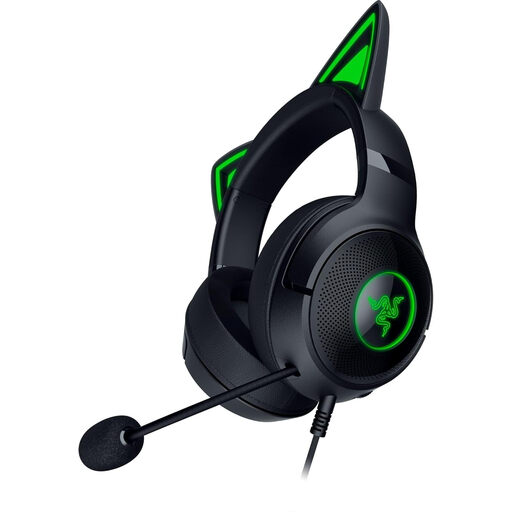 No image available
An option to try if you want a wired headset with an adjustable microphone; the product specifications don’t prove that it will reduce fan noise in the recording.
Wired model with a USB-A connection, according to the product description.
 No image available
An option to try if you want a wired headset with an adjustable microphone and several connection options; there’s no proof that it will reduce fan noise.
USB and 3.5-mm connections, plus a flexible microphone, are specified.
There’s no proof that it can be removed completely. Audacity recommends noise reduction particularly for steady sounds such as fans and describes using a noise profile taken from a section without speech. Unsuitable settings can cause audible artefacts. Start by making a test recording at the location.
That depends on your computer’s inputs. Audacity recommends an XLR-USB audio interface for connecting an XLR microphone to a computer. With the Audio-Technica BPHS1, you’ll also need to account for the separate headphone connection.
According to the manufacturer, the connection cable isn’t included with the beyerdynamic DT 297 PV MK II. Also check that your recording device has a compatible input and, if needed, the required power supply, as well as a headphone output.
Not in every case: Section 201 of the German Criminal Code (StGB) covers, among other things, the unauthorised recording of another person’s non-public speech; how it applies depends on the circumstances. Plan your recording so that other people’s conversations aren’t captured unintentionally, and check the venue’s recording conditions if necessary.
No. In its general frequency allocation Vfg. 37/2026, the Federal Network Agency lists permitted frequency bands and their technical and operational conditions. Check the frequency band used by your set against the relevant allocation; the order dated 15 April 2026 repealed, among other things, Vfg. 109/2025.