For a product demonstration with a fan running, choose a headset with a boom arm that can be positioned close to your mouth, provided it’s compatible with your recording device. Check the result with a test recording. A USB headset makes connecting to a computer straightforward, while an analogue broadcast headset requires suitable separate inputs. Shure recommends speaking as close to the microphone as possible. The Audacity guide explains how to reduce constant fan noise, but it can’t guarantee a noise-free result.
Who is this selection for?
Speakers recording with a fan running continuously
If the fan needs to stay on during your product demonstration, a test recording will help you judge how clearly your voice comes through in your room. Shure recommends speaking as close to the microphone as possible and pointing it away from the source of the noise.
PC users recording without an audio interface
If you want to record directly on your computer, check that the specific USB version works as a microphone input. The Jabra user guide distinguishes between the USB-A and USB-C versions of the Evolve2 40.
Speakers with an existing recording setup
If you have the right audio connections, you could consider a broadcast headset, a TRRS headset or a standalone headset microphone. Audio-Technica, RØDE and Shure each offer different connection and monitoring options.
What should you look for when buying?
First, check the connection on your recording device and the position of the microphone. A short recording with the fan running will show whether the voice and background noise work together in your actual recording environment.
Wired USB headset
Best for: Recording directly on a computer without needing separate microphone and headphone connections.
Consider: Check the sound in your recording app. Noise processing advertised for calls doesn’t tell you how a raw recording will sound.
Analogue broadcast headset
Best for: Setups with an XLR microphone input and a separate headphone connection.
Consider: The Audio-Technica BPHS1 connects the microphone and headphones separately via XLR and a 6.3 mm jack. It isn’t a USB headset.
Analogue headset with TRRS
Best for: Devices with a compatible shared 3.5 mm socket for microphone input and headphone output.
Consider: The supplied TRRS cable is required for the microphone on the RØDE NTH-100M. A 3.5 mm socket alone doesn’t guarantee compatibility.
Standalone headset microphone
Best for: Anyone who already has suitable headphones and an input compatible with the microphone connector.
Consider: The Shure WH20 is a microphone, not a complete headset. Its connection option and recording performance need to suit your setup.
| What matters |
What to check before buying |
Who it matters most to |
| Clear voice |
Check that the boom arm is adjustable, then make and listen to a test recording with the fan running. |
If the fan needs to stay on during my product demonstration, I want my voice to come through clearly. Roughly 33% of consumers prioritise voice clarity despite fan noise. |
| Compatible microphone input |
Check that the connection on the specific model matches the microphone input on your recording device. |
If I want to record directly on my computer without an audio interface, the headset needs to work as a microphone input. Around 27% of consumers mainly look for a straightforward connection that’s compatible with their device. |
| Monitoring and editing |
Check the recording on the device you’ll use. In Audacity, record a section with just the fan noise. |
If I want to compare several takes or edit out background noise, I need a recording I can monitor. About 20% of consumers prioritise monitoring and potential post-production. |
| Fit and movement |
Test the microphone position and fit during a full practice scene. With wired models, check the cable routing too. |
If I’m demonstrating a product as I speak, the microphone should fit securely and stay in place. Around 20% of consumers prioritise fit and freedom of movement when speaking. |
Common misconceptions
-
Assuming headphone noise cancellation means a clean microphone recording
Noise isolation at the ear affects what you hear yourself. Likewise, microphone processing advertised for calls doesn’t tell you how your recording app will capture the sound.
Check the microphone separately and make a short test recording with the fan running.
-
Assuming a broadcast headset connects directly via USB
The Audio-Technica BPHS1 version described has separate XLR and 6.3 mm connections.
Check the connections on the exact version against the microphone input and headphone output on your device.
-
Relying on post-production instead of capturing a clear recording in the first place
Noise reduction in Audacity may give disappointing results if the noise is loud or changes over time.
Record a test take before your full product demonstration, then listen to both the original and edited versions.
Relevant brands to consider
Audio-Technica
The BPHS1 is aimed at speakers with a suitable broadcast setup and a separate monitoring connection.
- According to Audio-Technica, the BPHS1 has a dynamic cardioid microphone, an adjustable boom arm, and replaceable cables and ear pads.
- The BPHS1 version uses XLR for the microphone and a 6.3 mm jack for the headphones. The BPHS1-XF4 has a different cable termination. None of these features guarantees a recording free from fan noise.
Logitech
Zone Wired is a wired USB option for recording on a computer.
- Logitech advertises two-microphone noise cancellation for calls on the Zone Wired.
- The manufacturer’s claim about calls doesn’t demonstrate a specific effect on a raw recording with fan noise.
Jabra
The Evolve2 40 and Evolve2 40 SE are wired office headsets with a microphone boom.
- Jabra lists three microphones and call processing for the Evolve2 40 SE.
- The Evolve2 40 is available in USB-A and USB-C versions. Check that your USB-C mobile device and the app you use support the audio connection for your particular setup.
RØDE
The NTH-100M is an analogue headset for speakers with a suitable 3.5 mm connection.
- According to the RØDE guide, the microphone is detachable.
- The supplied TRRS cable is required for the microphone. Check that your recording device supports both the microphone and headphones through the shared socket.
Shure
The WH20 is a standalone headset microphone for setups with separate headphones.
- Shure describes the WH20 as a dynamic cardioid microphone and offers different connection options.
- Headphones aren’t included with this microphone. Choose a connection option that matches your microphone input.
Joybuy products
This selection includes wired and wireless headsets with a positionable microphone for voice recording. Check the connection and recording quality on your own device.
 No image available
ONIKUMA GT889 Wireless Headset
The detachable, flexible microphone is described as suitable for voice communication. Check the recording for yourself with the fan running.
Connections listed include a 2.4 GHz USB receiver, Bluetooth and wired operation.
View at Joybuy
 No image available
Razer Barracuda Wireless Multiplatform Headset
The description mentions built-in beamforming microphones and adjustable microphone settings. Check how your voice recording sounds with your fan running.
Connections listed include Razer HyperSpeed Wireless and Bluetooth; USB-C is specified in the product name.
View at Joybuy
 No image available
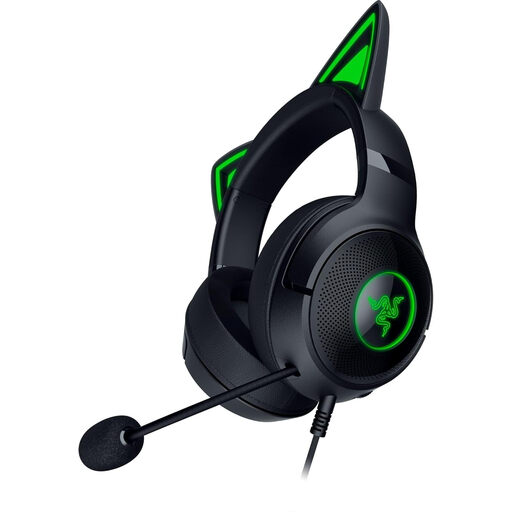
Razer Kraken Kitty V2 Wired RGB Headset
You can adjust the flexible microphone to keep it in a consistent position while speaking. Test the recording quality in your own room.
USB-A is listed as the connection. The product description says the microphone is positionable.
View at Joybuy
 No image available
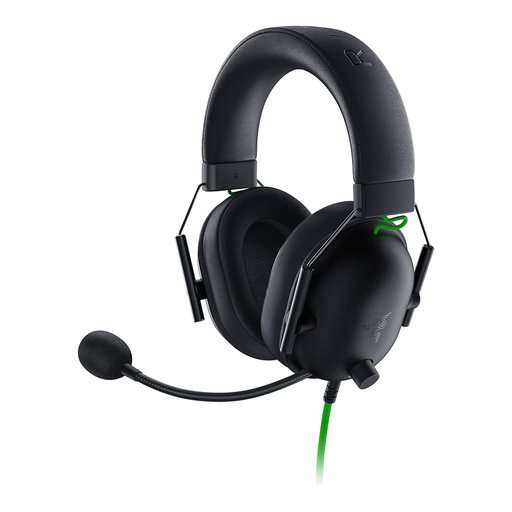
Razer BlackShark V2 X Headset
The flexible cardioid microphone described can be positioned close to your mouth. A test recording will show how it sounds with the fan running in your room.
The headset uses an analogue 3.5 mm connection. If your PC has separate audio and microphone inputs, the supplied Y-splitter is intended for microphone use, according to the description.
View at Joybuy
 No image available
Logitech H151 Stereo Headset
You can adjust the microphone for recording. Check how clearly your voice comes through with the fan running.
Features listed include a 3.5 mm jack, plus volume control and mute on the cable.
View at Joybuy
Frequently asked questions
Will a headset microphone reliably remove fan noise?
No. Neither the microphone’s directional pattern nor an advertising claim about noise cancellation can guarantee this. Make a short recording with the fan running and listen to the recorded voice.
How should I approach recording and editing?
Keep the microphone boom at a consistent distance, as close to your mouth as possible, and record a short section with only the fan noise. According to the Audacity guide, you can reduce constant fan noise using a noise profile recorded in this way. The results may be disappointing if the noise is very loud or changes over time.
What ongoing costs and legal rights should I consider when buying?
Before ordering, check whether your connection requires additional suitable audio equipment and whether replacement parts are available for the exact version. For consumer purchases from a business, faulty goods in Germany are covered by a statutory warranty for at least two years from receipt. This is separate from any additional manufacturer’s guarantee.
Can I record someone else’s voice during a product demonstration?
Under § 201 StGB, recording another person’s non-public speech without authorisation is a criminal offence. Don’t include other people’s voices in your recording without checking first. The provision does not make a blanket statement against recording your own demonstration.


