For a bedtime story recorded with a fan running, a microphone boom that can be positioned close to your mouth is a good place to start. Shure recommends placing the microphone as close as possible; a test recording will show how clearly your voice comes through in your room. For the occasional story, a wired USB headset may be suitable, while a creator headset with a cardioid microphone could be worth considering if you record regularly and want to edit the audio afterwards. None of these features prove that fan noise will disappear completely from your recording.
Who is this selection for?
Storytellers recording with a fan running
If your main aim is to make sure your voice can be heard over the steady sound of a fan, pay attention to microphone placement and listen back to a test recording. Shure's guidance on microphone positioning is a useful starting point.
Parents making occasional recordings on a PC
For straightforward recording on a computer, the right connection and easy-to-reach controls matter. Logitech describes these features on the H390; make sure the specific USB version you buy is compatible with your device.
Regular storytellers
If you record often and want to assess or edit the sound of your voice, microphone placement, the connection type and careful post-processing all matter. Audacity explains the limitations of reducing steady background sounds such as fan noise.
What should you look for when buying?
| What matters |
What to check before buying |
Who is it important to? |
| Clear speech |
Check whether the microphone boom is adjustable and, where relevant, whether the microphone is directional. With the fan running, record and listen back to a quiet passage and one spoken at a normal volume. |
If I read quietly, I don't want the fan to drown out my words; around 33 % of consumers therefore put speech clarity with a fan running first. |
| Easy connection |
Check that the connection on the specific headset version matches your recording device. Before making a longer recording, save and play back a test file. |
Anyone who only records on a computer occasionally will want to get started without extra audio equipment; around 27 % of consumers prioritise a straightforward set-up for this reason. |
| Editable voice sound |
With the fan running at a steady speed, record a short section without speech and compare the unedited voice recording before and after applying gentle noise reduction. |
If I record stories regularly, I want to check the sound of my voice and edit it if needed; around 20 % of consumers prioritise having a sound they can edit. |
| Comfort when wearing and listening |
Try the fit and ear cushions for the length of time you would normally read for. Don't assume that passive noise isolation at your ears means a quieter recording. |
For longer recording sessions and listening back, the headset should feel comfortable; around 20 % of consumers place the greatest importance on comfort when wearing and listening. |
Common misconceptions
-
Confusing noise-isolating ear cushions with less microphone noise
Passive ear cushions mainly affect how much fan noise you hear while wearing the headset. They don't tell you what your recording will sound like.
Listen to the recorded voice with the fan running, rather than judging only how quiet it sounds under the ear cups.
-
Assuming similarly named connection options are the same headset
The Audio-Technica ATH-M50xSTS and ATH-M50xSTS-USB use different connection types. Razer also sells the BlackShark V2 X and BlackShark V2 X USB as separate versions.
Check the full model name and microphone connection against your recording device.
The ATH-M50xSTS version without USB may need a compatible audio interface or mixer for its XLR microphone output.
-
Expecting heavy noise reduction to make up for poor microphone placement
Audacity explains that post-processing has its limits when the background noise is loud or your voice is barely louder than it.
Position the microphone to suit your voice, make a test recording and only apply noise reduction carefully after listening back.
Brands to consider
Logitech
According to Logitech, the H390 is a wired computer headset for buyers who want USB connectivity and controls on the cable.
- Logitech lists an adjustable boom microphone with noise cancellation; the H390 is available with USB-A or USB-C.
- Claims about noise cancellation for calls don't show how a longer story recording will sound with your fan running.
Audio-Technica
According to Audio-Technica, the ATH-M50xSTS-USB is designed for creator recording with a compatible USB-A device.
- The manufacturer lists a cardioid condenser microphone positioned close to the mouth and two sets of ear pads for this model.
- The ATH-M50xSTS without USB is a separate version with an XLR microphone output and requires compatible recording equipment. This doesn't prove any particular reduction in fan noise.
Jabra
Jabra positions the Evolve2 40 SE as an office headset for regular calls and potential story recording on a computer.
- The manufacturer describes three microphones, a flexible boom and passively noise-isolating ear cushions.
- Claims about call performance aren't an independent assessment of storytelling sound or how much fan noise is reduced in a recording.
Poly
The Blackwire 5200 series, particularly the 5220 stereo version, may suit buyers who need to connect to several compatible devices.
- HP lists USB-C with a USB-A adapter for PCs, as well as a 3.5 mm connection for compatible mobile devices. The microphone is described as a noise-cancelling microphone.
- Passive ear cushions affect what you hear while wearing the headset, but don't prove any particular recording quality when reading aloud.
Razer
The BlackShark V2 X is an analogue gaming headset with an adjustable cardioid microphone for devices with a compatible 3.5 mm headset connection.
- Razer describes a voice-focused recording pattern and closed ear cups.
- Closed ear cups and claims about in-game communication don't prove that stories will be recorded without fan noise. The separately named BlackShark V2 X USB has a different connection.
Joybuy products for voice recording
This selection of Joybuy products includes wired headsets with microphones for voice recording. Check that each one's connection and microphone features suit your recording device.
 No image available
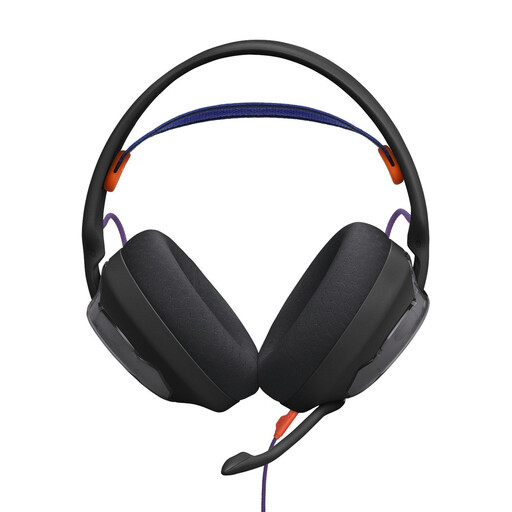
JBL Quantum 250 Gaming-Wired Over-Ear Headset, Black
For voice recording with a wired microphone boom that can be positioned close to your mouth.
The product description lists a unidirectional cardioid boom microphone, microphone noise reduction and a 3.5 mm audio connection. This doesn't prove any particular recording quality with fan noise.
View at Joybuy
 No image available
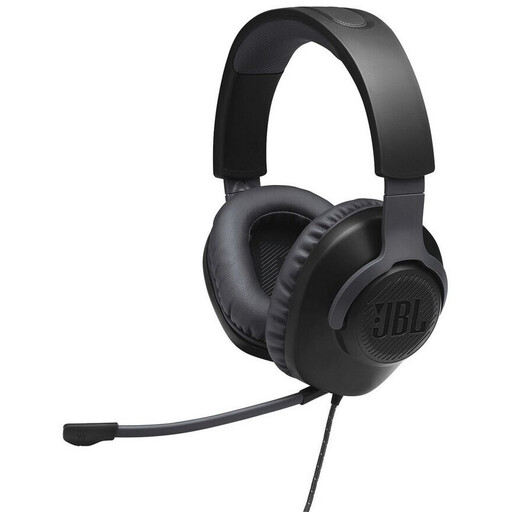
JBL Quantum 100 Gaming-Wired Over-Ear Headset, Black
For wired voice recording if you'd like an adjustable microphone and a mute control on the headset.
The product description lists a detachable, voice-focused boom microphone with a windscreen and a 3.5 mm connection. Check that this connection is compatible with your recording device.
View at Joybuy
 No image available
Logitech 960 Stereo Headset, USB, 2.4 m cable
For occasional PC recording if you're looking for a wired USB headset with an adjustable microphone boom.
The product description lists USB plug-and-play for computers, a 2.4 m cable, and volume and mute controls. Microphone noise reduction doesn't prove any particular recording performance with fan noise.
View at Joybuy
 No image available
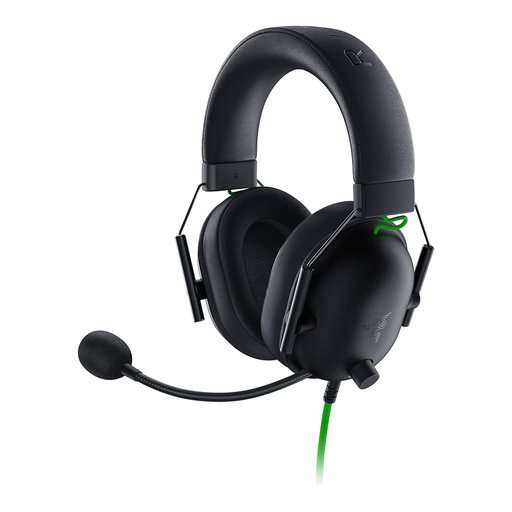
Razer BlackShark V2 X Premium Esports Gaming Headset
For wired recording on a device with a compatible 3.5 mm headset connection and a microphone that can be positioned flexibly.
The product description lists a cardioid microphone and a Y-splitter for PCs with separate audio and microphone sockets. Check your device's connection before buying.
View at Joybuy
 No image available
Logitech G PRO X Gaming Headset, Black, USB
For PC recording if you're looking for a wired USB headset with a detachable microphone and options for processing your voice.
The product description lists a cardioid condenser microphone, a USB sound card and microphone filters through Logitech G HUB. This doesn't prove any particular performance with fan noise.
View at Joybuy
Frequently asked questions
Can I remove fan noise after recording?
Audacity explains how you can reduce steady sounds such as fan noise using a section of the recording without speech. If the noise is very loud or heavily overlaps your voice, the result may still be unsatisfactory; listen to the whole edited story before sharing it.
How can I check the set-up before making a longer recording?
Choose the connection option that suits your device, position the microphone boom and make a short test recording with the fan running. Also check that the microphone isn't muted; according to the manufacturer, flipping up the boom mutes the Audio-Technica ATH-M50xSTS-USB.
What should I do if a headset I bought from a retailer in Germany is faulty?
For consumer purchases from a retailer, European Union guidance says you are generally entitled to a legal guarantee of at least two years from the date you receive the goods; the retailer is responsible. A voluntary manufacturer's guarantee does not replace these rights.
Can I record a story I've read aloud and share it?
Section 53 of the German Copyright Act (UrhG) sets out conditions and restrictions for making individual copies of someone else's work for private use; it does not give blanket permission to publish a recording of a story read aloud. Section 201 of the German Criminal Code (StGB) is also relevant when recording another person's non-public spoken words without permission. Write the story yourself or clarify the rights and obtain consent from anyone whose voice is recorded before sharing it beyond private use.


