Choose a headset with an adjustable microphone boom and listen to a test recording with the fan running. A headset or filter alone cannot guarantee a fan-free voice recording. A broadcast model may suit you if its microphone and headphone connections are compatible with your audio equipment. With analogue or USB headsets, also check that recording and monitoring work with your device.
Who is a headset microphone suitable for?
Speakers recording with a fan running
If the fan needs to stay on while you record, you can adjust the microphone boom and listen to a test recording from your actual recording position. Shure points out that microphone choice and positioning affect the sound of a recording.
Recordists with existing audio equipment
If you want to speak through a headset and monitor the audio at the same time, the microphone input, headphone output, cable and any required microphone power need to work with your equipment. Audio-Technica, RØDE and beyerdynamic describe different connection options for their respective models.
Speakers with an editing workflow
If you plan to edit the recording after speaking, you can carefully reduce steady fan noise and then listen back to the edited voice. Audacity describes one possible noise-reduction method, but it cannot guarantee a noise-free result for every recording.
What should you look for when buying?
First, check the signal path on your recording device. Then test how your voice and the fan sound in a saved recording.
| Consideration |
What to check before buying |
Who is it important to? |
| Clear voice with fan noise |
Check the adjustable microphone boom and speaking direction; record an unedited test with the fan running. |
If the fan needs to stay on while I speak, I want my voice to remain clear from my actual recording position. Around 36% of consumers put speech clarity with fan noise first. |
| Compatible connections |
Check the microphone input and headphone output; verify the cable, signal path and power requirements for the specific version. |
If I want to use my existing audio equipment, microphone recording and headphone playback need to work with my device. Around 29% of consumers prioritise device compatibility. |
| Monitoring and comfort |
Make sure the microphone and headphones work at the same time; assess the fit and listening comfort during a longer test. |
If I’m recording longer passages and want to listen back afterwards, a good fit and working monitoring matter to me. Around 21% of consumers prioritise monitoring and comfort. |
| Filters and post-production |
Check the software requirements; compare filters and noise reduction on a saved recording. |
If I want to use a microphone filter or reduce noise later, I want to hear how the edited voice actually sounds. Around 14% of consumers prioritise filtering and post-production. |
Common selection mistakes
-
Assuming closed-back headphones or ANC guarantee a noise-free microphone recording
Blocking out sound while listening and filtering the microphone signal being recorded are two different things. What you hear while recording therefore doesn’t prove that the fan is absent from the saved voice track.
Listen to a saved test recording with the fan running, and assess the microphone recording and headphone function separately.
-
Choosing a broadcast headset by connector shape alone
The Audio-Technica BPHS1 uses XLR for the microphone and a 6.3 mm jack for the headphones. The beyerdynamic DT-297 versions are supplied without connection cables.
Check that the specific version matches your recording setup’s microphone input, headphone output, power requirements and included accessories.
-
Expecting a software filter to rescue a noisy recording
Some filters require software to be running. With noise reduction applied after recording, loud or changing noise, or noise similar to the voice, may still be audible.
First, improve the microphone position and recording conditions. Then test filters on a saved recording and listen to the edited voice.
Brands to consider
Audio-Technica
The BPHS1 is a broadcast headset for users with separate microphone and headphone connections.
- The European manufacturer’s data sheet lists a dynamic cardioid microphone on an adjustable boom, closed-back earcups, and replaceable cables and ear pads for this model.
- Its specified XLR and 6.3 mm connections won’t plug directly into a USB-only headset socket. They also don’t demonstrate any specific reduction in fan noise.
RØDE
The NTH-100M combines headphones with a detachable boom microphone and an analogue connection.
- RØDE lists an adjustable headband and an included splitter for separate 3.5 mm sockets.
- According to the user guide, the microphone works with the supplied TRRS cable. The manufacturer’s claims about voice quality are no substitute for testing with a fan.
beyerdynamic
The closed-back DT 297 PV MK II is a broadcast option with an adjustable condenser microphone.
- The German manufacturer’s website lists a gooseneck microphone with a cardioid pattern.
- According to the manufacturer, DT-297 versions are supplied without connection cables. The cables and electrical compatibility need to match the version you choose.
SteelSeries
The wired Arctis Nova 3 uses a USB-C connection and Sonar-based microphone filters, which you can test with a compatible device.
- SteelSeries describes a retractable microphone and ClearCast Gen 2 with Sonar algorithms.
- According to SteelSeries, ClearCast AI Noise Cancellation requires GG-Sonar software to be running. This microphone filtering isn’t the same as ANC for your own listening, and it doesn’t demonstrate how well it will handle a specific fan recording.
Joybuy headsets for voice recording and monitoring
The Joybuy options below are headsets with microphones for voice recording and monitoring. Noise-cancellation claims don’t tell you how a film summary will sound with a fan running, so check the connection and make a test recording with your fan.
 No image available
JBL Quantum 400 gaming headset with flip-up boom microphone
If you want to monitor your audio while speaking, the product details list a flip-up boom microphone on this wired headset.
USB and a 3.5 mm connection are listed. Check which connection lets your recording device handle both microphone recording and playback.
View at Joybuy
 No image available
ONIKUMA GT889 wireless headset
If you’re looking for a headset with a microphone for recording and monitoring your voice, check the specific signal path from this wireless model to your recording device.
The product title mentions a noise-cancelling microphone, but that doesn’t tell you how it will perform with fan noise.
View at Joybuy
 No image available
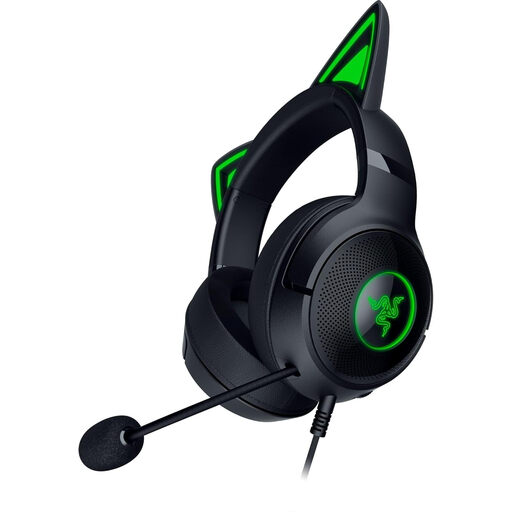
Razer Kraken Kitty V2 wired RGB headset
If you want to position the microphone where you speak, the product details list a flexible microphone. A noise-cancellation claim doesn’t confirm any specific reduction in fan noise.
USB-A 3.0 is listed as the connection, so your recording device needs a compatible port.
View at Joybuy
 No image available
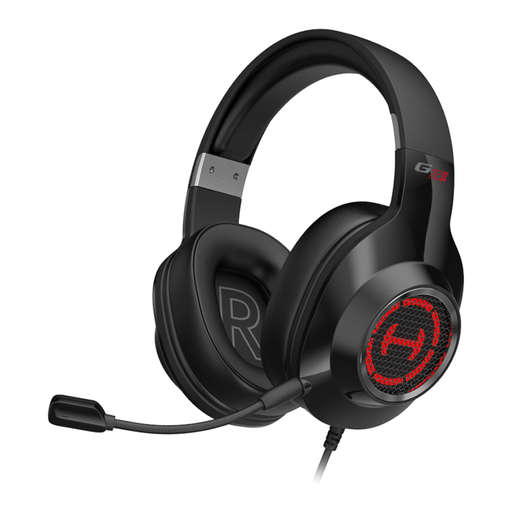
EDIFIER G2II USB gaming headset
If you want to record and monitor your voice through a USB headset, check that your device supports the listed connection.
The product details list PCs, PS4 and Mac with a USB port as compatible devices. This doesn’t demonstrate how effectively the microphone’s noise cancellation will handle fan noise.
View at Joybuy
 No image available
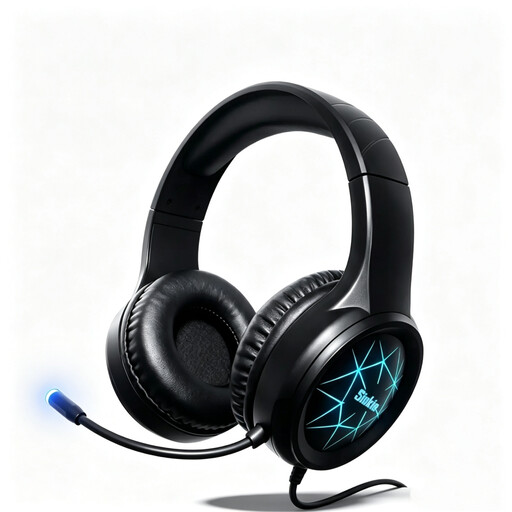
Siukie CH25 wired over-ear headset
If you want to use a wired headset for recording and monitoring at a fixed recording position, check your device’s connection.
The product title lists USB and a 3.5 mm jack, as well as a noise-cancelling microphone. This doesn’t demonstrate any specific effect on fan noise.
View at Joybuy
Frequently asked questions
Will ANC in my headphones remove fan noise from my voice recording?
Not necessarily. SteelSeries distinguishes ANC for your own listening from ClearCast AI Noise Cancellation for the microphone; according to the manufacturer, the latter requires GG-Sonar software to be running. So assess the saved voice track rather than just the noise you hear while recording.
How should I position the microphone for a test with the fan running?
Aim an adjustable microphone boom towards your voice and test its position at your actual recording spot with the fan running. The Audio-Technica BPHS1 data sheet recommends positioning it close to the corner of your mouth; then compare the unedited test recordings.
Can I remove steady fan noise later?
Audacity describes one way to reduce steady fan noise using a section that contains only the noise. Loud or changing noise, or noise similar to the voice, may not be reduced satisfactorily; listen to the edited voice before using it.


