Interview teams recording two voices
If you want to record questions and answers in the same room, you’ll need to account for both voices. Podigee recommends using two separate microphones and a suitable audio interface.


A single headset microphone mainly picks up the voice of the person wearing it. If you want to record both people separately, you’ll need two microphones and suitable inputs. If you only need to record the person wearing the headset, consider the room noise, the connection to your computer or recorder, and whether you need built-in headphones. Manufacturers’ specifications for individual models are not a comparative recording test.
If you want to record questions and answers in the same room, you’ll need to account for both voices. Podigee recommends using two separate microphones and a suitable audio interface.
If you’re mainly recording the voice of someone sitting down, consider the distance from the microphone and its polar pattern at the actual recording location. Shure and AKG’s specifications, for example, describe cardioid patterns for certain models.
Your existing computer, recorder or bodypack transmitter will determine which connections, and possibly which power supply, the headset needs. Manufacturers offer different versions, including XLR, USB-A and 3.5 mm models.
First, decide how many voices you need to record. Then check the recording setup and whether the person wearing the headset wants to listen through headphones during the conversation.
| What you need | What to check before buying | Who should pay particular attention |
|---|---|---|
| Recording both voices | Number of microphones and suitable inputs; plan for separate microphones if there are two people. | If I want my questions to be audible too, I need a separate recording solution for the second voice. For around 29% of consumers, recording both people in the conversation is the main priority. |
| Taking background noise into account | Check the specific model’s polar pattern and microphone position; listen to a short test recording made at the interview location. | If you mainly want to record the person sitting down, listen to a test recording made at the actual location. For around 29% of consumers, clear speech despite background noise is the main concern. |
| Connection and recording setup | Check that the USB-A, XLR or 3.5 mm connection, required power supply and inputs match your existing equipment. | If I want to keep using my existing equipment, the connection and any required power supply need to be compatible. This is the most important buying consideration for around 21% of consumers. |
| Fit and monitoring | Check the fit and microphone position; find out whether headphones are built in and which output is used for monitoring. | If you’re recording for longer periods or want to monitor your voice through headphones, check the design and monitoring setup in advance. This is the main concern for around 21% of consumers. |
A headset is worn by one person and doesn’t automatically provide a way to record the other person’s voice. Podigee recommends separate microphones for two people in the same room.
Before you buy, decide whether you want to include your questions in the recording, and check whether you’ll need a second microphone and another suitable input.
An additional microphone may require another suitable input and a more involved setup.
The WH20XLR and WH20TQG have different connections. To connect the RØDE HS2 directly, you’ll need a compatible input with plug-in power.
Check the full model variant against the input and power supply on your recorder, interface or bodypack transmitter.
Depending on the version you choose, your recording setup may need a compatible recorder, interface or bodypack transmitter.
A headset microphone such as the Shure WH20 doesn’t have built-in headphones. The Audio-Technica BPHS1 has separate microphone and headphone connections.
Check whether headphones are included and whether your recording equipment has suitable connections for monitoring.
If the microphone doesn’t have earcups, you may need a separate pair of headphones for monitoring.
The BPHS1 and ATH-M50xSTS-USB ranges differ in design and connection type.
The WH20XLR is a wired, dynamic headset microphone for use with a suitable microphone input.
The HS2 is a headset microphone for use with a compatible bodypack transmitter or a 3.5 mm microphone input with plug-in power.
According to the manufacturer, the ME 3 is designed for the EW-D and XSW-D wireless systems listed.
The C520 is an XLR headset condenser microphone, while the C520 L is a version with a different connection: mini XLR.
These headsets and headphones with microphones may be suitable for recording speech on a computer or with a compatible recording setup. Before you buy, check that the microphone, connection and recording software will work for your interview.
 No image available
These headphones with a microphone may be suitable if you’re recording one person. Test the microphone at the interview location first to check that speech sounds clear.
Over-ear; wireless; with microphone; colour: white.
 No image available
If you want to record one person on a computer, check first that the microphone and USB recording setup work with your software.
USB; colour: black.
 No image available
For recording speech on a computer, check that the microphone and USB-A connection work with your recording software.
USB-A; adjustable headband.
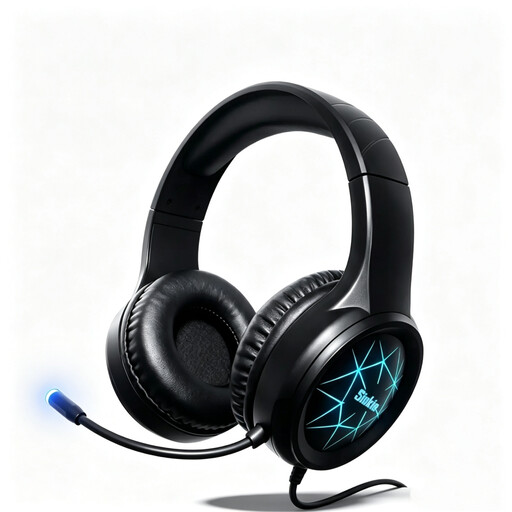 No image available
The listed connections may work for recording speech on a computer if they’re compatible with your existing setup. Test that everything works before the interview.
USB and 3.5 mm connection; 50 mm drivers.
 No image available
If you’re considering a headset for recording one person, check that the USB or 3.5 mm connection works with your setup, and test speech clarity at the recording location.
USB and 3.5 mm connection.
If you want to record both voices clearly, plan to use two separate microphones and a suitable recording setup. Podigee recommends separate microphones for two people in the same room. You can check whether your particular setup works by making a test recording.
Follow the guidance for your particular model. For the WH20, Shure recommends positioning the capsule to the side of the right corner of your mouth, within 25 mm, and not directly in front of your mouth. For the ME 3, Sennheiser recommends a distance of 2–3 cm from the corner of your mouth.
It depends on the version and the equipment you already have. The WH20XLR needs a suitable microphone input and doesn’t have built-in headphones; the BPHS1 has separate microphone and headphone connections. The RØDE HS2 needs a compatible input with plug-in power, or a suitable recording setup using a transmitter.
Section 201(1) of the German Criminal Code (StGB) makes it a criminal offence to record another person’s private spoken words without authorisation. Before you start, make sure you’re authorised to make the recording; questions about publishing it later need to be considered separately. Source: Federal Ministry of Justice and Federal Office of Justice.
Processing personal data requires an appropriate legal basis. Consent is one possible basis, but it isn’t the only one. The Federal Commissioner for Data Protection and Freedom of Information also explains that people should generally be given privacy information when their data is collected. The requirements that apply in a particular case depend on the project.