What should you look for when choosing one?
First decide whose voice you want to bring to the fore. You can then check the sound, connection and comfort with a short test recording and the recording device you have.
| Consideration |
What to look for |
Who it matters most to |
| Quiet speaking voice |
Check that the boom is adjustable and note the microphone’s direction; record and listen back to quiet passages in a calm room. |
If the person telling their story speaks quietly, I want to position the boom by their mouth and listen back at the location where we’ll be talking. Around 33% of consumers prioritise making a quiet speaking voice clear. |
| Both speakers in the conversation |
Decide in advance who will wear the headset and what other microphone or recording options are available. |
If I want both questions and answers to be audible, I want to check both voices in a test recording. Around 27% of consumers prioritise recording both people clearly. |
| Device compatibility |
Check the model version, microphone input, headphone output, any microphone power requirements and the cables included. |
If I’m using a computer or recording device I already own, I want to be sure the connection and power requirements are compatible. Around 20% of consumers prioritise compatibility with their device. |
| Comfort and storage |
Try the fit with the person telling their story; test the storage space and recording function in advance, then back up the files afterwards. |
If a conversation is going to last a while, I want to make sure the headset is comfortable and that the recording is stored safely afterwards. Around 20% of consumers prioritise comfort during longer wear and keeping the recording safe. |
Joybuy product selection
The following Joybuy picks are headsets or headphones with a microphone. Before recording a quiet interview, check that the connection and recording function work with your device, and test a quiet passage of speech.
 No image available
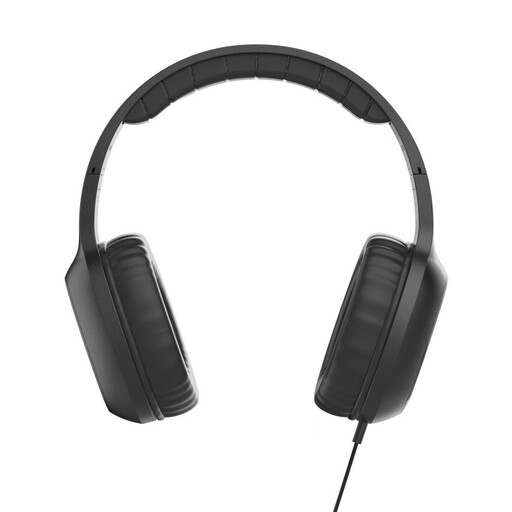
Fun C on-ear headset with microphone, USB-C, black
It may suit a device with a USB-C audio output as a wired headset; before the interview, test whether it records quiet speech.
USB-C connection, 1.2 m cable and adjustable headband are listed.
The product specifications list an integrated microphone and call controls on the cable.
View at Joybuy
 No image available
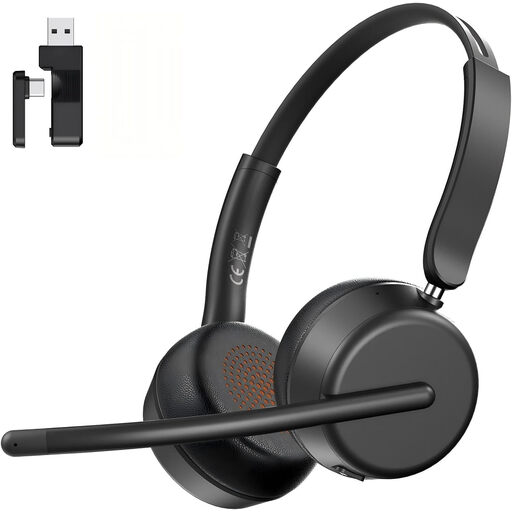
AOC wireless headset with microphone, Bluetooth 5.4, black
If you want to position the microphone boom by the person speaking, first check whether Bluetooth or the USB-A/C dongle works with your recording device; test quiet recordings beforehand.
The description lists Bluetooth 5.4, a USB-A/C dongle and a microphone boom that rotates through 270°.
Other listed features include an ENC microphone, a weight of 124 g, padded earcups and an adjustable headband.
View at Joybuy
 No image available
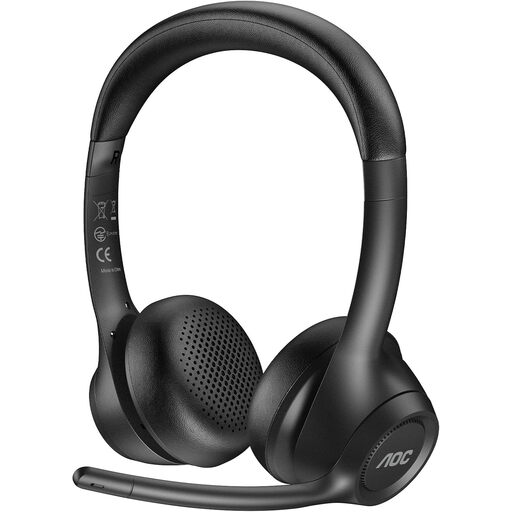
AOC wireless headset with ENC microphone, USB dongle, Bluetooth and 3.5 mm connection
If you need several connection options, check they match the inputs on your recording device and test a quiet voice recording before the conversation.
The description lists a 2.4 GHz USB dongle, Bluetooth and a 3.5 mm connection, as well as a microphone boom that rotates through 90°.
Other features listed include memory foam earpads and up to 45 hours of talk time.
View at Joybuy
 No image available
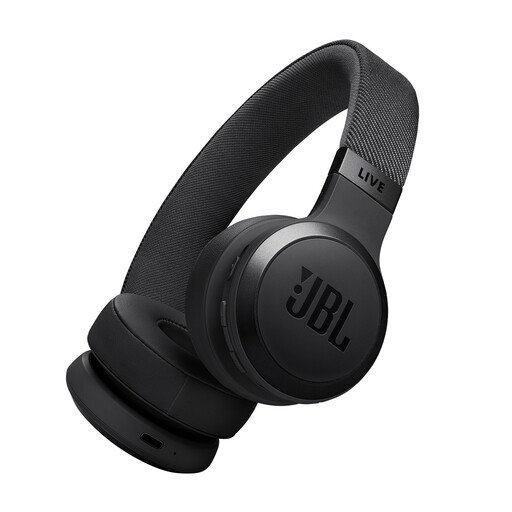
JBL LIVE 670NC, wireless on-ear headphones with microphone, black
These wireless on-ear headphones with a microphone may suit you if the listed connections work with your device; test them yourself to see whether they’re suitable for quiet interviews.
Bluetooth 5.3, multipoint and a detachable audio cable are listed.
The product specifications list two beamforming microphones, an integrated microphone and up to 33 hours of talk time.
View at Joybuy
 No image available
JBL LIVE 770NC, wireless over-ear headphones with microphone, white
If you’re looking for over-ear headphones with a microphone, check the connection to your recording device and test whether a quiet passage is clear before the interview.
The description lists Bluetooth 5.3, multipoint and two beamforming microphones for hands-free calls.
Soft earpads and up to 33 hours of talk time are also listed.
View at Joybuy
Frequently asked questions
Can a headset worn by the interviewer record quiet answers and questions equally clearly?
You shouldn’t rely on it: the microphone boom is positioned by the person wearing the headset. Plan how you’ll record the person telling their story, and whether you’ll need another recording option for your questions; listen back to both voices in a test recording.
How should I position the boom microphone before the interview?
First, choose a quiet room and check your device and recording level. Position the microphone for the person wearing the headset, then listen back to a test recording. As model-specific guidance, Shure recommends positioning the SM35 at the corner of the mouth rather than directly in front of it to reduce plosive sounds; don’t apply this advice to other models without checking.
What extra parts might I need to connect the headset?
That depends on the exact model and your recording device. According to the manufacturer, the beyerdynamic DT 297 PV MK II is supplied without a connection cable. For the NTH-100M, RØDE describes using a suitable adapter to provide plug-in power at the XLR microphone input. So check the cables, adapters, inputs and power requirements before you buy.
Can I record and share a private conversation about someone’s recollections in Germany without permission?
Section 201 of the German Criminal Code (StGB) covers, among other things, recording another person’s privately spoken words without authorisation, as well as using or making such a recording available without authorisation. Check that you have permission to record before the conversation, and agree separately on any intended sharing or publication. The Oral History Association recommends documenting informed consent and the planned use. This provision does not replace an assessment of the specific circumstances.


