If your main priority is following the talk, look for a comfortable stereo design and a level of office-noise isolation that suits you. If you’ll be asking questions, the microphone technology matters too: ANC in the earcups won’t automatically make your voice come across more clearly. A USB headset could suit a fixed desk, while a wireless model gives you more freedom to move – just make sure the connection or receiver is right for your device.
Which headset is right for you?
Listening in a noisy office
If you want to follow a talk despite conversations at the next desk, a suitable level of noise isolation and a comfortable fit are important. Testberichte.de offers guidance on office headsets, while Microsoft Learn explains mute features on Teams audio devices.
Those who want to ask questions
If you’ll be taking part in the conversation, look for suitable microphone technology and an easy-to-reach mute control, so office noise isn’t picked up unnecessarily. Logitech describes these features on its headsets, and Microsoft Learn explains muting on Teams audio devices.
Those who move between workstations
If you’ll be changing desks or devices during the talk, make sure the connection, any receiver you need and the battery life suit the way you’ll use the headset. Testberichte.de lists different connection types for office headsets, while Yealink describes the BH70’s microphone technology.
What should you look for when buying?
First decide whether you’ll mainly be listening or often asking questions yourself. Then check that the connection and fit are right for your workspace.
| What you need |
What to look for |
Who is this important to? |
| Following the talk |
Check the stereo design, fit and, where relevant, ANC in the earcups. |
If I want to block out nearby conversations and follow the talk, I look for a good fit and noise isolation. Around 36% of consumers put being able to listen clearly first. |
| Speaking clearly |
Check the specific model’s microphone noise reduction and mute function. |
If I’m asking questions from the office, I want my voice to come through clearly. Around 29% of consumers prioritise making their own contributions clearly. |
| Getting the right connection |
Check that the model’s connection or wireless receiver is compatible with your device, and select the audio source in the talk app. |
If I’m moving between devices or workstations, I want the headset to connect easily. Around 21% of consumers focus above all on getting the right connection. |
| Comfort |
Consider the design, adjustability and padding, and check whether the model is mono or stereo. |
For a longer talk, I want a comfortable headset that offers the level of noise isolation I need. Around 14% of consumers prioritise comfort. |
Common buying mistakes
-
Buying ‘noise cancelling’ without checking what it does
Noise cancellation in the earcups affects what you hear; a noise-reducing microphone is designed to improve the audio being transmitted. One doesn’t automatically replace the other.
Check both features separately and prioritise them according to whether you’ll mainly be listening or often asking questions.
-
Comparing only the model family
Connections, ANC and what’s included in the box can vary between versions.
Check the full model name against the connection you need, any receiver required and the app used for the talk.
You may need an additional receiver; an incompatible connection could prevent you from using the headset with your intended device.
-
Assuming manufacturer claims are the same as testing it in your own office
CHIP’s test of the Jabra Evolve2 65 Flex notes that its microphone struggles with a lot of background noise. Manufacturer claims alone therefore don’t show how clearly your contributions will come across in your particular surroundings.
Take the noise levels into account and, once set up, test the audio with a short call or a sample recording.
Key brands at a glance
Logitech
The Zone Wired is a wired USB option for a fixed desk in the office.
- Logitech lists two noise-reducing microphones, in-line controls and a mute function on the microphone boom for the Zone Wired.
- These details for the specific model don’t confirm ANC in the earcups. Also check whether USB-A or USB-C is right for your device.
Jabra
The Evolve2 65 Flex combines a compact wireless design with ANC and microphone noise reduction.
- Jabra describes these features for the Evolve2 65 Flex.
- CHIP’s test notes that the microphone struggles with a lot of background noise. Check the exact UC or Teams version and connection.
HP Poly
The Voyager Focus 2 is a wireless stereo option for anyone looking for both ANC and microphone noise reduction.
- HP describes three levels of ANC for the listener and Acoustic Fence for voice transmission on this model.
- These are manufacturer claims about the Voyager Focus 2, not an independent comparison with other models.
EPOS
The IMPACT-1000 range includes mono, stereo and ANC versions.
- EPOS’s list of versions distinguishes models with ANC from other configurations.
- Don’t assume every version has ANC; check the exact model name and specification.
Yealink
The BH70 is a wireless office option focused on microphone noise reduction.
- Yealink describes a three-microphone array for the BH70.
- The manufacturer’s claim doesn’t confirm ANC in the earcups or a particular level of speech clarity during a talk in an office.
Joybuy products for talks in the office
The models below include wireless over-ear headphones with ANC and a microphone, as well as wired headsets with USB or 3.5 mm connections. For wireless models, check the battery life; for all devices, make sure the specific connection is compatible with your computer.
 No image available
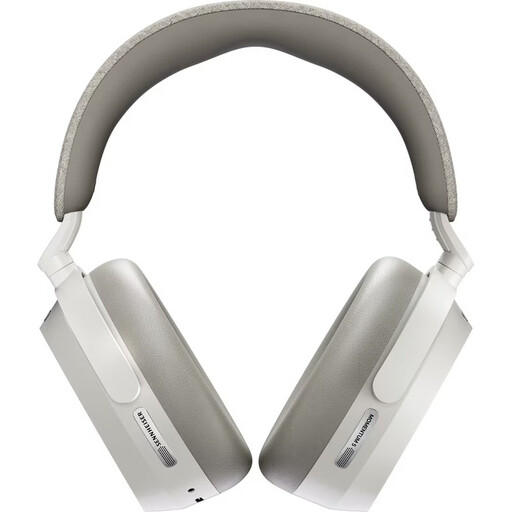
Sennheiser Momentum 5 Wireless, White
For listening in a noisy office, the product title lists ANC and a microphone; wireless use requires a Bluetooth-enabled device and a charged battery.
Closed-back design; Bluetooth 5.4; up to 57 hours of battery life; replaceable battery; 8 microphones; Dolby Atmos.
View at Joybuy
 No image available
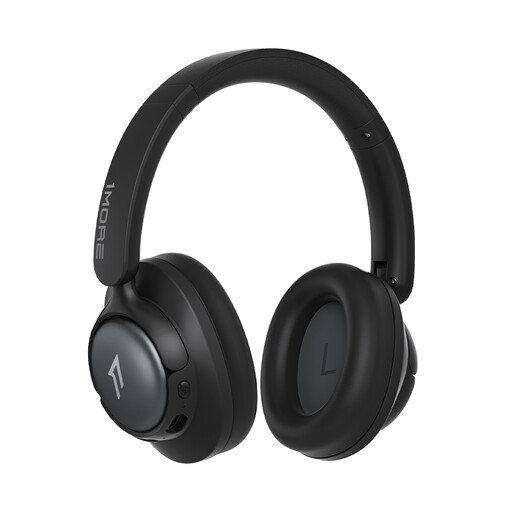
1MORE HQ31 SonoFlow SE, Oat White
For listening and asking questions, the product description lists ANC and two microphones with AI noise reduction for calls; wireless use requires a Bluetooth-enabled device and a charged battery.
Bluetooth; LDAC; Hi-Res Audio; up to 90H playback time.
View at Joybuy
 No image available
JBL LIVE 770NC, White
For listening and speaking up, the product description lists adaptive ANC, beamforming microphones and a hands-free function; wireless use requires a Bluetooth-enabled device and a charged battery.
Multipoint Bluetooth; Smart Ambient.
View at Joybuy
 No image available
Logitech 960 Stereo Headset, USB, 2.4 m Cable
For a fixed computer workstation, the product description lists USB, a noise-reducing microphone and a mute function.
2.4 m cable; stereo; adjustable microphone boom. The device you’re using needs a USB port.
View at Joybuy
 No image available
Logitech H151 Stereo Headset, 3.5 mm Jack
For talks and questions, the product description lists an adjustable, noise-reducing microphone and a mute function on the in-line controls.
3.5 mm audio connection; adjustable headband and soft ear cushions. The device you’re using needs a compatible connection.
View at Joybuy
Frequently asked questions
How do I set up my headset before a local history talk?
If the talk is taking place on Microsoft Teams, select your headset as the speaker and microphone before joining, and check the device or browser’s microphone permissions. If you’re using a different talk app, its own audio settings will apply.
Do I need a headset with microphone noise reduction just to listen?
Not if you’re only listening: microphone noise reduction affects what others hear when you speak, while ANC in the earcups is designed to improve what you hear. Whether you need both depends on how often you’ll speak and how distracting the office noise is for you.
What happens if the product develops a fault after purchase?
When you buy from a trader, consumers in the EU are generally entitled to a statutory guarantee of at least two years from the date they receive the goods. This applies against the seller and is separate from a voluntary manufacturer’s guarantee; according to EU information, this rule doesn’t apply to purchases from private individuals.
Can I simply record the talk using my headset?
Section 201 of the German Criminal Code (StGB) provides for criminal penalties for recording another person’s non-public speech without authorisation. Whether a particular talk is public and whether recording is allowed can’t be determined from the headset or the event title. Check with the organisers before making a recording.


