Quiet readers
If you’re recording quiet and emphatic passages of poetry, look for a consistent microphone position and listen back for breath and room noise, too.


For quiet poetry readings, an adjustable microphone boom is useful. Try it out with your quietest and loudest lines – manufacturer specifications alone can’t tell you which one will sound best with your voice. A USB headset may connect directly to a computer with USB-A, while analogue and broadcast headsets need a suitable microphone and headphone signal path. Before you buy, also check that the cable and any required microphone power supply are compatible with your recording device.
If you’re recording quiet and emphatic passages of poetry, look for a consistent microphone position and listen back for breath and room noise, too.
If you want to record without a separate audio interface, first check whether your computer has USB-A or a suitable combined analogue headset port.
With an interface or mixer, you’ll need separate microphone and headphone connections. Also check that the cable and microphone power supply suit the specific version.
The percentages below refer to consumers choosing a headset microphone for quiet German poetry readings.
A good fit if: you want to record and monitor directly on a computer with a compatible USB port.
Consider: Noise reduction advertised for calls doesn’t show how softly the ends of words will come through in a poetry recording.
A good fit if: your recording device supports the intended microphone and headphone signal path.
Consider: The supplied TRRS cable is required for the microphone on the RØDE NTH-100M; for an XLR microphone input, a suitable solution must also provide plug-in power.
A good fit if: you already have a suitable interface or mixer, as well as a headphone output.
Consider: Connections vary by version; you’ll need to choose a separate connection cable for the beyerdynamic DT 297 PV MK II.
A good fit if: you can connect headphones and a microphone separately, and have the right microphone power supply.
Consider: This type of microphone isn’t a complete headset; the TA4F and XLR versions of the Shure SM35 differ in their connections and power requirements.
| What matters | What to check before buying | Who is this especially important to? |
|---|---|---|
| Quiet voice and emphatic passages | Adjustability and microphone boom position; record a few quiet and loud lines as a test. | If I want to record quiet verses clearly without amplifying plosive breaths right in front of the microphone, I pay attention to its position. Around 33% of consumers prioritise how their voice is captured. |
| Connection and microphone power | Check that the model’s connections match the microphone input, headphone output and any power supply required. | If I want to use my existing device, I check that I can actually connect both the microphone and headphones. Around 27% of consumers put device connectivity first. |
| Natural-sounding speech reproduction | Listen to quiet word endings, pauses for breath and emphasised consonants in a test recording. | If quiet endings and emphasis matter more to me than call optimisation alone, I test those exact passages. Around 20% of consumers prioritise how speech sounds. |
| Monitoring, fit and what’s included | Check the earcups, fit and accessories included with the exact model version. | For longer readings, I want comfortable monitoring and to know in advance whether I’ll need a cable or separate headphones. Around 20% of consumers focus on monitoring, comfort and a complete package. |
A working headphone connection doesn’t automatically mean the microphone signal will reach your recording device. For an XLR microphone input with the RØDE NTH-100M, a suitable solution must also provide plug-in power.
Trace the microphone and headphone paths to the actual inputs and outputs, and check whether you need a splitter or a power supply.
A compatible splitter or suitable power solution may require additional connection equipment.
The Audio-Technica BPHS1 and BPHS1-XF4 have different cable terminations. The TA4F and XLR versions of the Shure SM35 also differ in their connections and power requirements.
Check the full model name and connection version against your recording device before choosing a model.
You may need a different cable or additional connection equipment.
The Shure SM35 doesn’t have built-in headphones. According to the manufacturer, the beyerdynamic DT 297 PV MK II is supplied without a connection cable.
Check what’s included with the specific model and plan a suitable monitoring setup.
You may need separate headphones for monitoring; you’ll also need to choose a separate connection cable for the DT 297 PV MK II.
The NTH-100M is an analogue over-ear headset with a detachable boom microphone for recording and monitoring.
The BPHS1 is a broadcast headset with separate microphone and headphone connections.
The DT 297 PV MK II is a closed-back broadcast headset with a condenser microphone and a choice of connection configurations.
The H390 is a USB-A headset for connecting to a compatible computer.
The SM35 is a head-worn microphone for use with separate headphones and a separate recording signal path.
Joybuy product options with a built-in microphone and headphones for recording and monitoring. Check the connection and microphone position, and listen back to your quiet passages on your own device.
 No image available
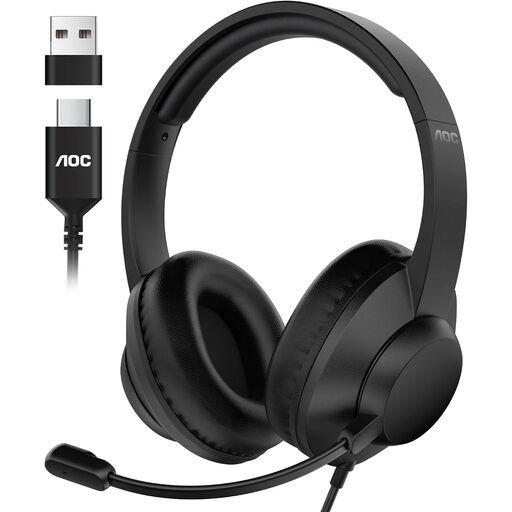
This wired over-ear headset combines a microphone and headphones for recording on a computer.
The microphone boom is described as adjustable through 90°. The model is listed with USB-A and USB-C connections; check which one is compatible with your computer.
 No image available
This wired USB headset combines a microphone and headphones for use with a computer.
The product details list an adjustable microphone boom and a 2.4 m cable. Make a test recording to listen for quiet word endings and pauses for breath, rather than treating noise cancellation for calls as proof of performance for poetry recordings.
 No image available
This headset combines headphones and a microphone; the product details list both wireless and wired connections.
The microphone boom is described as flexible and detachable. Check which connection works with your recording device, and listen to a quiet passage before recording.
 No image available
This wired stereo headset combines headphones and an adjustable microphone for devices with a compatible 3.5 mm connection.
The microphone boom is described as rotating through 180°. Check that the connection matches your recording device, and test whether it records quiet verses as you’d like.
 No image available
This USB headset combines headphones and a detachable microphone for recording and monitoring on a PC.
The Blue VO!CE and surround features described require the USB sound card and Logitech G HUB; check compatibility if you want to use them.
For the SM35, Shure recommends positioning the microphone at the corner of your mouth rather than directly in front of it to reduce plosive breath sounds. Then record both quiet lines and emphasised consonants, and listen back to the recording.
No, it depends on the connections on the specific headset and laptop. The documented Audio-Technica BPHS1 has separate microphone and headphone connections, while the Logitech H390 uses USB-A. Check that both signal paths are compatible with your device.
That depends on the poem and the rights associated with it. The German Copyright Act covers, among other things, public recitations and making works available to the public; under § 64, copyright generally expires 70 years after the author’s death. The Federal Ministry of Justice and the Federal Office of Justice list these provisions on their legislation portal. Before publishing, check the rights to the specific text and whether you need permission: making a private recording doesn’t automatically mean you can publish it.