If room echo is a problem, start by keeping the microphone at a consistent, close distance and making a test recording in the room where you’ll actually record. A headset won’t improve the room acoustics by itself. Next, choose a connection that works with your recording device and decide whether you need headphones to monitor your voice while performing. If you want the room sound to be part of the character, compare test recordings made with the microphone in different positions rather than aiming to remove as much reverberation as possible.
Who is this guide for?
Performers in echoey rooms
You want to record a clear puppet voice, but test recordings pick up distracting reverberation. Microphone placement and testing in the room are more important when choosing a headset than an unsubstantiated promise to remove echo. Shure points out that a microphone cannot reliably distinguish direct voice from reflected sound.
Active puppet performers
You move the puppet and your body as you speak, and don’t want to hold a handheld microphone. Check that the headband and boom stay in place as you move, and that the cable doesn’t get in your way.
People who need to monitor their recordings
You want to hear slips of the tongue, breathing and room sound while recording. Whether a headset with built-in headphones is right for you also depends on the inputs and outputs available on your recording device.
What should you look for when buying?
First, decide whether you want to minimise the room sound or make it part of the character. Then check that the microphone connection suits your recording setup and whether you need headphones for monitoring.
| What matters |
What to check before buying |
Who is it important to? |
| Clarity in a reverberant room |
Check the microphone position and documented polar pattern; make a recording in the intended room to see how clearly the voice comes through. |
If I can hear distracting reverberation, I want to record a clear voice without assuming it needs a particular echo filter. Around 36% of consumers prioritise reducing unwanted room echo. |
| Hands-free performance |
Test how well the headband fits and whether the boom is adjustable during the movements you’ll make; also consider cable routing. |
I want to speak while moving the puppet without holding a microphone. Around 29% of consumers say hands-free performance is their main priority. |
| A compatible recording connection |
Check the exact model and plug against your existing device; with XLR, also check the required microphone input and whether phantom power is needed. |
If I’ve already chosen my computer, interface or recorder, the microphone connection needs to work with it. Around 21% of consumers base their choice on the recording connections they already have. |
| Monitoring |
Check whether headphones are included and what separate inputs and outputs the headset and recording equipment require. |
I want to monitor the voice and room sound through headphones while performing. Around 14% of consumers prioritise monitoring. |
Which buying mistakes should you avoid?
-
Assuming “noise cancellation” guarantees no room echo
A manufacturer’s claim about noise cancellation during calls doesn’t tell you how a puppet voice will sound in an echoey room. Shure explains that a microphone can’t improve the room acoustics by itself.
Listen back to a test recording made in the planned location and decide how much room sound suits the character.
-
Confusing headband microphones with similar names but different plugs
Shure offers different connection options for the WH20, and PRO8HEx versions aren’t automatically compatible with wireless systems. The wrong plug may not work with your recording device.
Check the full model name and plug type against your recording device. Depending on the connections you have, you may need a suitable interface or transmitter system.
-
Assuming a separate headband microphone is a complete headset
The Audio-Technica BPHS2a includes headphones; the Shure WH20XLR and Audio-Technica PRO8HEx are standalone microphones.
Before buying, decide whether you want to wear and connect headphones while recording.
Which brands are worth considering?
Shure
The WH20 range includes headband microphones for hands-free speaking; the wired WH20XLR version has an XLR connection.
- Shure describes the WH20 capsule as dynamic with a cardioid polar pattern; according to the manufacturer, it doesn’t need phantom power.
- The WH20XLR, WH20QTR and WH20TQG have different connections. This doesn’t substantiate any particular reduction in echo for puppet voices.
Audio-Technica
The PRO8HEx is a standalone dynamic XLR headband microphone; the BPHS2a is a broadcast headset with headphones.
- Audio-Technica specifies a hypercardioid pattern for the PRO8HEx and a boom that can be worn on the left or right.
- The supplied BPHS2a cable connects the microphone and headphones to separate XLR and 6.3 mm sockets.
Logitech
The H390 is a USB computer headset with a microphone and headphones, designed for use with a compatible computer.
- Logitech describes the H390 as having microphone noise cancellation and in-line controls.
- The model is described mainly for calls. That doesn’t guarantee a particular reduction in echo or neutral reproduction of a puppet voice. Check the exact USB version.
AKG
According to the manufacturer, the C520 is a directional condenser headband microphone with XLR, for use with compatible recording equipment.
- AKG specifies a cardioid polar pattern for the C520, a microphone boom that can be fitted on the left or right, and a power supply of 9–52 V.
- Don’t assume these connection and power specifications also apply to the differently connected C520 L. The manufacturer’s description is not an independent test of echo reduction.
Sennheiser
The HSP 4 is a cardioid headband microphone for use with compatible wireless systems and connection options.
- Sennheiser documents an adjustable neckband and replaceable components.
- Before buying the HSP 4 BLACK 3-PIN, check the connection type and intended transmitter. There’s no evidence that it offers a universal computer connection.
Joybuy products at a glance
This selection includes wired and wireless headsets for voice communication, with a range of connections and microphone designs. Before recording a puppet voice, check your signal path and listen to a test recording made in the room where you’ll actually record.
 No image available
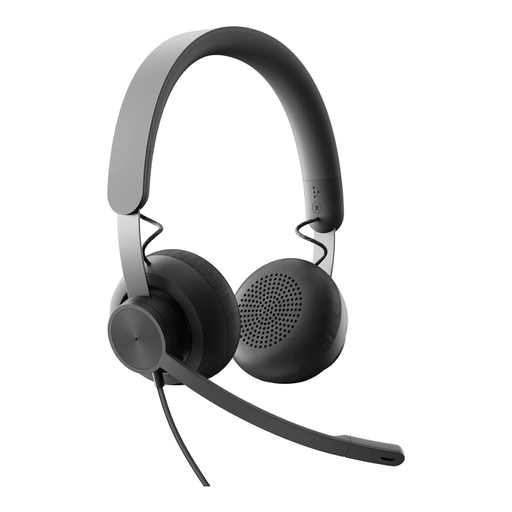
Logitech Business Zone Wired Teams Headset, Graphite
Could be worth considering if your recording device has a compatible 3.5 mm socket. The headset is described for office calls, so test how it captures a puppet voice in your room before buying.
Connection: 3.5 mm. Volume control: in-line.
View at Joybuy
 No image available
Logitech H540 Stereo Headset
Could suit a computer setup if you’re looking for a USB headset with an adjustable microphone and on-ear controls. Test it in your echoey room before relying on its noise cancellation.
Connection: USB-A. Microphone: adjustable, described in the product information as noise-cancelling. Volume and mute controls: on the ear cup.
View at Joybuy
 No image available
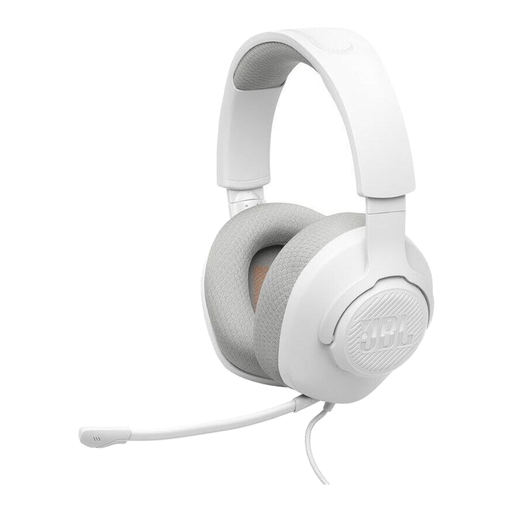
JBL Quantum 100M2
Could be worth considering if you want to wear a headset while speaking and use a detachable microphone. Test whether it fits comfortably and the microphone stays in position while you perform.
Type: wired on-ear headset. Connection: 3.5 mm. Microphone: detachable and described as directional.
View at Joybuy
 No image available
Logitech 960 Stereo Headset
Could suit a compatible USB recording setup if you need an adjustable microphone boom. It’s described for conference calls and webinars, which doesn’t guarantee any particular performance when recording a puppet voice.
Connection: USB. Cable length: 2.4 m. Microphone boom: adjustable, described in the product information as noise-reducing.
View at Joybuy
 No image available
Jabra Engage 75 SE Wireless Stereo Headset
Could be an option if you want to speak wirelessly while performing. Check that the base and listed cable are compatible with your recording device.
Connection: DECT via base. Listed for computers: USB-C to USB-A cable. Stated headset weight: 90 g.
View at Joybuy
Frequently asked questions
Can a headset completely remove audible room echo?
No, you can’t tell from the design alone. Shure explains that a microphone can’t effectively separate direct speech from reflected sound or improve the room acoustics. Test different microphone positions with a recording. If you want the echo to be part of the character, compare the positions and listen back to the amount of room sound.
How should I position and care for a headset when recording characters regularly?
Follow the instructions for your specific model and listen back to both quiet and loud speech. For the BPHS2a, Audio-Technica recommends positioning the microphone about 20 mm from the corner of the mouth rather than directly in front of it. The manufacturer also recommends wiping sweat and dirt from the cable with a dry cloth after use.
Do I need any extra equipment as well as the microphone?
That depends on your existing recording setup. A USB headset needs a compatible USB connection; the WH20XLR and PRO8HEx need a suitable XLR microphone input. The BPHS2a also needs a separate 6.3 mm connection for its headphones. Check your device’s sockets against the specific headset version.
Can I record other people’s voices while performing with puppets in Germany without asking them?
Not as a general rule: Section 201(1) of the German Criminal Code (StGB) makes it an offence, among other things, to record another person’s non-public spoken words without authorisation. Whether a particular recording is authorised depends on the circumstances. The provision does not apply to a character voice spoken by you alone simply because you are using a microphone.


