Who is this selection for?

Voice artists delivering an expressive performance

If you switch between quiet and emphatic lines, or move your head as you speak, you’ll need a secure, adjustable microphone boom and a test recording of your loudest passage. Audacity recommends lowering the input level if the audio is clipping.

Voice artists recording in noisy surroundings

Test your recording in the place where you plan to speak. Closed-back headphones affect what you hear while monitoring; microphone polar pattern and positioning are separate considerations. DPA Microphones highlights the importance of positioning directional headset microphones correctly.

Voice artists with existing recording equipment

If you want to keep using an audio interface, mixing desk or device with a headset socket, check the connections and signal path first. Audio-Technica, RØDE and Shure describe different connection options, each of which needs to suit the specific device.

What should you look for when buying?

What matters What to check when buying Who will find this most important?
Expression and levels Microphone boom, fit and position; record a test of your loudest passage and check for clipping. When I switch between quiet and emphatic lines, I want my loudest passage to remain clear too. Around 33% of consumers put distortion-free levels first.
Room noise Test the microphone’s polar pattern and positioning in the room you’ll use; assess the microphone track separately from the headphones. If there’s audible noise where I’m speaking, I want to know how it comes across in the recording. Around 27% of consumers prioritise handling room and background noise.
Monitoring Check whether the microphone input and headphone output can be used at the same time, and whether the connections match your device. If I want to monitor my voice while recording, I need a suitable signal path for both the microphone and headphones. Around 20% of consumers put monitoring first.
Connections and signal path Check the exact model variant against your device’s sockets; check the cable and whether a preamp is needed. If I want to keep using my existing recording equipment, the whole connection needs to work with it. Around 20% of consumers prioritise equipment compatibility.

Common buying and recording mistakes

  • Assuming closed-back ear cups guarantee a noise-free microphone recording

    Headphones affect what you hear while monitoring, but don’t automatically improve the recording. With a directional microphone, positioning and orientation still matter.

    Listen back to a test recorded in the room you’ll actually use, and assess the microphone track separately.

  • Assuming a broadcast headset is a ready-to-use, single-cable PC headset

    The Audio-Technica BPHS2a has separate microphone and headphone connections. The connection cable for the beyerdynamic DT 109 must be selected separately.

    Before buying, check the plugs, inputs and what’s included with the exact variant.

    Depending on the model, you may also need a suitable connection cable or compatible sockets on your equipment.

  • Assuming a separate headworn microphone is a complete monitoring headset

    The Shure SM35 is a microphone. The TQG and XLR versions have different connection requirements.

    First decide whether you want headphones included in the same product, then check the complete signal path.

    You’ll need suitable headphones for monitoring. For the wired SM35-TQG, Shure also specifies an RPM626 preamp.

  • Testing only at your normal speaking volume

    An emphatic line can put more strain on the recording level than a quiet voice test.

    Record an expressive passage and lower the input level if the audio clips. Audacity recommends this adjustment if clipping occurs.

    A clipped passage may need to be recorded again.

Key brands to consider

Audio-Technica

The BPHS2a is a wired broadcast headset for setups with separate microphone and headphone connections.

  • Audio-Technica says it features an adjustable dynamic hypercardioid microphone and a cable with XLRM and 6.3 mm stereo jack plugs.
  • Your equipment needs compatible sockets; the manufacturer’s specifications aren’t an independent sound test.

beyerdynamic

The DT 109 is a closed-back broadcast headset with a dynamic microphone. Make sure you choose the right variant and cabling.

  • beyerdynamic’s German product page specifies a hypercardioid polar pattern and detachable connection cables.
  • According to the manufacturer, the DT 109 is supplied without a connection cable, so you’ll need to choose a suitable one.

Sennheiser

The HMD range includes broadcast headsets for monitoring and voice transmission. Features and connections vary by model.

  • Sennheiser describes closed-back HMD models with replaceable components.
  • Sennheiser marks the HMD 26-II-600S as EOL, meaning it’s no longer available. Specifications for this variant can’t automatically be applied to other generations.

RØDE

The NTH-100M is designed for use with a compatible combined 3.5 mm headset socket.

  • RØDE describes it as having a detachable microphone boom.
  • According to RØDE, the supplied TRRS cable is required to use the microphone. The manufacturer’s specifications are no substitute for testing it with your own voice and recording equipment.

Shure

The SM35 is a separate headworn microphone for setups where you choose the headphones and recording signal path separately.

  • Shure specifies a windscreen and different connection versions.
  • For wired use of the TQG version, Shure specifies an additional RPM626 preamp; the XLR version has a different configuration.

Joybuy products for voice recording

The products below are over-ear headsets with microphones for wired or wireless use. Before buying, check that the connection and signal path are suitable for your recording equipment.

JBL Quantum 360P wireless over-ear gaming headset in white

JBL Quantum 360P Wireless Over-Ear Gaming Headset, White

For recording with your headset on, it combines headphones with a flip-up boom microphone.

The product title specifies a 22-hour battery life, ANC, Bluetooth 5 and the colour White. The microphone is described as having echo cancellation.

View at Joybuy
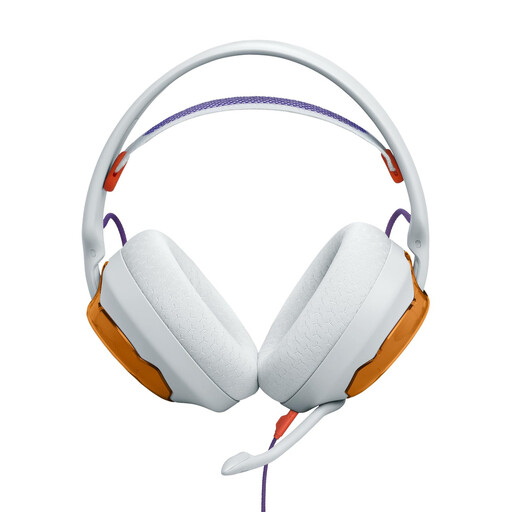
JBL Quantum 250 wired over-ear headset in light teal and orange

JBL Quantum 250 Wired Over-Ear Headset, Light Teal and Orange

This wired headset has a detachable boom microphone, so you can check its position before recording.

Specifications include a 3.5 mm connection, a unidirectional cardioid microphone and a windscreen. According to the product description, a PC with separate headphone and microphone sockets needs a Y-splitter, which isn’t included.

View at Joybuy
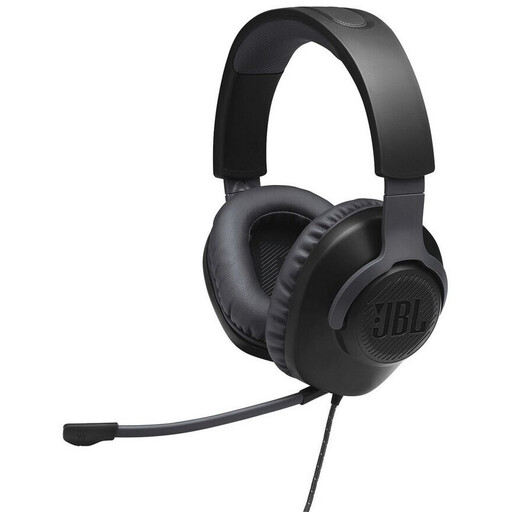
JBL Quantum 100 wired over-ear headset in black

JBL Quantum 100 Wired Over-Ear Headset, Black

If you want to monitor your voice as you speak, this wired headset pairs over-ear headphones with a boom microphone.

The product title specifies a 3.5 mm connection. The product description lists an adjustable, detachable microphone with a mute function and a foam windscreen.

View at Joybuy

Logitech H151 stereo headset with adjustable microphone

Logitech H151 Stereo Headset

The adjustable microphone can be positioned to suit the way you speak.

Specifications include a 3.5 mm connection, a microphone that rotates through 180° and an inline remote control with volume adjustment and mute.

View at Joybuy
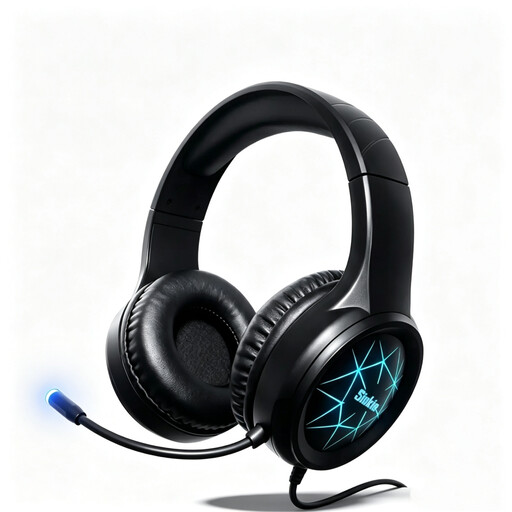
Siukie CH25 wired over-ear gaming headset

Siukie CH25 Wired Over-Ear Gaming Headset

This headset combines over-ear headphones with a flexible microphone for recording your voice with the headset on.

The product title lists USB and a 3.5 mm connection; the product description specifies USB 2.0. The microphone is described as noise-cancelling.

View at Joybuy

Frequently asked questions

How do I test a headset before recording a particularly loud line in my ident?

Position the microphone boom and record a test of both the quietest and loudest passages you plan to deliver. Check the recording for clipping; in its guide to test recordings, Audacity recommends lowering the input level if clipping occurs.

Can I simply plug a broadcast headset into my computer’s headphone socket?

Not just because it has a headphone socket. The Audio-Technica BPHS2a has separate XLRM and 6.3 mm connections; the supplied TRRS cable is required to use the microphone on the RØDE NTH-100M. Check the actual inputs and outputs on your computer or audio interface.

What should I check about cables and wear parts?

Check what’s included and which parts are replaceable for the specific variant. According to beyerdynamic, the DT 109 doesn’t include a connection cable; Audio-Technica says the BPHS2a has a replaceable cable and replaceable cushions. This doesn’t support any general conclusions about servicing costs for other headsets.

Can I use someone else’s music in a radio ident that’s going to be broadcast?

No. Choosing a microphone doesn’t give you the rights to use music. GEMA explains that you need to obtain the rights to reproduce and broadcast music for a radio show to be broadcast legally. Before publishing, check which rights you need for the specific ident, music and type of use; the DPMA describes usage rights as the subject of licensing agreements.

Can you use any frequency for a wireless headworn microphone in Germany?

No. In its general frequency allocation from April 2026, the Bundesnetzagentur specifies the permitted frequency bands and the related technical and operational conditions; the ruling explicitly revokes earlier allocations. So check the frequency listed for the specific wireless system against the applicable allocation.