Recording with a fan running
If the fan needs to stay on while you record a recipe, positioning the microphone correctly and testing your own setup will help you assess the result. Shure explains that microphones have a defined pickup area.


Choose a headset with a microphone you can position in front of your mouth, and make sure its microphone input is compatible with your recording device. A USB headset can make connections simpler when used with a compatible computer; broadcast and TRRS headsets use different signal paths, so check that they work with your device. Record a short test with the fan running: manufacturers’ noise-cancellation claims are no substitute for testing your own recipe recording.
If the fan needs to stay on while you record a recipe, positioning the microphone correctly and testing your own setup will help you assess the result. Shure explains that microphones have a defined pickup area.
If you want to keep using your computer, smartphone or audio interface, check that its microphone input and headphone output are compatible with the signal path of the specific headset. Audio-Technica, RØDE and HP describe different connection options.
If you want to listen back to your takes and check your voice and any remaining fan noise, both the microphone and headphone signals need to work with your setup. Audio-Technica and RØDE describe headsets and connection paths that can carry these signals separately.
A good fit if: you record on a computer and its USB connection is compatible with the specific headset version.
Keep in mind: You’ll need to assess the recording and any residual fan noise yourself; Logitech describes the Zone Wired’s noise cancellation for calls and meetings.
A good fit if: your recorder or audio interface has a suitable XLR microphone input and a headphone output.
Keep in mind: The Audio-Technica BPHS1 has a positionable dynamic microphone with a cardioid polar pattern, plus separate XLR and 6.3-mm connections; its polar pattern won’t automatically remove fan noise.
A good fit if: your recording device has a compatible headset input or you’ve set up a suitable signal path.
Keep in mind: The splitter supplied with the RØDE NTH-100M separates the microphone and headphone signals; you’ll also need a suitable adapter for the XLR microphone connection described here.
| Priority | What to check before buying | Who is this important to? |
|---|---|---|
| Clear speech with fan noise | Microphone boom and positioning; an unedited test recording with the fan running. | If I can’t switch off the fan while recording a recipe, I want to hear whether my voice still comes through clearly. Around 33% of consumers put clear speech with a fan running first. |
| A compatible microphone input | Connection and cable for the exact version; microphone input and headphone output on the recording device. | If you want to keep using your existing recording device, make sure it can actually receive the microphone signal. Around 27% of consumers prioritise a compatible connection. |
| Voice quality for spoken recipes | Record and listen back to a short passage spoken at a normal and a quieter volume. | If you want ingredients and steps to remain clear even when spoken softly, the sound of your own voice in a test recording matters. Around 20% of consumers prioritise suitable voice quality. |
| Monitoring and fit | Check that the headphone output works and that the headset remains comfortable during a typical speaking session. | If you want to check several takes or record longer passages, you’ll need working audio monitoring and a comfortable fit. Around 20% of consumers put this first. |
Logitech says the Zone Wired cancels noise, including ventilation noise, but this claim relates to calls and meetings. It isn’t an independent assessment of how it performs when recording a recipe.
Before you decide, listen to an unedited voice test with the fan running.
You may need to spend more time recording extra takes or editing the audio.
Being able to hear audio through the headphones doesn’t prove that your recording device can receive the headset’s microphone signal. The BPHS1 and NTH-100M use different signal paths.
Check the exact model’s microphone input, headphone output and connectors, as well as whether it needs a separate microphone power supply.
Closed-back or passively isolating earcups primarily affect what you hear; that doesn’t tell you how much fan noise will remain in your recording.
Assess listening comfort and the microphone signal separately.
The Zone Wired is a wired USB office headset for use with a compatible computer connection.
The BPHS1 is a broadcast stereo headset with separate microphone and headphone connections.
The NTH-100M combines a headset microphone with a TRRS signal path and a supplied splitter.
The Poly Blackwire 3325 USB-C is an office headset with several documented connection options.
The Evolve2 40 SE range includes different connection, mono/stereo and platform versions.
This Joybuy selection includes wired and wireless gaming headsets with microphones. For each model, check that its connection and microphone position suit your recording device and work well in a test with the fan running.
 No image available
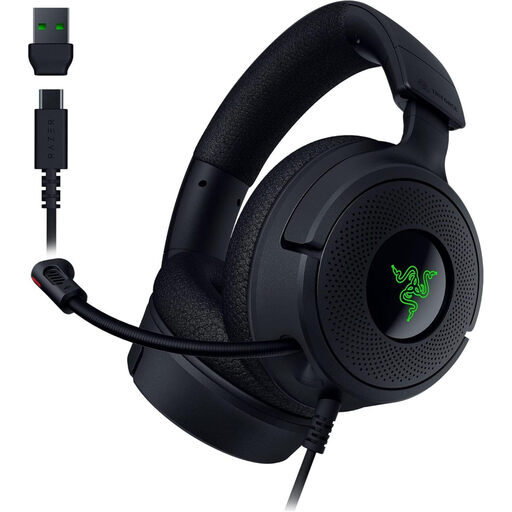
This wired headset could be an option if your recording device has a compatible USB-C or USB-A connection. The product details describe a retractable microphone that you can position towards your mouth; test how it performs with the fan running.
 No image available
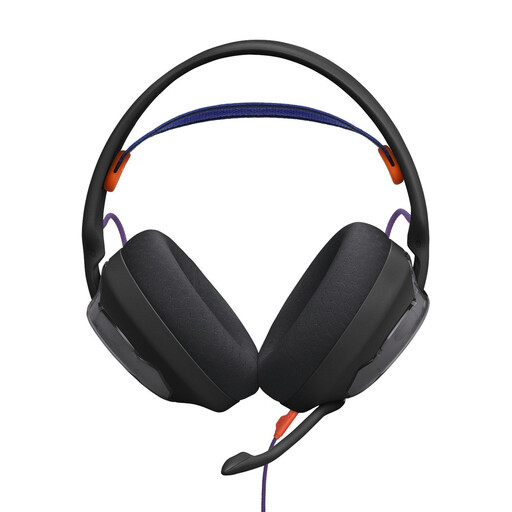
This wired over-ear headset could be an option if your recording device has a compatible 3.5-mm microphone input. The product details list a detachable microphone; check first that your device’s connection supports the microphone signal.
 No image available
If you want to use different connection options, check which mode actually transmits the microphone signal to your device before recording. The product details list 2.4-GHz wireless, Bluetooth and wired modes; this doesn’t confirm recording quality with fan noise.
 No image available
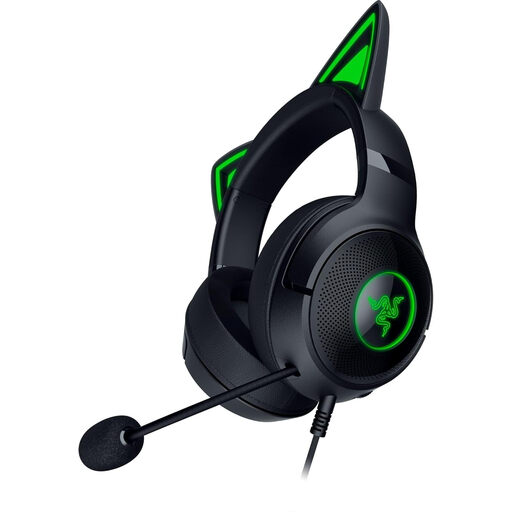
This wired headset could be an option if your recording device has a compatible USB-A connection. The product details describe a microphone you can position flexibly; a claim about noise cancellation for calls doesn’t prove that it will reduce fan noise in your recording.
 No image available
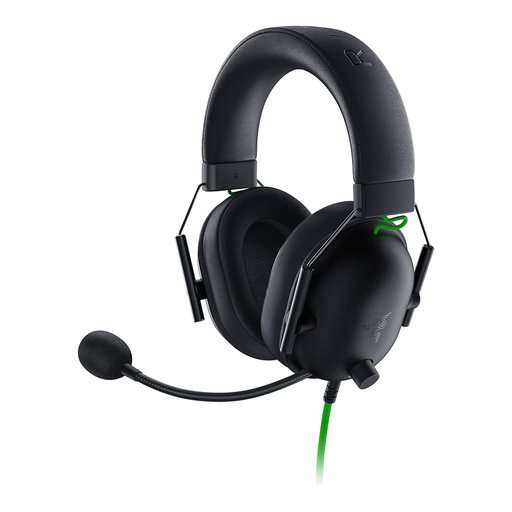
This wired model could be an option for a device with a compatible 3.5-mm headset connection. The product details list a microphone with a cardioid polar pattern and a Y-splitter for PCs with separate audio and microphone sockets; check that the connection works with your recording device.
No. Isolation while listening doesn’t mean the same effect applies to the microphone signal. Test a recording with the fan running; Jabra describes the ear isolation on the Evolve2 40 SE as passive noise cancellation.
Point the capsule’s pickup side towards your mouth and check its position with a short test recording. The pickup side depends on the microphone; Jabra recommends positioning the Evolve2 40 SE close to your mouth.
According to RØDE, the splitter supplied with the TRRS cable divides the signal into two 3.5-mm plugs for the microphone and headphones. The XLR connection for the microphone described by RØDE also requires a suitable adapter that supplies plug-in power.
The Verbraucherzentrale explains that online purchases in Germany generally come with a 14-day right of withdrawal; the period starts from the conclusion of the contract or receipt of the goods ordered. Check the exact start of the withdrawal period and the terms that apply to your purchase.