What should you look for when buying?
First, decide whose voices you want to record. Then check the connection and assess the fan noise and speech quality using a saved test recording.
| What matters when buying |
What to check |
Who is this important for? |
| Your voice with fan noise in the background |
Test the microphone boom position and record from the spot where you’ll actually speak; assess the saved file rather than just what you hear while wearing the headset. |
If I’m telling the story on my own, I want my words to be easy to understand, even with the fan running. Around 33% of consumers put speech clarity first. |
| Voices from more than one person |
Plan a suitable recording setup for every voice that matters and test all the intended recording positions. |
If a family member is joining in, I want their voice to be captured too. Around 27% of consumers prioritise recording several voices. |
| A compatible connection |
Check whether USB or separate microphone and headphone connections are compatible with your recording device; test the microphone input and level with a sample recording. |
If I want to get started without a complicated setup, I need a connection that works with my recording device. Around 20% of consumers make a straightforward recording setup their top priority. |
| A natural-sounding voice |
Compare short recordings with and without any available filtering, and keep an unprocessed version. |
If I want the story to sound as natural as possible, I don’t want quiet words to disappear because of overly strong noise reduction. Around 20% of consumers place particular importance on preserving the voice. |
Headsets at Joybuy
This selection includes wired and wireless headsets for recording your own voice. Test the connection and sound with a sample recording on the device you intend to use.
 No image available
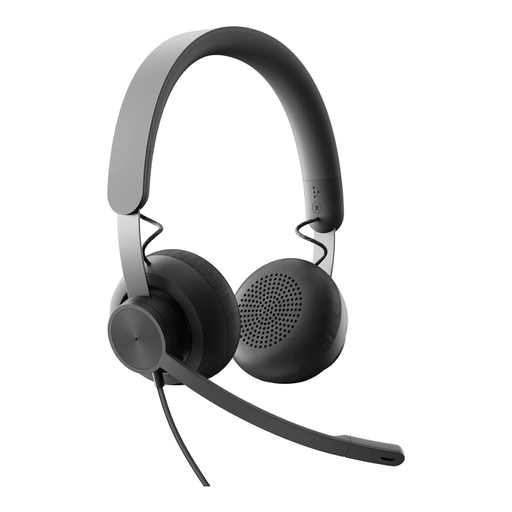
Logitech Business Zone Wired Teams Headset, Graphite
For wired recording on a computer, provided the connection is compatible with your recording device.
Product details list an on-ear design, a 3.5 mm connection, and volume and button controls. Check that the headset works as a microphone input on your chosen device.
Joybuy
 No image available
ONIKUMA GT889 Wireless Headset
For recording your own voice, if one of the available connection options is compatible with your recording device.
The product name lists 2.4 GHz wireless, Bluetooth and wired use, as well as a noise-cancelling microphone. Test the saved recording with the fan running.
Joybuy
 No image available
Razer Barracuda Wireless Headset
For recording users who want to switch between wireless connection options.
The product name lists SmartSwitch Dual Wireless, USB-C and a noise-cancelling microphone. Check your voice and the fan noise in a saved test recording.
Joybuy
 No image available
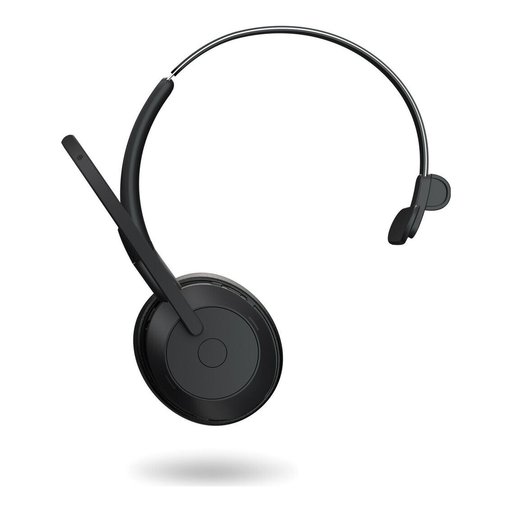
Jabra Evolve2 55 Mono Wireless Headset
For telling your story at your recording spot, if the device supports a wireless or wired connection.
Product details list Bluetooth 5.2 and a wired USB-C connection with a USB-C adapter. Check the microphone input and listen back to a test recording.
Joybuy
 No image available
Logitech H151 Stereo Headset
For wired recording with a device that has a compatible 3.5 mm audio connection.
The product name lists an adjustable microphone and a 3.5 mm connection. Position the microphone for your voice and test the recording in your chosen spot.
Joybuy
Frequently asked questions
Can I remove fan noise completely afterwards?
Complete removal isn’t guaranteed. Audacity describes noise reduction as particularly suitable for steady background sounds such as fans, and notes that editing can be more difficult when speech and noise are at similar volumes. Start by making a short test recording in the spot where you’ll actually record.
How do I set up the microphone before recording my first story?
Connect the microphone to a compatible input, select it as the recording device in your recording software and listen back to a test recording. If the level is clipping, Audacity recommends lowering the microphone level or moving further away from the microphone.
What should I do if the product is faulty in Germany?
Your statutory rights against the seller for faulty goods are separate from a voluntary guarantee. Section 438 of the German Civil Code (BGB) generally sets a two-year limitation period for ordinary goods, starting from delivery; the specific rights and any exceptions depend on the purchase. Keep your proof of purchase and the exact product model. Sources: Federal Ministry of Justice and Federal Office of Justice, Gesetze im Internet; Verbraucherzentrale on the distinction between statutory consumer rights and guarantees.
Can I record other family members without their knowledge?
Section 201 of the German Criminal Code (StGB) concerns the unauthorised recording of another person’s private spoken words, as well as making such a recording accessible to others. If other family members are speaking, get their consent before recording and discuss any later sharing separately. Source: Federal Ministry of Justice and Federal Office of Justice, Gesetze im Internet.


