What to consider when choosing
If you can hear reverb, start by checking the mic distance and listening to a test recording. If the reverb persists, consider the recording space too; a headset won’t automatically change the room acoustics.
| What you need |
What to look for when buying |
Who it matters most to |
| Less audible room reverb |
Check whether the boom can be positioned close to your mouth; listen to a test recording made in the room you plan to use. |
If the room sounds noticeably reverberant when I speak, I first want to know whether a close mic position will capture my voice more clearly. Around 42% of consumers put reducing audible room reverb first. |
| Clear speech |
Listen to a recording at your normal speaking volume; don’t compare only the number of microphones or noise-cancelling specifications. |
If I want every word to be clear in the recording, I focus on how my voice sounds in the actual recording rather than on a marketing claim. Around 25% of consumers prioritise speech clarity. |
| Connection and controls |
Check that the USB-A, USB-C or 3.5 mm connection is compatible with your recording device; test the mute button and input device beforehand. |
If I want to record directly on my own computer, I need a compatible port and easy-to-reach controls. Around 17% of consumers prioritise connection and controls. |
| Comfort and audio monitoring |
Check the fit of the specific model; listen back to the recording on the device you’ll be using. |
When recording several takes, I want a comfortable headset and a way to check the recording. Around 16% of consumers put comfort and audio monitoring first. |
Joybuy products for voice recordings
The Joybuy picks below are wired headsets with microphones for recording on a computer. Check that each connection is compatible with your device and test the recording in the room you plan to use.
 No image available
Logitech H540 Stereo Headset
An option for recording on a computer if the USB-A connection is compatible with your device and you can position the microphone close to your mouth.
USB-A; stereo headset with an adjustable microphone and on-headset controls. The noise-cancelling claim is not proof of reduced room reverb.
View at Joybuy
 No image available
Logitech 960 Stereo Headset
For recording on a computer, check that the USB connection and microphone position suit your set-up.
USB; 2.4 m cable. The noise-cancelling wording in the product title is not proof of reduced room reverb.
View at Joybuy
 No image available
Logitech H151 Stereo Headset
An option if your recording device has a compatible 3.5 mm audio port and you want to position the microphone for recording.
3.5 mm connection; adjustable microphone, with volume and mute controls on the cable.
View at Joybuy
 No image available
Logitech G PRO X Gaming Headset
Before recording speech on a PC, test the USB connection and microphone position where you plan to record.
Wired gaming headset with microphone and USB connection. A test recording will show how it performs in a reverberant room.
View at Joybuy
 No image available
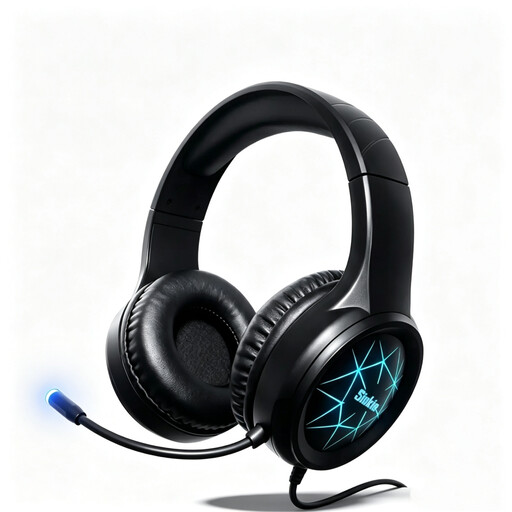
Siukie CH25 Gaming Headset
For recording on a computer, check whether one of the listed connections is compatible with your device.
Wired over-ear headset with microphone, USB and 3.5 mm connections, and 50 mm drivers.
View at Joybuy
Frequently asked questions
Will a headset with ‘noise cancelling’ remove reverb from my course introduction?
Not necessarily. Shure points out that a microphone cannot simply separate your direct voice from room reflections. Start by positioning the microphone close to your mouth and listening to a test recording made in the room you plan to use. Manufacturers’ claims about noise cancellation during calls are not a test for reverb.
What should I test after connecting the headset and before recording?
Select the headset as the input device in your recording app, check the mute control and listen back to a short recording. Jabra recommends positioning the microphone close to your mouth; Zoom describes recording and playback as an audio test in its app.
How can I check whether the connection is compatible with my computer?
Check the specific version against the available ports on your computer: the products listed use USB-A, USB or 3.5 mm connections. If a product range has several versions, don’t rely on the shared model name alone.
Will ordinary noise reduction in post-production help with room reverb?
Don’t rely on it. Audacity describes noise reduction as a tool for consistent background sounds such as hum or fan noise. If you can hear reverb, check the microphone position and recording space first.
What are my rights in Germany if a headset I’ve bought is faulty?
For ordinary consumer goods, claims for defects generally become time-barred two years after delivery. Under § 439 BGB, you may be entitled, subject to the statutory conditions, to have the defect remedied or to receive a fault-free item. The German Federal Ministry of Justice publishes information on §§ 438 and 439 BGB on ‘Gesetze im Internet’; this is separate from any voluntary manufacturer’s guarantee.


