Expressive trailer voice
You switch between quiet lines and emphatic calls, and want to check the microphone position and recording level at both extremes.


For a theatre trailer recording that involves movement, a well-fitting headworn microphone is a sensible starting point. If you want to monitor your voice as you speak, a broadcast headset with built-in headphones may be a better choice. Check the microphone position and recording level with your quietest and loudest lines, and make sure the connection and power supply are compatible with your recorder or interface. Wireless is worth considering if a cable restricts your movement and the transmitter, receiver and frequency conditions suit the specific model.
You switch between quiet lines and emphatic calls, and want to check the microphone position and recording level at both extremes.
You speak with gestures or move around. A secure fit and the choice between a cable and a suitable wireless system are key.
You want to hear your voice as you record, so you need a broadcast headset or separate headphones, along with a suitable monitoring route.
A good fit if: you want your hands free and the microphone to move with you, but can stay at your recording position.
Bear in mind: headphones aren’t included; the connector and power requirements depend on the exact model variant.
A good fit if: you want to monitor your recording through built-in headphones and your recording device has separate microphone and headphone connections.
Bear in mind: the Audio-Technica BPHS2Ca connects to your device via separate XLR and 6.3 mm plugs; it isn’t a direct USB headset.
A good fit if: a cable genuinely restricts your movement and the transmitter and receiver are compatible with the microphone connection.
Bear in mind: you must also comply with the usage conditions for the specific frequency. Using an authorised frequency doesn’t guarantee interference-free operation.
For an expressive voice recording, a good fit is only part of the picture. You’ll also need to control louder passages, position the capsule correctly and choose a suitable signal path.
| What matters when buying | What to check | Who is it important to? |
|---|---|---|
| Quiet nuances and loud calls | Check the fit and adjustable microphone boom; record both quiet and loud test lines and listen for clipping. | If I speak both quiet, nuanced lines and emphatic calls, I want to test the fit and levels with my voice. Around 29% of consumers prioritise controlled recording of both quiet and loud passages. |
| Plosive sounds and background noise | Check the polar pattern and windscreen of the specific model; listen to a test recording at your intended recording location. | If plosives or room noise could affect my recording, I want to assess the capsule and microphone position on location. Around 23% of consumers focus above all on plosives and background noise. |
| Monitoring while recording | Check whether headphones are included and whether your recorder or interface offers a usable monitoring route. | If I want to hear my voice while recording a take, I need built-in headphones or a suitable separate headphone connection. Around 18% of consumers prioritise monitoring. |
| Freedom of movement and a secure fit | Try on the headband while making the movements you plan to do, and decide whether you need a wireless system. | If I plan to gesture or move around while speaking, I want the microphone to stay in place without a cable getting in my way. Around 18% of consumers prioritise freedom of movement and a secure fit. |
| Connection and signal path | Check the full model variant, connectors, power requirements and any additional components against your recorder or interface. | If I want to use an existing recording device, the microphone, connection and power supply must all be compatible. Around 12% of consumers prioritise a suitable connection and complete signal path. |
A separate headworn microphone such as the RØDE HS2 doesn’t include headphones. A broadcast headset such as the Audio-Technica BPHS2Ca combines a microphone and headphones.
If you want to monitor your voice while recording, check that headphones are included and that your recording device has a monitoring route.
You may need to buy separate headphones to monitor your recording when using a standalone headworn microphone.
A compatible plug alone doesn’t guarantee a compatible signal path. Shure specifies an additional preamp for wired use of the SM35-TQG; the RØDE HS2 requires plug-in power when connected to a compatible 3.5 mm microphone input.
Before you decide, check the exact model variant, connection and power requirements against your recorder or interface.
Positioning affects what a directional capsule picks up. Closed-back headphones block out sound for your ears, but don’t automatically stop room noise from getting into the microphone recording. Nor does authorised wireless use guarantee interference-free reception.
Record your quietest and loudest lines at the intended location, then listen for plosives, room noise and possible wireless interference.
Audio-Technica lists a detachable cable as included with the BPHS2Ca; beyerdynamic notes that versions of the DT 297 PV MK II are supplied without a connection cable.
Check which cables and plugs are included with the exact model variant on offer. If it’s supplied without a cable, you’ll need to factor in buying a compatible one separately.
DPA describes the 4088 as suitable for speech and live applications, including theatre, and offers a range of connector and adapter configurations.
The SM35 and WH20 represent different types of worn microphones: the SM35 is a cardioid condenser microphone, while the WH20 is dynamic.
The HS2 is a separate headworn microphone for hands-free presentations and performances.
The BPHS2Ca and BPHS2a broadcast headsets combine a microphone and headphones, but differ in microphone type and polar pattern.
The HSP Essential Omni is an omnidirectional headworn microphone; the right connector variant remains an important factor when choosing your equipment.
The Joybuy models below are gaming and communication headsets with built-in microphones. Check that the microphone position, connections and monitoring route you want are compatible with your recording device.
 No image available
The built-in flip-up microphone boom may be worth considering if you’re looking for a worn microphone; check that the connections are compatible with your recording device.
The product title lists wired operation, a 3.5 mm connection and USB.
 No image available
The detachable microphone and listed wired and wireless modes may suit different recording setups; check that the connection is right for you and that you comply with the applicable conditions for wireless use.
The product description lists 2.4 GHz wireless, Bluetooth 5.4, wired operation and a detachable microphone.
 No image available
If you’re considering a headset with a microphone and base station, check that the connection route described is compatible with your recording device and review the conditions that apply to wireless use.
The product title lists DECT, USB-C to USB-A, a stand and a cable. The description mentions a base station.
 No image available
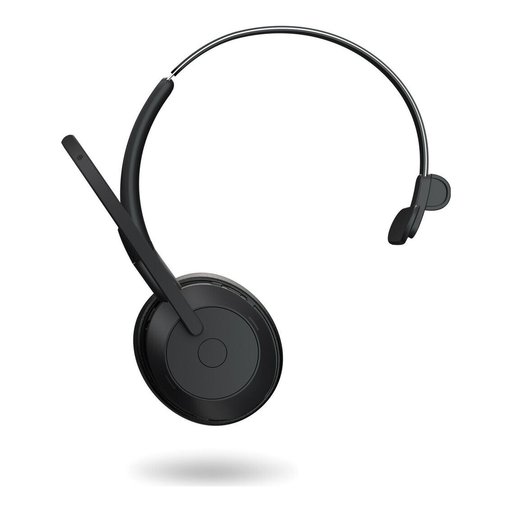
This mono headset may suit a recording setup with a compatible connection route; before use, check whether your device supports Bluetooth or USB-C.
The product description lists Bluetooth 5.2, USB-C and an adjustable headband. For wireless operation, you’ll need to comply with the conditions for using the specific frequency.
 No image available
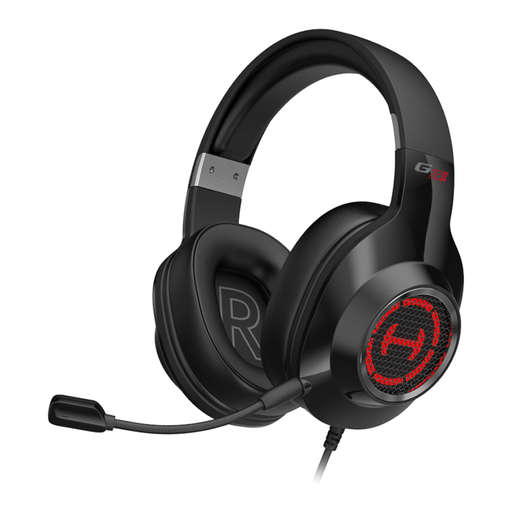
This wired headset with built-in microphone may be suitable if your recording device offers a compatible USB connection.
The product title lists USB and the colour black.
Position the boom according to the guidance for the specific capsule; for the 4088, DPA recommends placing it at the corner of your mouth rather than directly in front of it. Then record your loudest line as a test and lower the recording level if it clips. The Audacity manual suggests around −6 dB as a target for the peaks in its test recording, not as a general target level for every device.
No, it depends on the model and connections. RØDE requires plug-in power for a direct 3.5 mm connection with the HS2; Shure offers the SM35 in XLR and bodypack transmitter variants. The Audio-Technica BPHS2Ca has separate XLR and 6.3 mm connections for the microphone and headphones. Check the entire signal path to your recording device.
Check the fit, replaceable parts and what’s included with the exact variant. Sennheiser describes the HSP Essential Omni as having replaceable parts. Audio-Technica lists a detachable cable as included with the BPHS2Ca; beyerdynamic notes that versions of the DT 297 PV MK II are supplied without a connection cable.
Not if the specific use is fully covered by a current general allocation and its technical and operating conditions. The German Federal Network Agency states that use within the relevant conditions is free of charge and doesn’t require registration; individual or short-term allocations may be needed for other uses. Check the frequency band of the specific transmitter against the relevant regulation.
Not without checking the version and the specific device variant. In Vfg. 37/2026, the German Federal Network Agency states that it replaces previous general allocations; Vfg. 91/2025 also revoked earlier separate allocations. So check frequency details against the regulation that applies to your use.