If you’re telling the story yourself, a wired headset with an adjustable microphone boom could work with a compatible recording device. Position the microphone close to your mouth and as far from the fan as possible. If you mainly want to capture your guests, wearing a headset yourself won’t automatically do the job: position the microphone towards the people speaking and make a test recording first. RØDE recommends placing the microphone close to the voice you want to capture, while noting that this won’t necessarily eliminate all background noise.
Which setup is right for you?
Hosts telling their own stories
If you want to record your own voice, a microphone boom can help you keep a consistent distance from your mouth. RØDE recommends placing the microphone close to the sound source you want to capture and as far as possible from sources of unwanted noise.
People recording their guests
If your guests’ memories are the focus, position the microphone according to where they’re speaking from. RØDE highlights the importance of placing the microphone by the person speaking when recording interviews.
Recording on a computer
If you’re recording on a computer, check that the connection on the specific headset model matches your recording device. Before the gathering, make sure recording and monitoring work as expected.
What should you look for when buying?
A headset for your own voice
Suitable if: you’ll be speaking yourself and want to position a microphone boom close to your mouth.
Things to consider: Check the connection to your recording device and test the microphone track with the fan running.
Microphone positioned by your guests
Suitable if: the stories told by other people are what you most want to record.
Things to consider: A headset on your own head won’t automatically put the microphone close to your guests. Its position needs to suit the flow of the conversation.
Broadcast headset
Suitable if: you’ll be speaking for longer periods, monitoring the audio and planning for suitable recording equipment.
Things to consider: Check the exact cabling. Open cable ends or modular designs won’t necessarily connect directly to a USB recording device.
| What you need |
What to check before buying |
Who it matters to |
| Your own voice, despite a fan |
Adjustable microphone boom; make a test recording in the intended position with the fan running. |
If I want to capture my own voice clearly while telling a story, I pay attention to the microphone’s distance and listen back to a test recording first. Around 36% of consumers have this as their main concern. |
| Guests’ voices |
Position the microphone by the people speaking; check whether it can be adjusted as speakers change. |
If the guests’ stories are what matter most, the microphone should be positioned by whoever is speaking, rather than simply sitting on my head. Around 29% of consumers have this as their main concern. |
| Connection to the recording device |
Check the plug on the exact model; check the microphone input and recording app. |
If I want to record on my existing computer, the specific connection needs to match its microphone input. Around 21% of consumers say finding the right connection is their main concern. |
| Wearing the headset and monitoring audio |
Check the fit and whether you want a single- or dual-sided design before a longer recording. |
If I want to wear the headset comfortably and monitor the audio during longer stories, fit and design matter. Around 14% of consumers have this as their main concern. |
Common buying mistakes
-
Confusing noise isolation for your ears with a clean microphone recording
Ear cushions affect what you hear. That doesn’t mean the fan will be less noticeable on the recording captured by the microphone.
Check the microphone’s performance specifically and listen to a test recording made in the conditions you expect to use it in.
-
Choosing a headset for your own voice when your guests are the focus
A microphone on the person recording won’t automatically be close to the guests who are speaking.
Before buying, decide whose voice you want to record, then position the microphone accordingly for a test recording.
-
Assuming every model in a range has the right specification
Headset versions can differ in features such as mono or stereo design and USB-A, USB-C or other connections. Broadcast models may need their own cabling and connection solution.
Compare the full model number, what’s included and the connection on your recording device before making your choice.
Brands to consider
Logitech
The H570e range includes wired headsets for voice communication on a computer. The exact mono or stereo and USB version matters.
- Logitech lists a noise-cancelling microphone and in-line controls for the H570e.
- The 981-000571 and 981-000575 model numbers refer to different UC versions. This doesn’t confirm how well either will handle a fan at the recording location.
Poly
The Blackwire 3325 8X221AA, sold by HP, is a wired stereo headset with specified audio connections.
- For this version, HP lists 3.5 mm audio, USB-C and a USB-C-to-USB-A adaptor, as well as a noise-cancelling boom microphone.
- These product specifications aren’t a measurement of recording performance next to a fan.
Shure
The BRH441M-LC is a single-sided broadcast headset for professional setups where the wearer speaks and monitors the audio.
- Shure describes a dynamic microphone with a cardioid polar pattern and an adjustable microphone boom.
- The cable has open ends, so you’ll need to check how it connects to a standard USB recording device.
Sennheiser
The HMD 26, part number 700318, is a broadcast headset with a modular cable design.
- Sennheiser lists a dynamic supercardioid microphone and a closed, supra-aural earcup.
- The specific cable and connection need to match your recording device. The specifications don’t indicate how well it will handle a fan at a village gathering.
Jabra
The Evolve2 40 SE is a range of wired office headsets. The UC or Teams version and connection are key considerations when buying.
- Jabra describes three microphones and passive noise isolation from the earcups.
- The manufacturer’s stated use cases don’t show how an uncompressed recording of your memories will sound with the fan you have.
Joybuy products for voice recording
This selection includes wired headsets with microphones for recording your voice on your own computer. Check the connection on each version and test the recording with the fan in its intended position.
 No image available
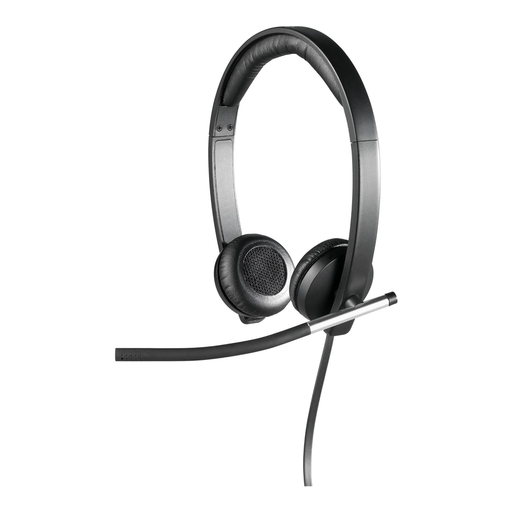
Logitech H650e Stereo USB Headset, Over-Ear, Black
For recording your own voice on a computer; the rotating microphone boom can be positioned close to your mouth.
Wired USB stereo headset with an over-ear design. The description also lists faux leather ear cushions and a padded headband.
Joybuy
 No image available
Logitech H570e Mono Headset with Microphone
For recording your own voice on a computer while keeping one ear free during the gathering; the flexible microphone boom can be positioned close to your mouth.
Wired mono headset with a USB connection and in-line volume and mute controls. The product description calls the microphone noise-cancelling, but this doesn’t prove how well it will handle the fan at your location.
Joybuy
 No image available
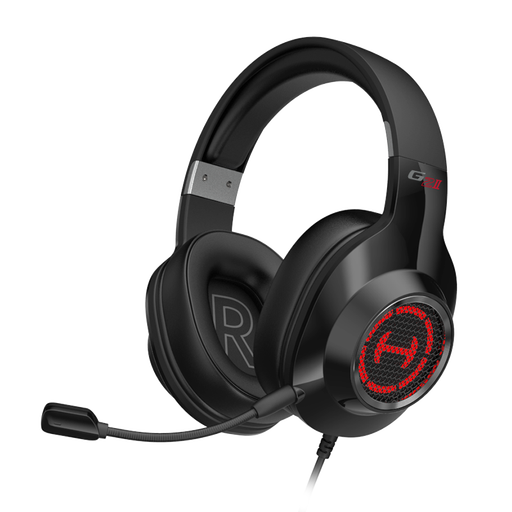
EDIFIER G2II Gaming Headset for PC and PS4
A wired USB option for voice communication on a computer. Test the exact recording setup before the gathering.
Described as a gaming headset for PC and PS4; the product title lists 50 mm drivers, 7.1 surround sound and RGB lighting. The microphone is described as noise-cancelling, but there’s no evidence of how it will handle your particular fan.
Joybuy
 No image available
Siukie CH25 Wired Over-Ear Headset
For recording on a compatible device; check which of the listed connections supports microphone recording.
The product title lists USB and 3.5 mm connections, 50 mm drivers and pink LED lighting. The microphone is described as unidirectional and noise-cancelling, but this doesn’t demonstrate how it will handle a fan in practice.
Joybuy
 No image available
Siukie L200 Wired Over-Ear Headset with Microphone
For recording your own voice on a compatible device; the flexible microphone boom can be positioned for each speaker.
The product title lists USB and 3.5 mm connections, 50 mm drivers and RGB lighting. The microphone is described as noise-cancelling, but this doesn’t replace testing it with the fan at your recording location.
Joybuy
Frequently asked questions
Is wearing a headset enough to record stories told by my guests?
Not automatically. For interview recordings, RØDE recommends positioning the microphone according to the person speaking. First decide whose voice you want to hear most clearly, then test your setup at the recording location.
How should I position the microphone with a fan running?
Place the microphone close to the voice you want to capture and as far as possible from the source of the noise. Compare short recordings with the fan set to the level you intend to use. This positioning may reduce background noise, but it won’t necessarily eliminate it completely.
Which connection should I check before buying?
Check that the connection on the specific headset version matches the microphone input on your recording device. Also make sure your recording app picks up the microphone signal. Using an adaptor alone doesn’t guarantee that the connection will work for your recording.
Can I simply record conversations at a village gathering?
Under section 201(1) of the German Criminal Code (StGB), words spoken privately by another person must not be recorded on an audio device without authorisation. Before recording, check that you’re entitled to do so or that you have the necessary consent. The fact that a gathering is taking place doesn’t automatically make every conversation public.
Do I always need an individual frequency allocation for a wireless microphone in Germany?
Not in every case. The Federal Network Agency describes general frequency allocations that allow use without registration, provided the relevant technical and operational conditions are met. Check the device’s frequency against the current Notice 37/2026 and the applicable conditions. This wireless requirement isn’t relevant to a wired headset.


