Apprentices with a fixed PC recording setup
You record your entries at your computer and want to check the connection and easily select the recording source in your software.


For a fixed recording setup at your PC, a wired USB headset is a sensible starting point, provided you have a suitable USB port. If your device has a compatible 3.5 mm headset socket, you could consider a model with a 3.5 mm jack. Select the headset as your input device in your recording software, then listen back to a test recording. Audacity recommends checking the input device and recording level before you start. Manufacturer claims about noise cancellation are not independent evidence of how well your apprenticeship diary recordings will sound.
You record your entries at your computer and want to check the connection and easily select the recording source in your software.
You use devices with different connections, so you need to check that the headset, socket and recording app are compatible.
You want a headset that stays comfortable for as long as you plan to speak, or you want to test whether your voice remains clear in your usual surroundings.
First, check which connection is available on your recording device. Then test the input source and recording level in your software. The approximate proportions below group consumers by their top priority when buying a headset for spoken apprenticeship diary entries.
| What matters | What to check before buying | Who prioritises it? |
|---|---|---|
| Clear voice recordings | Position the microphone boom; record and listen back to a spoken test entry. | When I record my diary at a fixed desk, I want to check my voice and the recording level before making the actual entry. Around 33% of consumers prioritise recording clarity. |
| Connection and device recognition | Check that the plug matches the microphone input; select the headset as the input in your recording app. | If I switch between recording devices, the connection and app need to support the headset microphone. Around 27% of consumers prioritise compatibility with their devices. |
| Background noise | Make a test recording in the room where you plan to record, with the usual background noise. | If there’s fan noise or an echo, I want to hear whether my voice is still clear in the actual recording environment. Around 20% of consumers put background noise first. |
| Comfort for longer entries | Check the headband and ear cushions; make sure you don’t confuse mono and stereo models. | For longer entries, I want a headset that feels comfortable to wear. Around 20% of consumers prioritise fit. |
Manufacturer claims about noise cancellation are no substitute for testing the headset in the room where you’ll actually record. Room noise, microphone position and recording level can all affect how your entry sounds.
Make a test recording in your chosen room and listen back before recording your diary entry.
If the test doesn’t go well, recording again or editing the audio could take extra time.
A 3.5 mm plug won’t automatically work with every microphone input. If your device has a combined socket, the device and headset need to be compatible.
Check the socket description for your recording device. Once connected, select the headset microphone as the input source in your software.
According to EU consumer information, purchases from a business seller in the EU are covered by a legal guarantee of at least two years from the date you receive the goods. This is separate from any voluntary manufacturer’s warranty.
Keep your proof of purchase and check whether you’re making a statutory claim about a faulty product or using an additional manufacturer’s warranty.
The details below relate to specific product ranges and variants, rather than every product from each brand.
The H390 is a wired USB headset, while the H151 uses a 3.5 mm connection. The right option depends on the socket on your recording device.
The IMPACT 100 UC Stereo USB-C+A is a specific, documented variant for buyers looking to check this combination of connections.
The Evolve2 30 SE is available with different connections and in mono and stereo versions. Make sure you check the exact variant.
The wired Blackwire 3200 Series includes models with different connections and wearing styles.
This selection includes wired USB and 3.5 mm headsets. The key thing is whether the microphone input on each model is compatible with your recording device.
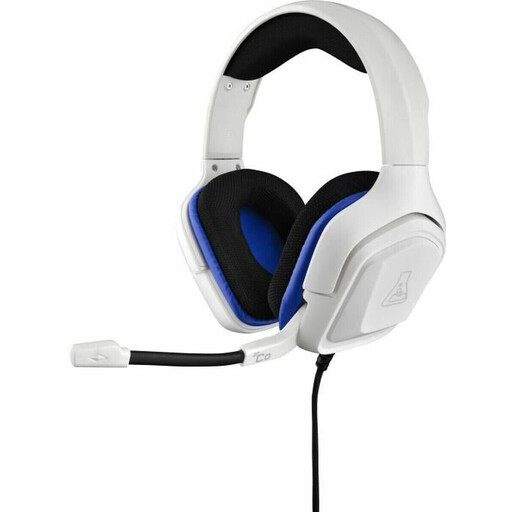 No image available
An option if your recording device has a compatible 3.5 mm microphone input.
Wired; 3.5 mm jack; white.
According to the product description, the USB connection is for RGB lighting only.
 No image available
An option for recording at your computer if you have a compatible USB-A port.
Stereo; USB connection; the product name describes it as having a noise-cancelling microphone.
 No image available
An option for a fixed USB recording setup, provided the cable reaches your recording device.
USB connection; 2.4 m cable; the product name describes it as having a noise-cancelling microphone.
 No image available
An option if your recording device has a compatible 3.5 mm headset socket.
Stereo; 3.5 mm connection; the product name describes it as having an adjustable microphone.
Check that your recording device’s socket also supports microphone input.
 No image available
An option if your recording device has a compatible 3.5 mm audio connection.
Wired; 3.5 mm audio connection according to the product details.
Check that your device’s socket supports microphone input.
Select the headset explicitly as the input device in your recording app and make a test recording. Audacity also recommends checking the recording level while you speak, as clipping can’t be fixed afterwards.
No, not always. Jabra notes that not all USB-C devices or apps support an audio connection with the Evolve2 30 SE. So check your device, app and the exact headset variant.
According to EU consumer information, purchases from a business seller in the EU are covered by a legal guarantee of at least two years from the date you receive the goods. This is separate from any additional manufacturer’s warranty.
§ 201 StGB makes it a criminal offence to record another person’s words spoken in private without permission. Where possible, record your own entries without other people’s conversations, and make sure you have permission before recording anyone else. This does not mean you are prohibited from recording your own voice on its own.