Speakers with wide changes in volume
If you speak quietly when describing a scene and then shift to a more emphatic delivery, check the microphone position and recording level with a test that includes your loudest passages.


Choose a headset whose microphone and headphone signals work with your recording device. A suitable USB model can be connected directly to your computer, while broadcast headsets often have separate connections and require you to check the cables and microphone power more carefully. If your delivery shifts between quiet and emphatic passages, look for a microphone boom you can position correctly, record a test using your loudest passage and listen back to the recording. Intelligibility also depends on how the audio description is mixed with the programme sound.
If you speak quietly when describing a scene and then shift to a more emphatic delivery, check the microphone position and recording level with a test that includes your loudest passages.
If you want to record without a separate audio interface, check that your computer’s USB or headset input matches the actual connection on the headset.
If you want to monitor your voice and programme sound separately, check the signal paths, compatible cables and, where necessary, the microphone power required.
The most important things to consider when buying a headset microphone for audio description depend on how you speak, which recording device you use and how you want to monitor your recording.
| What matters | What to check before buying | Who it matters to |
|---|---|---|
| Quiet and emphatic passages | Check whether you can position the microphone boom as needed and whether your recording device displays the level. Record your loudest planned passage too, then check the saved file. | If I switch between quiet and emphatic sentences, I want to record loud passages without clipping. Around 33% of consumers are likely to put control over expression and recording levels first. |
| Connection and microphone power | Check the microphone input, headphone output and contents of the specific model against your recording device. | If I want to record directly on my computer or through an existing interface, the microphone must work with its input. Around 27% of consumers are likely to focus primarily on device compatibility. |
| Monitoring your voice and programme sound | Listen to a saved voice test and a test mix with the programme sound you plan to use. Consider whether you need sound isolation on both sides or one-sided monitoring. | If I want to judge how the spoken description fits with the programme sound, I need a setup that lets me monitor both in a controlled way. Around 20% of consumers are likely to consider this balance particularly important. |
| Fit and maintenance | Test the fit and microphone boom for your usual recording session length; also check whether the cable or ear pads can be replaced. | If I plan to record for longer sessions, I want to know whether the headset is comfortable and whether wear-and-tear parts can be replaced. Around 20% of consumers are likely to prioritise fit and maintenance. |
As a guide to recording levels, Audacity recommends a maximum peak level of around −6 dB. This is a recording guideline, not a product feature or a requirement for mixing audio description.
A product label or feature won’t tell you how your voice will sound in your room or how intelligible the finished mix will be.
Record quiet and strongly emphasised sentences in your actual recording conditions, then listen to the saved file alongside an example of the programme sound.
The microphone and headphones both need working signal paths. For the NTH-100M connected to an XLR microphone input, RØDE also says that you’ll need a suitable adapter to provide the required plug-in power.
Before buying, check the model version, microphone input, headphone output, cable and any power requirements against the manufacturer’s information.
Sennheiser lists the HMD 26-II-600S, part number 505775, as discontinued. The separately documented HMD 26 has part number 700318.
Check the full model name and part number rather than relying on the name “HMD 26” alone.
The NTH-100M combines over-ear headphones with a detachable microphone boom, making it an analogue option for compatible recording devices.
The BPHS1 is a closed-back broadcast headset with a dynamic directional microphone, designed for compatible separate connections.
The H390 is a USB-A computer headset designed to connect directly to a compatible computer.
The DT 297 PV MK II is a closed-back broadcast headset with a condenser microphone and adjustable gooseneck, for recording setups with the right connections and equipment.
The wired HMD 26, part number 700318, is a broadcast headset with a dynamic microphone and a fold-away ear cup.
This selection includes headsets with built-in or supplied microphones, including models for gaming, music and professional communication. Before recording, check that the microphone signal path on your chosen model works with your recording device.
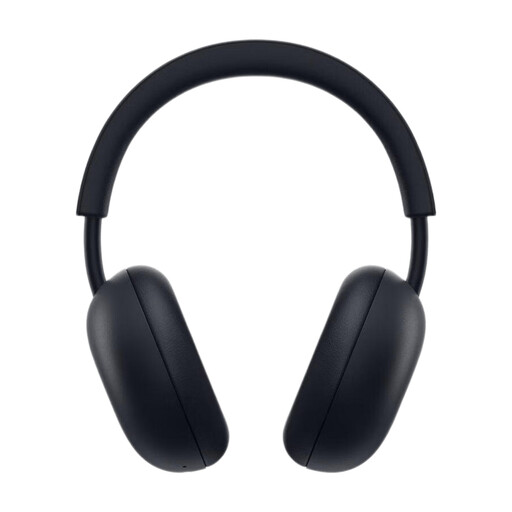 No image available
This headset combines headphones and a microphone. Before recording speech, check that the microphone signal path works with your recording device.
The product title lists PlayStation Link and Bluetooth, compatibility with PS5 and a battery life of up to 30 hours.
 No image available
This model combines over-ear headphones and a microphone. For voice recordings, check that the available microphone signal path works with your computer or interface.
The product title lists a wireless design and noise cancelling.
 No image available
This headset has a boom microphone. Check that the specific connection and microphone input are suitable for your recording.
The product title lists a 22-hour battery life, Bluetooth 5 and compatibility with PlayStation, PC, Mac and Switch.
 No image available
This model has a detachable microphone. Before recording, check that your chosen connection supports the microphone input on your device.
The product title lists 2.4 GHz wireless and wired use, as well as 50 mm drivers.
 No image available
This wireless stereo headset is listed with a base station. Check that the microphone connection and link to your recording device are suitable.
The product title lists DECT, a range of 150 m and a USB-C to USB-A cable.
Select the actual microphone input in your recording software, record a test using your loudest planned emphasis, then check the level display and saved recording. Audacity suggests a maximum recording peak of around −6 dB as a guide; this isn’t a general delivery requirement for audio description.
Not just because the plug fits. The documented Audio-Technica BPHS1 has separate microphone and headphone plugs. Check both signal paths and, for other models, also check the cable and any power requirements before choosing accessories.
According to their respective manufacturers, the beyerdynamic DT 297 PV MK II and Sennheiser HMD 26, part number 700318, don’t include a connection cable. With the RØDE NTH-100M, you may need a suitable adapter to provide plug-in power if you’re using an XLR microphone input. Check what’s included and the connections on your specific model.
For a consumer purchase in the EU, your statutory rights against the seller are separate from any voluntary manufacturer’s guarantee. The EU’s Your Europe information explains that faulty goods are generally covered by at least two years of legal protection.