What should you look for when buying?
For bilingual read-aloud recordings, important factors include clear audio in both quiet and emphatic passages, noise around your reading spot, compatible connections and comfortable monitoring.
| What matters |
What to check when buying |
Who should pay particular attention? |
| Clear speech |
Check the microphone position and record quiet and emphatic passages in both languages. Listen back to the unedited recording and check the levels. |
If I want to record quiet passages and changes in emphasis clearly, testing it with my own voice matters most. Around 33% of consumers prioritise clear speech in both quiet and emphatic passages. |
| Room noise and microphone distance |
Check the boom position and the specific model’s polar pattern. Record at your usual reading spot, with the noises you’d normally hear there. |
If there’s background noise where I sit, I want to hear how it sounds in the raw recording rather than relying on the earcup design alone. Around 27% of consumers prioritise room noise and keeping the microphone at a consistent distance. |
| Connections and signal path |
Compare the microphone input, headphone output and connector pinout. If you’re using XLR, check that the required microphone power is available too. |
If I want to keep using my existing recording equipment, the headset’s signal path needs to be compatible. Around 20% of consumers prioritise compatibility with their equipment. |
| Fit and monitoring |
Check the clamping force, cushioning and cable routing at your usual spot. Listen back to a test recording before recording a whole story. |
If I’m recording longer stories, I want to sit comfortably and be able to check my voice during or after a test. Around 20% of consumers prioritise comfort and monitoring. |
Headsets at Joybuy
This Joybuy selection includes headsets with microphones that you could use for a voice recording at your usual spot. Before buying, check that the connection, microphone position and recording quality work with your device and the two languages you’ll be reading in.
 No image available
JBL Quantum 360P, wireless over-ear gaming headset, white
The microphone boom lets you test whether this headset works for recording at your usual spot and with your voice.
- Wireless, with Bluetooth 5
- Battery life stated in the product title: 22 h
- Microphone boom; ANC
- PlayStation, PC, Mac and Switch, according to the product title
Test the connection with your recording device and listen back to a sample in both languages.
View at Joybuy
 No image available
JBL Quantum 400, wired over-ear gaming headset
The flip-up microphone boom makes this model worth testing at your usual spot. Check that it connects to your recording device too.
- Wired
- 3.5 mm connection and USB, according to the product title
- Flip-up microphone boom
Before you buy, check which connections your device uses for the microphone and headphones.
View at Joybuy
 No image available
Logitech 960 stereo headset with USB connection
This wired headset is worth considering for recording on a PC; check the microphone position and listen back to your test recording.
- USB connection
- Cable length: 2.4 m
- Adjustable microphone, according to the product title
Check that your recording device recognises the headset as the input and output device you want to use.
View at Joybuy
 No image available
ONIKUMA GT889, wireless headset with detachable microphone
The detachable microphone lets you test it for recording at your usual spot; first check which connection mode works with your recording device.
- 2.4 GHz wireless and wired modes, according to the product title
- 50 mm drivers, according to the product title
- LED lighting, according to the product title
Check the connection and listen back to your recording in both languages before recording a longer story.
View at Joybuy
 No image available
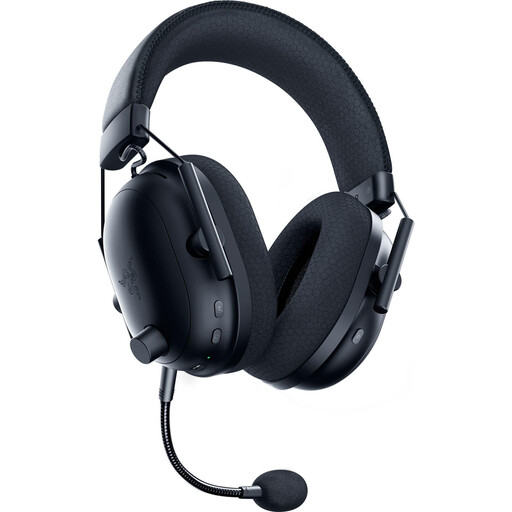
Razer BlackShark V2 Pro (2023), wireless gaming headset
The detachable microphone makes this model worth considering for a test recording; check that the wireless connection suits your recording setup.
- Detachable microphone, according to the product title
- Wireless headset
- Battery life stated in the product title: 70 h
Test the actual recording and check the playback before recording a whole story.
View at Joybuy
Frequently asked questions
How can I test a headset before recording a whole story?
At your usual reading spot, record a short section with quiet and emphatic passages in both languages. Check your recording device and levels, then listen back for clipping; the Audacity manual recommends making a test recording without clipping.
Can I simply connect a headset with an XLR microphone using an adapter to my laptop?
Not just because the plugs fit. The Audio-Technica BPHS1 has separate microphone and headphone connections. For the differently designed RØDE NTH-100M’s microphone signal path to XLR, RØDE describes using a suitable adapter for plug-in power. Check the signal path for your specific headset and device.
What spare parts or additional equipment should I consider before buying?
Check whether your existing equipment has compatible inputs or whether you’ll need an interface or a suitable adapter. Audio-Technica lists replaceable cables and earpads for the BPHS1; beyerdynamic also lists replaceable earpads and cables for the MMX 300 PRO. This doesn’t tell you the price or availability of any particular spare part.
Can I publish a recording of a story I’ve read aloud in Germany?
Private use and publication are different things. Under certain conditions, section 53 of the German Copyright Act (UrhG) allows individual copies for private use, but it doesn’t generally allow you to distribute or publicly perform those copies. Section 19a of the UrhG governs the right to make a work available to the public. Before publishing someone else’s story, check that you have the necessary rights, including rights to any translation you’ve used; buying a headset doesn’t give you permission to publish.


