First, plan how both your voice and the other person’s story will be recorded: a headset microphone won’t automatically capture both people. Then choose between USB, TRRS and separate audio connections, or a standalone headband microphone, based on your recording device and monitoring options. For long takes, a comfortable fit and a test of the complete recording setup before the interview are essential.
Who is this guide for?
Interviewers recording two important voices
If you want to preserve both the story and your questions and interjections, you need to consider both people when planning your microphone setup. The Oral History Association and the Library of Congress Veterans History Project recommend testing your recording equipment before the interview.
People recording long conversations
If you’ll be wearing a headset for an extended period, try out the fit, microphone position and monitoring options with the recording device you plan to use. Audio-Technica and RØDE describe the features of their respective models, but manufacturers’ claims are no substitute for trying a headset on yourself.
People recording in a workshop
During a craft demonstration, movement and background noise can change the recording conditions. Test the microphone position in a rehearsal recording, with the movements and sounds you expect during the interview.
What should you consider when buying?
For long interviews about local crafts, the right choice depends first on whose voice you want to record and what you’ll be recording with.
| Buying priority |
What to check |
Who is it important to? |
| Recording both voices |
Decide who will wear the headset, then test both voices with your planned microphone setup. |
If I need to capture both the story and my questions, I’ll plan the microphone setup for both people. Around 29% of consumers put recording both voices first. |
| Fit and monitoring during long takes |
Try it out for an extended period with the device you plan to use, checking that the headband, ear cushions and monitoring signal work for you. |
For long conversations, I want to wear the headset comfortably and monitor the sound while recording. Around 29% of consumers prioritise comfort and monitoring during long takes. |
| Connecting to your recording device |
Check the microphone input, headphone output and any cables or adapters you need against the exact model variant. |
If I want to record directly to my existing recorder or computer, the complete connection setup needs to be right. Around 24% of consumers prioritise compatibility with their devices. |
| Workshop noise and movement |
Make a test recording with the actual background noise and movements you expect. |
During a demonstration, I want to be able to move around without losing sight of how clear the recording is. Around 18% of consumers focus on recording in a workshop. |
Common buying misconceptions
-
Only the interviewer wears a microphone
A microphone near your own mouth won’t automatically pick up the voice of the person telling their story opposite you clearly.
Before you buy, plan how to mic both people and test the setup before every long conversation.
You may need an additional microphone setup for the second voice.
-
A headphone connection automatically means there’s a microphone input
According to the manufacturer, the RØDE NTH-100M requires the supplied TRRS cable for its microphone to work. The Audio-Technica BPHS1 has separate microphone and headphone connections.
Check the sockets and what’s included with the exact model variant against your recording device.
Depending on your device, you may need compatible connection accessories or a different recording device.
-
A directional microphone guarantees a noise-free workshop recording
A directional capsule picks up sound differently from different directions, but clarity still depends on positioning and your surroundings.
Make a short test recording with the tools and movements you expect to capture.
-
The headset comes with everything you need to connect it
beyerdynamic states that the DT 297 PV MK II is supplied without a connection cable.
Before ordering, decide which cable variant you need and check the connections on your recorder or interface.
You’ll need to choose a suitable connection cable separately for this model.
Key brands to consider
Audio-Technica
The BPHS1 combines a headset with separate microphone and headphone connections, while the ATH-M20xSTS is described as coming with a TRRS cable and USB adapters for computers.
- Audio-Technica lists closed-back earcups, a swivel microphone boom, and a replaceable cable and ear cushions for the BPHS1.
- The supplied USB-A and USB-C adapters are for the ATH-M20xSTS, not both models as a rule.
RØDE
The NTH-100M combines a microphone with closed-back headphones for speaking and monitoring over an analogue connection.
- RØDE says the microphone is detachable and also lists padded earcups.
- According to the manufacturer, the supplied TRRS cable is required for the microphone to work. The manufacturer’s claims about the padding don’t guarantee a comfortable fit for everyone.
Shure
The WH20XLR is a hands-free headband microphone for use with a compatible XLR microphone input.
- Shure lists an adjustable fit and a windscreen.
- This microphone doesn’t include headphones. Shure also notes that its dynamic capsule has a lower output level than condenser microphones.
Logitech
The H390 is described as a USB computer headset for use with a compatible computer connection.
- For the USB-A variant described, Logitech lists an adjustable headband, in-line controls and a positionable microphone.
- Claims about call quality don’t independently prove that it’s suitable for long interview recordings.
beyerdynamic
The DT 297 PV MK II is a closed-back headset with a condenser microphone, designed for recording setups with compatible connections.
- According to the German manufacturer’s website, the microphone boom and cable connection can be adapted.
- beyerdynamic supplies DT 297 versions without a connection cable, so you’ll need to check the cable variant and device compatibility in advance.
Headsets and microphones at Joybuy
The options below are headsets with microphones for the wearer’s voice. If your interview involves two important voices, you’ll also need to plan how to record the other person.
 No image available
JBL Quantum 360P
Could be worth considering if the wearer needs to speak wirelessly. First check that your recording app and device support the connection you want to use.
Described as a wireless over-ear gaming headset with a boom microphone; the product name lists Bluetooth 5, a detachable 3.5 mm cable and 22 hours of battery life.
Joybuy
 No image available
Logitech 960 Stereo Headset
Could work for computer recordings if your computer’s USB connection and recording software are compatible with the headset.
The product name lists a USB connection, a 2.4 m cable and a noise-cancelling microphone.
Joybuy
 No image available
Jabra Evolve2 75
Could suit interviews where the wearer needs to speak; check that the adapter and recording device work together.
The product name lists a wireless PC headset with charging stand, USB-C Bluetooth adapter and 8-microphone technology.
Joybuy
 No image available
ONIKUMA GT889
Could be worth considering if you’re looking for a headset with a detachable microphone for the wearer’s voice; check that it’s compatible with your recording equipment.
The product name describes a wireless gaming headset with a microphone and lists 50 mm drivers.
Joybuy
 No image available
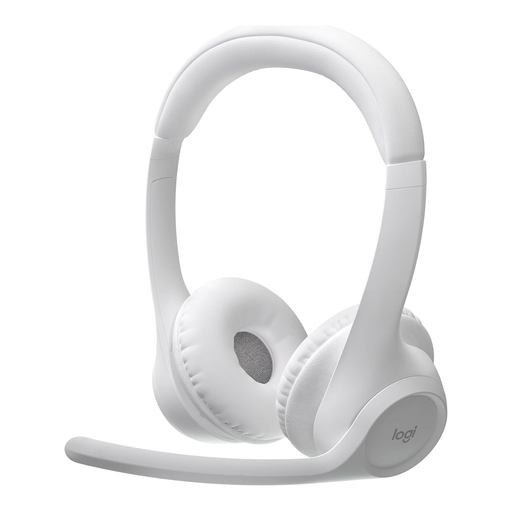
Logitech Zone 300
Could work for voice recordings with a computer or mobile device, provided Bluetooth and your recording app are compatible.
The product name lists a wireless Bluetooth headset with a microphone and up to 20 hours of battery life.
Joybuy
Frequently asked questions
Is a headset on my head enough for the whole interview?
Not necessarily: the microphone sits close to the voice of the person wearing the headset. If the other person’s story matters too, test both voices in advance with your planned microphone setup.
How should I position a headband microphone?
Follow the instructions for the specific model. For the WH20, Shure recommends placing the microphone grille no more than 25 mm from the right corner of your mouth, rather than directly in front of it. This measurement doesn’t automatically apply to other models.
What extra parts should I allow for when connecting it?
Check what’s included with the exact variant: you’ll need to choose a connection cable separately for the beyerdynamic DT 297 PV MK II. The Shure WH20XLR doesn’t include headphones; depending on your recording device, you may need compatible connections and a separate way to monitor the audio.
Can I record and share an interview in Germany without the storyteller’s knowledge?
Section 201(1) of the German Criminal Code (StGB) makes it a criminal offence to record privately spoken words without authorisation, or to use or make such a recording available to others. Discuss the recording and how you plan to use it with the person telling their story in advance. Processing personal data also requires a relevant legal basis under the GDPR; whether a particular publication is lawful depends on the circumstances. The Federal Ministry of Justice and the Federal Office of Justice publish the statutory text, while the Federal Commissioner for Data Protection and Freedom of Information explains the legal bases for data processing.


