What matters for long dialect interviews
First decide whose voice you want to record, then check the fit, monitoring and the entire recording setup.
| What you need |
What to check |
Who is this important to? |
| Clarity of the main voice |
Check the headband and microphone position; record and listen back to both quiet and loud passages in the room you plan to use. |
If I want to analyse dialect endings later, I need a stable position and a test recording at different volume levels. Around 31% of consumers put clarity of the main voice first. |
| Both voices in the conversation |
Plan who will wear the headset and whether the other person needs their own microphone; check the inputs and levels for both voices. |
If I want to keep the questions and answers together, I’ll plan a separate recording path for the other person. Around 25% of consumers prioritise capturing both voices in the conversation. |
| Fit during long takes |
Test the fit during an extended trial; consider cable routing, as well as the cable and ear cushions on the specific variant. |
If I’m conducting long interviews, the headband should stay in place without needing frequent adjustments. Around 25% of consumers prioritise fit and ease of use during long takes. |
| A compatible recording setup |
Check the model variant, input and required power supply; also check the headphone connection and the saved test recording. |
If I want to keep using my existing recording equipment, the plug and power supply need to be exactly right. Around 19% of consumers put compatibility with their existing recording setup first. |
Joybuy products for interviews
These products are headsets with a microphone and headphones for voice recording on a computer or in conversation settings. Before using one for a dialect interview, check the recording quality with a test and plan a separate recording path for the second voice if needed.
 No image available
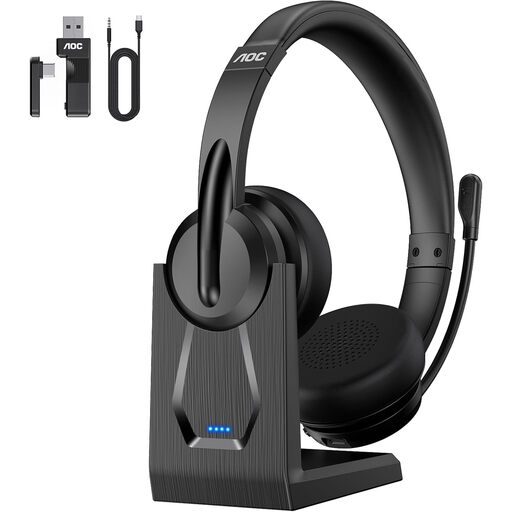
AOC V5.4 wireless headset with microphone
Could be worth considering if you’re looking for a headset with an adjustable microphone boom and several connection options.
Bluetooth, a USB dongle and a 3.5 mm cable are listed as connection options. The described ENC noise cancellation is only available in Bluetooth mode.
View at Joybuy
 No image available
JBL Quantum 400 over-ear gaming headset
Could be an option for voice communications with a worn microphone. If you’re analysing fine dialect features, test a recording in the intended setting first.
Features listed include a flip-up directional microphone, USB-C and a 3.5 mm connection. The product description lists voice communications as one of its uses.
View at Joybuy
 No image available
Logitech 960 stereo headset
Could be an option for recording on a computer if a USB headset with an adjustable microphone boom suits your recording setup.
The description lists a USB connection, a 2.4 m cable and an adjustable microphone. The stated uses include conference calls and webinars.
View at Joybuy
 No image available
Razer Barracuda wireless headset
Could be worth considering if you’re looking for a wireless over-ear headset for longer sessions. Test the voice recording before choosing it for a dialect interview.
The description lists Razer HyperSpeed Wireless and Bluetooth, along with up to 40 hours of battery life. It also lists built-in beamforming microphones with adjustable noise cancellation.
View at Joybuy
 No image available
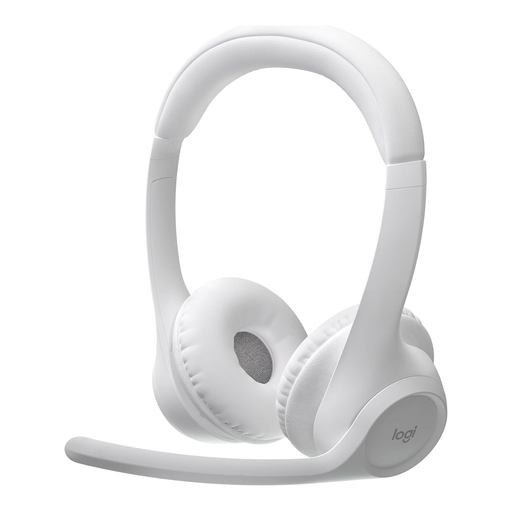
Logitech Zone 300 wireless Bluetooth headset
Could be an option for longer conversations if a wireless headset designed for speech suits your recording setup.
The description lists a dual beamforming microphone system with noise cancellation, a weight of 122 g and up to 16 hours of talk time. Talk time isn’t the same as recording time.
View at Joybuy
Frequently asked questions
Is a headset worn by the interviewee enough to record both voices?
Don’t assume that a single microphone will be enough. If you want to keep both questions and answers, check whether the other person needs a separate recording path and listen back to a test recording of both voices.
Where should the microphone boom point?
For the Shure SM35, the manufacturer's instructions recommend positioning it at the corner of your mouth rather than directly in front of it to reduce popping sounds. For other models, follow the relevant instructions and check the position with a test recording.
What else should I prepare for a long recording?
Check your recorder’s available recording time, power supply and storage space, then listen to a saved test file. The Oral History Society lists uncompressed PCM-WAV and the ability to record two external microphones as useful features for recorders used in oral history projects; a headset alone doesn’t provide these functions.
Can I connect the Shure SM35-XLR or RØDE HS2 to any laptop?
No. The connections and required power supply need to be compatible with your recording device. The Shure SM35-XLR preamp requires phantom power; according to the manufacturer, the RØDE HS2 is designed for a suitable 3.5 mm microphone input with Plug-in Power. Check the specific signal path and whether you’ll need additional equipment.
Can I simply record a private dialect interview in Germany?
Not without authorisation: Section 201(1)(1) of the German Criminal Code (StGB) covers the unauthorised recording of another person’s privately spoken words. Check that you’re authorised to record before you begin. If personal data is being processed and consent under data protection law is to be the legal basis, the Data Protection Conference sets out requirements such as consent being freely given and informed; consent doesn’t have to be in writing in every case.


