For recording a spoken apprenticeship diary with a fan running, a headset with a microphone boom you can position close to your mouth is a sensible starting point. Shure recommends speaking as close to the microphone as possible to make your voice stand out from background noise. Make a test recording at your own desk: ear-cup ANC alone won’t tell you how much fan noise will end up on the microphone track. Choose a connection and fit that suit your recording device, app and recording session. If you mean your official training logbook, a voice recording does not replace the written or electronic training record required under § 13 BBiG.
Who is this selection for?
Apprentices recording near a fan
If you’re dictating entries near a running fan, it’s important that your voice comes through clearly. Shure recommends speaking as close to the microphone as possible; a test recording will show how well this works at your own desk.
Apprentices using different recording devices
If you don’t always record on the same computer, the connection, device and recording app all need to work together. Jabra notes that not all USB-C devices or apps support audio with the Evolve2 40 SE.
Apprentices recording longer entries
For longer entries, choose a fit and style that feel comfortable for you. Whether you also want to hear less of the fan is a separate consideration, as is the quality of the microphone recording.
What should you look for when buying?
The figures refer to consumers choosing a headset for this use case; each row represents their main purchase priority.
| Priority |
What to check when buying |
Who is it especially important for? |
| Clear voice |
Position the microphone boom close to your mouth, then record and listen back with the fan running. Shure recommends speaking as close to the microphone as possible. |
When I dictate with a fan running, I want my voice to remain clear. Around 42% of consumers in this use case share this priority. |
| Compatible device connection |
Check that the connection, device and recording app are compatible. Jabra says that not all USB-C devices or apps support audio with the Evolve2 40 SE. |
When I switch between recording devices, the headset needs to work with my device and app. Around 25% of consumers prioritise this compatibility. |
| Hearing less of the fan |
Assess microphone noise reduction separately from ear isolation or ANC; a test recording is still essential. |
If the fan bothers me while I’m speaking or listening back, I want to know what I’ll hear and what will end up in the recording. Around 17% of consumers prioritise their own listening experience. |
| Comfort during longer entries |
Choose a style, headband and ear cushions that suit the way you use your headset, and try it on during a longer recording if possible. |
When I record longer entries, I want the headset to fit comfortably. For around 16% of consumers, comfort is their main purchase priority. |
Buying and usage pitfalls
-
Assuming ear-cup ANC means a noise-free microphone recording
Ear isolation and ANC affect what you hear; they don’t prove that fan noise will be removed from the saved voice recording.
Check the microphone separately and listen to a recording made with the fan running.
-
Choosing based on the USB-C plug alone
A compatible plug doesn’t guarantee that your device and recording app will support audio through the headset. Jabra notes this limitation for the Evolve2 40 SE.
Before buying, check the specific device, app and headset version you’ll be using.
-
Treating a voice recording as a completed training record
If you mean the official training record, § 13 BBiG requires a written or electronic record. The Federal Ministry of Justice and the Federal Office of Justice publish this requirement in the text of the law.
You can use spoken notes as a first draft, then transfer them into the format required for your training record.
Useful brands to consider
Logitech
The Zone Wired range is a wired USB line designed for voice communication.
- Logitech describes the Zone Wired as having a noise-cancelling dual microphone, including for HVAC noise during calls and meetings.
- This is the manufacturer’s claim, not an independent measurement of a recording made locally for your diary. Check the connection and make a test recording with your fan running.
Jabra
The Evolve2 40 SE range includes wired USB versions with a microphone boom.
- Jabra lists three microphones and passive noise isolation. USB-A and USB-C versions make it easier to choose the right connection.
- Jabra says that not all USB-C devices or apps support audio with the Evolve2 40 SE. The manufacturer’s claims about call quality are not a test with your fan.
Poly
The Blackwire ranges offer different wired connections and features, depending on the model.
- HP describes USB-C with a USB-A adapter and a 3.5 mm connection for versions of the Blackwire 5200 series. For the Blackwire 8225, microphone noise reduction and ear-cup ANC are listed as separate features.
- Features and connections vary by version; this doesn’t guarantee that fan noise will be suppressed in a recording made locally.
Joybuy products for wired voice recordings
The following wired headsets have microphones for voice recording. Before buying, check that each model’s connection suits your recording device; making a test recording with the fan running is still a good idea.
 No image available
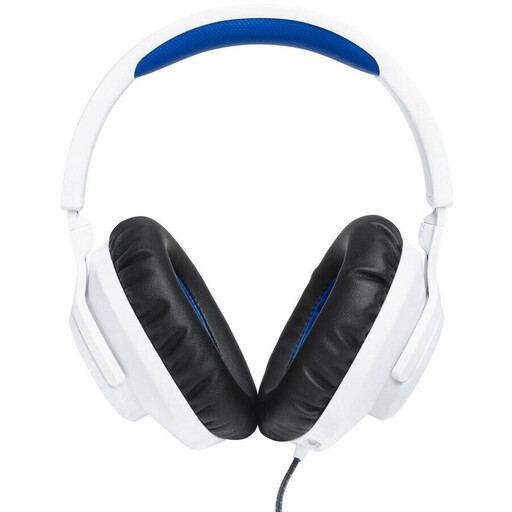
JBL Quantum 100 PlayStation wired over-ear headset, white and blue
For recording your own voice, the listed features include a detachable, directional boom microphone that, according to the product description, can be positioned close to your mouth.
3.5 mm connection; windscreen included; stated weight: 220 g.
View at Joybuy
 No image available
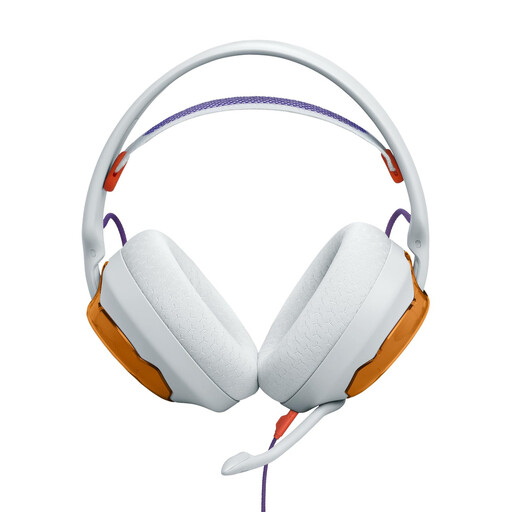
JBL Quantum 250 wired over-ear headset, light teal and orange
For wired recordings with a compatible device connection, the product description lists a directional, detachable boom microphone.
3.5 mm audio connection; software-based reduction of keyboard noise is described, but not guaranteed suppression of fan noise. Breathable ear cushions and a mesh headband are also listed.
View at Joybuy
 No image available
Logitech H540 USB headset with microphone
For a compatible USB-A recording device, the microphone is described as adjustable and noise-cancelling; the instructions recommend positioning it close to your mouth.
USB-A connection; microphone mute and volume controls are listed. Check that USB-A is compatible with your recording device.
View at Joybuy
 No image available
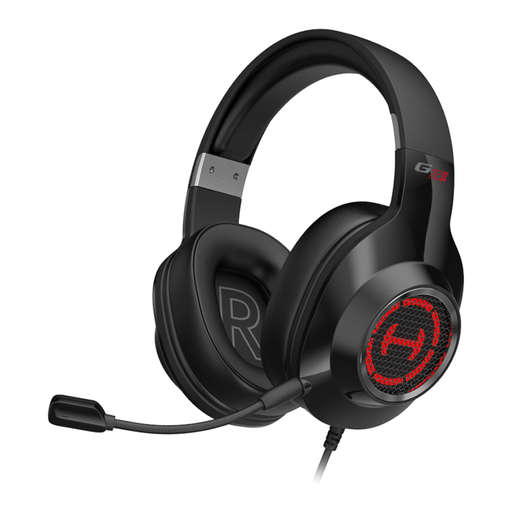
EDIFIER G2II wired USB headset
For voice recordings with a compatible USB device, the microphone is described as noise-cancelling.
Compatible devices listed include PC, PS4 and Mac. The microphone locks into place when rotated; check that the connection works with your recording device and app.
View at Joybuy
 No image available
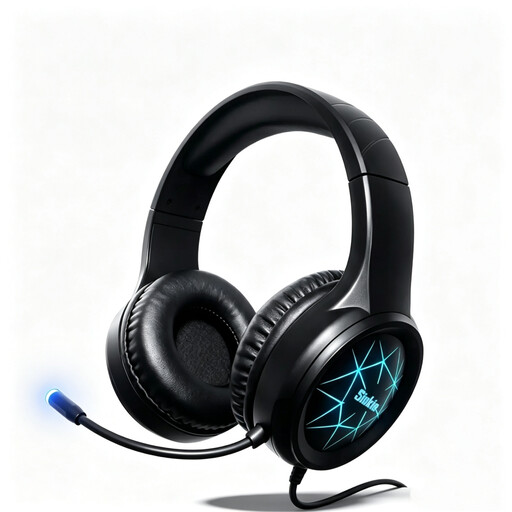
Siukie CH25 wired over-ear headset
For voice communication with a compatible device, the product description lists a flexible, noise-cancelling microphone.
USB and 3.5 mm connections; soft ear cushions and an adjustable headband are listed. The description does not guarantee that fan noise will be suppressed in the saved recording.
View at Joybuy
Frequently asked questions
Will ANC remove fan noise from my saved voice recording?
ANC in the ear cups won’t automatically remove fan noise from the microphone track. Assess ear isolation and microphone performance separately, and listen to a test recording made with the fan running.
How should I set up my headset to record an entry?
First check that the connection works with your device and recording app, then position the microphone close to your mouth and listen back to a short test recording. Jabra notes that not all USB-C devices or apps support audio with the Evolve2 40 SE.
Can a voice recording replace my official training logbook?
No, if you mean the required training record: § 13 BBiG requires a written or electronic record. A voice recording can be useful as a personal first draft, but it doesn’t replace the required format.
Can I record other people’s conversations while dictating?
Unauthorised recording of another person’s non-publicly spoken words is covered by § 201 StGB. Try to record only your own voice, and get permission before recording anyone else. Noise cancellation does not make recording legally permissible.


