What should you look for when buying?
USB headset for a computer
A good fit if: you want to record your own voice and monitor it through the same headset at a fixed computer setup.
Things to consider: The cable and the headset’s design for conversation may limit you during long takes or more complex recording setups. The second voice will need its own recording path.
Broadcast headset with separate connections
A good fit if: you want to monitor while recording and your device has compatible, separate microphone and headphone inputs.
Things to consider: Audio-Technica specifies a three-pin XLR microphone plug and a 6.3 mm headphone plug for the BPHS1; it does not connect directly via USB.
Headworn microphone without headphones
A good fit if: you don’t want to wear integrated earcups and your recording device is compatible with the exact microphone variant.
Things to consider: You’ll need to plan separately for headphones for monitoring and a separate recording path for the other person. The RØDE HS2 needs a compatible input with Plug-in Power for a direct connection.
First, check how you’ll record both voices. Then consider the fit and recording location, followed by the exact connection type and any power requirements. The proportions in the table relate to each person’s main purchasing priority, not to all the criteria that may matter at the same time.
| Priority |
What to check before buying |
Who it matters most to |
| Capture both voices in the conversation |
Decide who will wear which microphone; check the inputs, simultaneous recording and test playback. |
If I want to capture questions and answers clearly, I’ll plan suitable microphones and recording paths for both people. Around 33% of consumers give this priority top billing. |
| Comfort during long takes |
With the person who’ll wear it, test the fit, pressure, microphone position and cable pull during a realistic trial. |
For long, seated conversations, I want the headband and ear cushions to feel comfortable and the microphone to stay in position. Around 27% of consumers put long-term comfort first. |
| Clarity at the recording location |
Record both voices in the intended location; listen out for traffic, wind, clothing, cable noise and changes in head position. |
When I record in different places, I want to hear in advance how voices and background noise sound in the actual setup. Around 20% of consumers prioritise the conditions at the recording location. |
| Connection to the recording device |
Check the exact model variant, microphone input, required power and, where applicable, whether two inputs can be used at the same time. |
I want my existing recording equipment to work without unsuitable connections or missing power. Around 20% of consumers put device compatibility first. |
Joybuy products for interview recording
This selection includes headsets and microphones for interviews on a computer or with a compatible recording device.
 No image available
Logitech H540 stereo USB headset
For a computer setup with a USB connection, where you want to record your voice and monitor it through a headset.
USB connection, adjustable microphone, padded headband and earcups.
Joybuy
 No image available
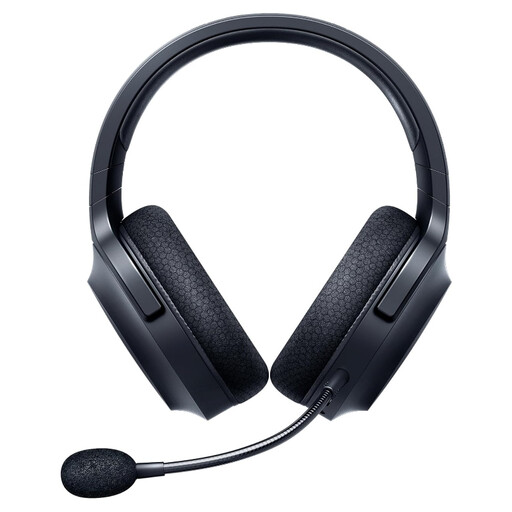
Razer Barracuda X wireless headset, black
For a headset microphone with a wireless connection, provided it’s compatible with your recording device and setup.
The product description specifies 2.4 GHz wireless, Bluetooth and a detachable cardioid microphone. The ear cushions and headband are padded.
Joybuy
 No image available
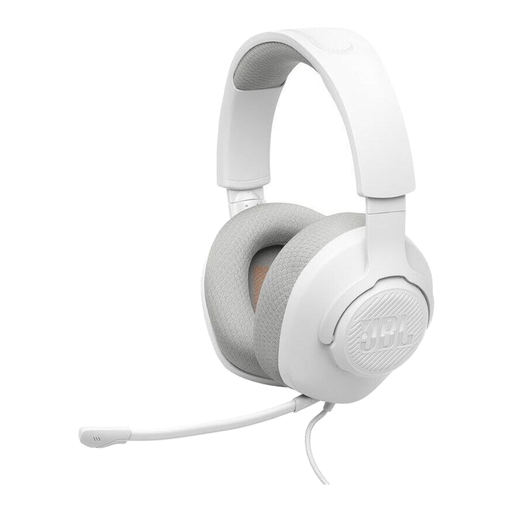
JBL Quantum 100M2 wired on-ear headset, white
For a compatible 3.5 mm connection, if you’d like to try a headset with a boom microphone and wind shield.
The product description specifies a directional microphone, a mute function and an included microphone wind shield.
Joybuy
 No image available
Logitech 960 stereo USB headset
For a fixed computer setup with a compatible USB connection and adjustable boom microphone.
The product description specifies a 2.4 m cable, volume and mute controls, and soft ear cushions.
Joybuy
 No image available
Jabra Evolve2 75 wireless PC headset with charging stand
For a PC headset with a microphone, if your recording setup supports a wired USB-C or compatible Bluetooth connection.
The product description specifies Bluetooth, USB-C, a foldable boom microphone, an adjustable headband and dual-layer ear cushions.
Joybuy
Frequently asked questions
Is one headset enough to capture both voices in an interview?
Not without a suitable recording setup. The headset microphone initially captures the voice of the person wearing it. If you want two voices on separate, editable tracks, plan for suitable microphones, inputs and recording tracks, and test them beforehand. Audacity explains how to record two microphones on separate tracks.
How do I set up and back up a long take?
Choose the right input source before recording, then check the levels and monitoring with a test recording. Audacity recommends exporting important recordings as audio files soon after recording and making a backup. Its advice on levels applies to recordings in Audacity; it isn’t a universal setting for every device.
Does every headworn microphone need phantom power?
No, it depends on the specific microphone variant. Shure says the dynamic WH20 can operate without phantom power; for a direct connection, RØDE requires the HS2 to use a compatible 3.5 mm microphone input with Plug-in Power. Check the connection and power requirements for the particular model and recording device.
Can I record a private neighbourhood interview in Germany without the other person knowing?
Section 201(1) of the German Criminal Code makes it an offence to record another person’s privately spoken words without authorisation (Federal Ministry of Justice and Federal Office of Justice, Laws Online). Check whether recording is permitted before you begin; choosing a microphone does not give you permission to record. Whether a conversation is considered private depends on the circumstances.
What should I consider when recording identifiable voices and publishing them later?
If the General Data Protection Regulation applies to the processing, check the legal basis and information requirements for the specific use. The Data Protection Conference explains the obligations when collecting data directly and the conditions for valid data protection consent. Don’t assume that consent to being recorded automatically means consent to every later publication.


