For interviews about changes in your neighbourhood, a headset with an adjustable microphone boom can work well if you mainly need to record your own voice. Listen back to a test recording made with the fan running: a noise-cancelling specification doesn’t guarantee clean audio in your room. If you also need to hear the other person’s answers clearly, plan for a second, compatible audio source. Your headset microphone won’t automatically pick up both voices.
Who is this guide for?
Interviewers recording an in-person conversation
If you want to record both voices during an in-person interview, check how the other person’s voice will reach the recording device. RØDE describes the Wireless GO II as having two transmitters for recording two audio sources. You’ll need to check separately whether it works with your headset and recorder.
Interviewers in noisy workplaces
If you’re sitting near a running fan, pay attention to microphone placement and make a test recording in the room where you’ll be interviewing. Shure recommends making the voice you want to record louder than the background noise. A manufacturer’s microphone noise-cancellation claim, such as Logitech’s, is no substitute for testing your interview set-up.
Interviewers using different recording devices
If you use different devices for different interviews, check the microphone input, connection and recording software against the exact headset model. HP describes the Poly Blackwire 3325 as offering several connection options, while Jabra lists different USB dongle versions for the Evolve2 65 Flex.
What should you look for when buying?
First, decide whether you need to record just your voice or the other person’s too. Then check the connection and make a test recording in the room where you’ll be interviewing.
Wired USB headset
A good fit if: you’re recording on a compatible computer and usually stay in one place.
Things to consider: The cable limits your movement, and the connection needs to work with your recording software.
Wireless headset
A good fit if: you want to move around during the interview and can check that the receiver or Bluetooth works with your recording device.
Things to consider: You’ll also need to check the battery charge and the exact connection option.
Headset plus a second microphone source
A good fit if: you need to record both the interviewer and interviewee clearly.
Things to consider: You’ll need extra equipment and must check the connections and levels. RØDE describes a two-channel system for two audio sources.
| Priority |
What to check before buying |
Who is this important for? |
| Recording both voices |
Check that both voices are captured in the saved recording and whether you need separate channels. RØDE describes the Wireless GO II as connecting two audio sources to one receiver. |
If I want to capture the other person’s answers clearly too, I’ll plan a separate audio source for their voice. Around 36% of consumers put clear recordings of both people first. |
| Recording your own voice over fan noise |
Position the microphone close to the voice you want to capture and to the side of the mouth. Listen back to a saved test recording with the fan running. Shure recommends making the desired voice louder than the background noise. |
I want to record my own voice clearly near a fan and check the result in the actual room. Around 29% of consumers prioritise a clear recording of their own voice despite fan noise. |
| Connection and operation |
Check the recorder or computer’s microphone input against the plug, dongle and full model version. HP lists USB-C, a USB-A adapter and 3.5 mm for the Poly Blackwire 3325; check that your 3.5 mm input accepts microphone audio. |
If I want to keep using my existing recording device, the exact headset version needs to be compatible. Around 21% of consumers put connection compatibility first. |
| Comfort and control |
Test the fit, how easy it is to reach the mute control and, if needed, the monitoring function in your recording software. Logitech lists in-line controls and a mute button on the microphone boom for the Zone Wired. |
For longer conversations, I want the headset to be comfortable and the recording easy to monitor. Around 14% of consumers prioritise comfort and control during interviews. |
Which mistakes should you avoid?
-
Confusing headphone ANC with clean microphone audio
Noise cancellation for listening through the headphones and processing of the microphone audio are two different functions. Even a directional microphone can pick up fan noise.
Check exactly which microphone feature is being described, then listen back to a saved test recording with the fan running.
-
Planning to record only your own voice
Wearing a headset during an interview doesn’t guarantee that the other person’s voice will be recorded clearly.
Before you buy, decide which voices you need to record and how each one will reach the recorder. A second compatible microphone source may require extra equipment.
Allow time to connect the extra audio source and check that both voices are recording before the conversation starts.
-
Assuming every model in a product range has the same connection
Jabra lists different model numbers and USB dongles for the Evolve2 65 Flex. The product range name alone isn’t enough to check compatibility with your recording device.
Check the full model number, dongle and connection on your recording device before choosing a version.
Key brands to consider
Logitech
The Zone Wired is a wired USB option for recording your own voice on a compatible computer.
- Logitech lists an adjustable microphone boom, mute control and dual-microphone noise cancellation, including for HVAC noise.
- These manufacturer claims relate to calls. They don’t prove that interviews will be recorded without interference or that a second person will be picked up.
Poly
The Blackwire 3325, described by HP in Germany, is a wired alternative with a flexible microphone boom.
- For version 8X221AA, HP lists USB-C, a USB-A adapter, 3.5 mm, mute control and a noise-cancelling microphone.
- Check that your device’s 3.5 mm input accepts microphone audio. The specifications don’t prove how it performs in an independent interview test with fan noise.
Jabra
The Evolve2 65 Flex is a wireless work headset range for situations where freedom of movement matters.
- Jabra describes headphone ANC and microphone technology as separate features.
- CHIP noted that the Evolve2 65 Flex’s microphone struggles when there’s a lot of background noise. The available versions also differ in model number and USB dongle.
EPOS
The IMPACT 1060 ANC is a wireless office headset option.
- EPOS describes adaptive microphone technology and ANC for open-plan offices.
- These brand claims don’t prove how it will record with a particular fan or whether it’s compatible with an unspecified recorder.
beyerdynamic
The MMX 150 is a wired, closed-back gaming headset with a detachable microphone.
- beyerdynamic lists a cardioid microphone and USB and analogue connection options for the MMX 150.
- The described grey, refurbished B-stock version has its own warranty and availability terms, which don’t apply to other versions.
Joybuy products for recording your own voice
This Joybuy selection includes wired and wireless headsets for recording your own voice. If you’re interviewing someone in person, also check how their voice will be recorded.
 No image available
JBL Quantum 360P, wireless over-ear gaming headset, white
An option if you want to move around during the interview and prefer a wireless connection; the product specifications don’t prove how it performs in a fan-noise recording test.
The product title lists a boom microphone and up to 22 hours of battery life. Bluetooth 5.3 and a detachable audio cable are also listed. The product description mentions two beamforming microphones and echo cancellation for calls.
The headset microphone won’t automatically record the person sitting opposite you clearly. For wireless use, you’ll need to charge the battery.
Joybuy
 No image available
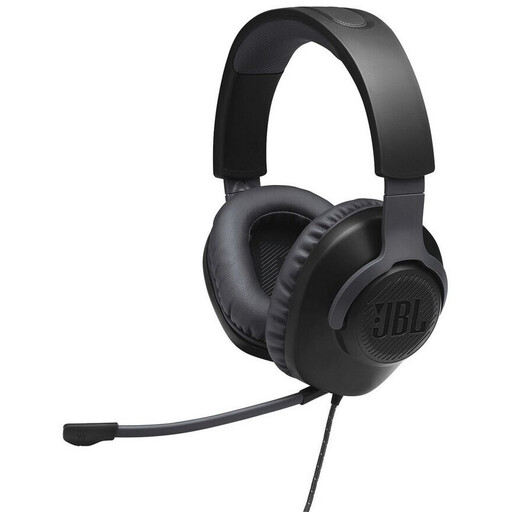
JBL Quantum 100, wired over-ear gaming headset, black
A wired option if your recording device has a compatible 3.5 mm connection for headset microphones.
The product specifications list a detachable voice-focused directional microphone, mute control and a 3.5 mm connection.
The microphone won’t automatically pick up the person sitting opposite you too. Check that your device’s connection carries microphone audio.
Joybuy
 No image available
ONIKUMA GT889 headset
An option if you want to switch between wireless and wired use. Its advertised noise cancellation isn’t independent proof of how it records with fan noise.
The product title lists 2.4 GHz wireless and wired use; the product description also mentions Bluetooth. A detachable microphone and up to 60 hours of playback are listed.
The headset microphone won’t automatically pick up the interviewee too. Check the connection to your recording device, and charge the battery for wireless use.
Joybuy
 No image available
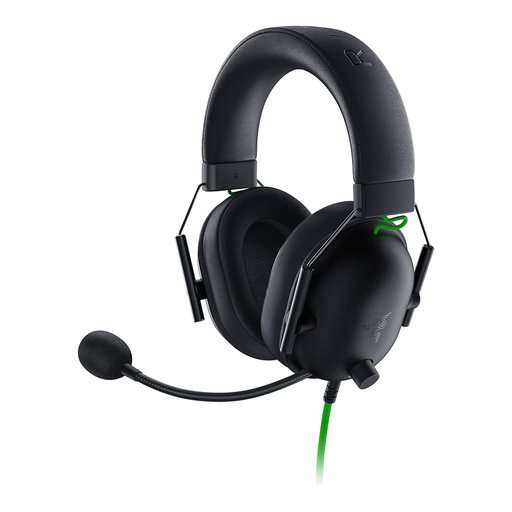
Razer BlackShark V2 X
A wired option if you need a flexible microphone and a compatible 3.5 mm input on your recording device.
The product specifications list a cardioid microphone, a 3.5 mm connection and a weight of 240 g.
The microphone’s directional pattern doesn’t prove that fan noise in your interview room will disappear from the recording. Test the saved file in the room.
Joybuy
 No image available
Jabra Evolve2 30 SE, model 23189-999-779
A wired option if you record on a computer and the USB version is compatible with your device.
The product specifications list two integrated microphones, USB-A and compatibility with a USB-C adapter. Check before buying whether the adapter you need is included.
The noise-cancellation claim doesn’t prove that it will record clearly with fan noise. The headset won’t automatically pick up the other person’s voice.
Joybuy
Frequently asked questions
Can a headset I’m wearing record both voices during an in-person interview?
Don’t assume it will. Check a saved recording with both people speaking. A system with two transmitters may be an option if it works with your recording device.
How should I position the microphone with a fan running?
Place it close to the voice you want to record, to the side of the mouth and as far from the fan as possible. Shure recommends making the desired voice louder than the background noise. Then listen back to a short test recording in the room where you’ll be interviewing: even a directional microphone can pick up background noise.
What should I test before recording with a USB or wireless headset?
Check the connection and full model version against your device, then save a short test recording. Make sure the right microphone is selected, both voices you need are audible and mute isn’t on. If you’re using a wireless headset, check the battery charge as part of your preparation too.
Can I record an interview in Germany without the other person knowing?
For a private conversation, don’t assume that recording without the other person’s knowledge is permitted. Section 201 of the German Criminal Code (StGB) makes it an offence to record someone else’s non-public spoken words without authorisation. If personal data is involved, you’ll also need an appropriate legal basis under the GDPR; which one applies depends on the circumstances.


