What should you look for when buying?
For a long oral history interview, the fit, recording environment, complete signal path and number of voices to be recorded all need to work together.
| What matters |
What to check before buying |
Who will find this especially important? |
| Fit and microphone position |
Wear the specific design for an extended period and check that the microphone boom stays in place when you move your head naturally. |
If I want to talk for a long time without constantly adjusting the headband, a secure fit matters. Around 31% of consumers prioritise this. |
| Speech clarity with background noise |
Make a test recording in the intended location and listen back to both quiet and loud sections. |
If room echo or background noise is audible, I want to judge whether the spoken voice remains clear. Around 25% of consumers prioritise this. |
| Connection and signal path |
Check the model variant, microphone input, power requirements and headphone output against your recorder or computer. |
If I need to connect a microphone, recording device and possibly headphones, I want to know in advance whether the whole setup is compatible. Around 25% of consumers put compatibility first. |
| Both voices in the conversation |
Decide in advance whether you want to record the questions, then plan suitable inputs and a test with both people. |
If I want both the memories and my questions to be clear in the final recording, I need a suitable setup for both voices. Around 19% of consumers prioritise this. |
Joybuy products for spoken conversations
The Joybuy picks below are headsets with microphones for spoken conversations. Before an oral history interview, check that the connection is compatible with the recorder or computer you plan to use.
 No image available
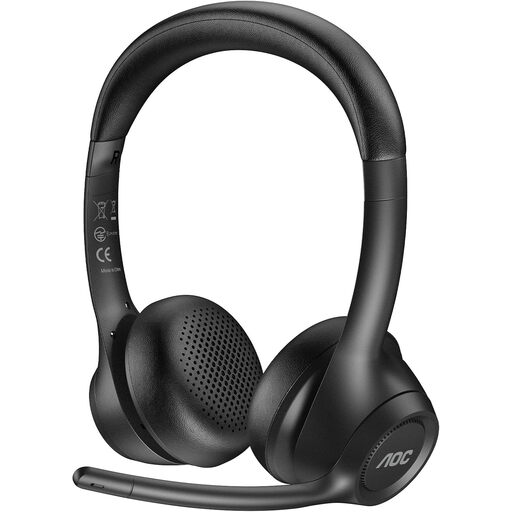
AOC wireless headset with microphone
A wireless headset could be suitable for spoken conversations if it is compatible with your planned recording setup.
The product title mentions a microphone and ENC.
View at Joybuy
 No image available
Jabra Evolve2 75 Wireless PC Headset
This model could be a good choice as a PC headset if you are recording on a computer rather than using a standalone field recorder.
The product title mentions a charging stand, a USB-C Bluetooth adapter and stereo headphones.
View at Joybuy
 No image available
Jabra Engage 75 SE Wireless Stereo Headset
A stereo headset with a microphone could be suitable if you want to wear headphones during your conversation and your recording setup is compatible.
The product title mentions a base station, a stand and a cable.
View at Joybuy
 No image available
Logitech H151 stereo headset
This stereo headset could be suitable for voice recordings if your recording device supports the stated connection.
The product title mentions a noise-cancelling microphone, a 3.5 mm jack and an in-line mute control.
View at Joybuy
 No image available
Logitech H570e mono headset
A mono headset could be suitable for spoken conversations on a computer if its USB connection works with your intended recording device.
The product title mentions a USB connection and a microphone.
View at Joybuy
Frequently asked questions
Will a headset microphone pick up both people in an oral history interview?
Not necessarily. A microphone close to the person telling their story may pick up the questions more quietly. If you need both voices to be clear, check whether you need a second suitable microphone and recording setup, then listen to a test with both people.
How should I prepare for a long take?
Try out the fit and microphone position with the person telling their story, then record and play back a short passage in the intended location. Also check the recording level, available storage and the power supply for your recorder. A suitable microphone alone cannot guarantee that you will capture a full-length take.
Does an XLR headset always need phantom power?
No, it depends on the specific version. Shure says the dynamic WH20 does not require phantom power, while AKG specifies a power supply of 9 to 52 V for the documented C520 condenser microphone. Check the exact model and the compatible input.
Can I record a personal oral history interview in Germany?
Check that you are legally allowed to make the recording first: Section 201 of the German Criminal Code makes it an offence to record another person’s non-public speech without authorisation. Processing personal data also requires an appropriate legal basis under the GDPR. If you are relying on consent, it must be informed and freely given, among other requirements; in an employment relationship, an imbalance of power may affect whether consent is freely given. Check arrangements for publication and archive access separately.
Can I simply record an oral history interview at a Deutsche Bahn station or on a train?
Not in every case. In its guidance from June 2024, Deutsche Bahn distinguishes between private, non-commercial recordings in publicly accessible areas and media or other productions, for which prior consultation or permission may be relevant. The published guidance also sets out restrictions on interviewing DB employees in the recording context described there. Check the location, purpose and site rules in advance; these rules do not automatically apply to interviews outside Deutsche Bahn premises.


