What should you look for when buying?
USB headset for your computer
A good fit if: you want to record without a separate audio interface and listen back through the same headset.
Consider: USB alone doesn’t guarantee a particular level of voice quality. Check the exact version and make sure your computer recognises the microphone input.
Analogue headset with headphones
A good fit if: your recording device supports separate microphone and headphone connections.
Consider: with the RØDE NTH-100M, you’ll also need to account for the required plug-in power and suitable adapter when connecting its microphone to an XLR input.
Standalone XLR headworn microphone
A good fit if: you have a suitable XLR microphone input and want to connect your headphones separately.
Consider: the Shure WH20XLR is a microphone, not a complete headset with headphones; the WH20 versions have different connectors.
Basic USB communications headset
A good fit if: a straightforward computer connection matters more to you than proven suitability for nuanced readings.
Consider: a model designed for calls won’t necessarily handle quiet or dynamic passages of poetry as you’d expect.
| What matters |
What to check when buying |
Who should consider it? |
| Voice and dynamics |
Check the adjustable microphone boom and polar pattern; make a test recording with both quiet and loud lines. |
If I want to preserve nuance throughout a whole take, I listen for quiet lines and strong emphasis beforehand. Around 36% of consumers prioritise control over voice and dynamics. |
| Fit for long takes |
Check the adjustability and ear cushions, and try the fit for as long as you expect to record. |
For a long reading, I want to avoid pressure points or the microphone slipping out of position. Around 29% of consumers prioritise comfort during long recording sessions. |
| The right connection |
Check the model suffix, inputs, microphone power and monitoring route together. |
If I want to record on my existing computer or recorder without any surprises, I check the whole signal chain. Around 21% of consumers prioritise a suitable, straightforward connection. |
| Background noise in the room |
Make a short recording with typical noise sources and listen back to both the speech and the background. |
In a room with an audible fan, I want to know how prominent it will sound in the recording before starting a long take. Around 14% of consumers pay particular attention to noise in the recording space. |
A cardioid polar pattern or advertised noise reduction is no substitute for listening to a test recording in your own room. The Audacity manual recommends lowering the recording level and testing again if the audio clips.
Joybuy products for this topic
The following Joybuy models are over-ear headphones with microphones. Where the product details mention calling or gaming features, test the voice recording with both quiet and loud lines before starting a long take.
 No image available
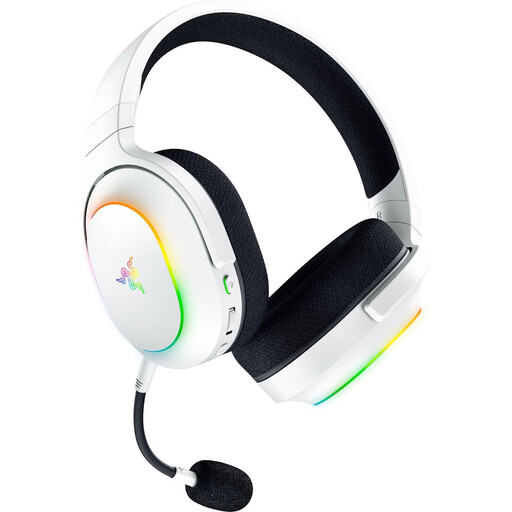
Razer Barracuda X Chroma Wireless Gaming Headset, White
The product details mention a detachable HyperClear cardioid microphone. Before recording a long poetry reading, test how it handles quiet and emphatic passages.
Listed features include 2.4 GHz wireless, Bluetooth 5.3 and a 3.5 mm connection.
The stated weight is 285 g.
View on Joybuy
 No image available
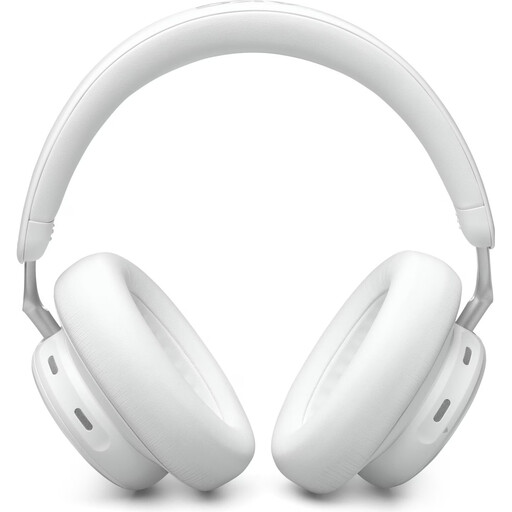
AKG N9 Hybrid, True Adaptive Noise Cancelling
The product description mentions four virtual beamforming microphones for certified calls; this doesn’t tell you how they’ll sound for a long poetry reading.
Listed features include Bluetooth 5.3, a USB-C receiver and a 3.5 mm connection.
View on Joybuy
 No image available
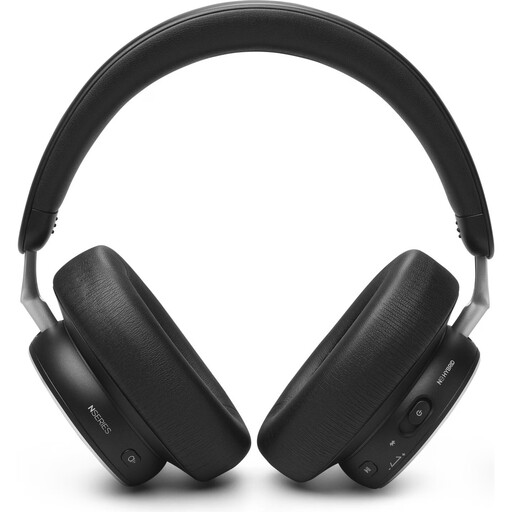
AKG N9 Hybrid, Active Noise Cancellation, Black
A microphone is listed for this over-ear model. A test recording will help you judge whether it captures both your quiet and loud lines.
Listed features include Bluetooth 5.3, multipoint connectivity and a wired 3.5 mm option.
View on Joybuy
 No image available
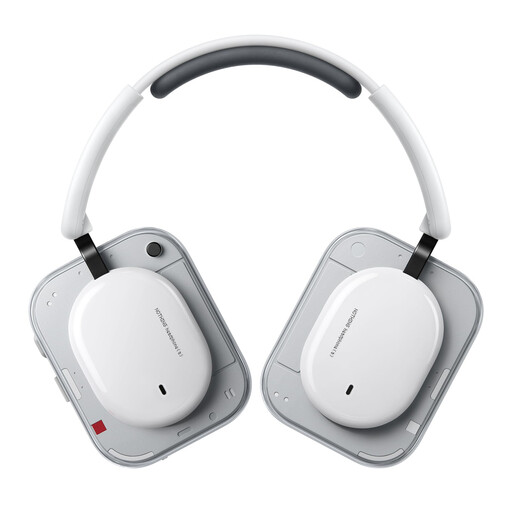
Headphone (a) Wireless Over-Ear Headphones, White
The product details list two beamforming microphones for hands-free calls. Before a long take, try it out to see how your voice sounds in quiet and emphatic passages.
Bluetooth and a wired connection are listed.
View on Joybuy
 No image available
JBL LIVE 770NC, White
The product details describe two beamforming microphones for hands-free calls. Try a test recording yourself to see whether the microphone suits a long poetry reading.
Bluetooth 5.3 and a detachable audio cable are listed.
View on Joybuy
Frequently asked questions
How do I prepare for a long take?
Select the intended microphone input in your recording software, test quiet and especially loud passages, then listen back for clipping. The Audacity manual suggests a peak level of around −6 dB as a guide for its test recording; this isn’t a product specification.
Does the Shure WH20XLR need phantom power, and will I need separate headphones?
According to Shure, the WH20’s dynamic capsule doesn’t need phantom power. The WH20XLR is a headworn microphone with an XLR connection, so you’ll need a separate, compatible headphone route for monitoring.
Can I connect the RØDE NTH-100M directly to an XLR microphone input?
Don’t rely on just any passive plug adapter. RØDE specifies plug-in power and suitable adapters for connecting the microphone to an XLR input; the headphones connect separately.
What’s the difference between the ATH-M50xSTS and ATH-M50xSTS-USB?
The ATH-M50xSTS is the analogue version with an XLR microphone output, while the ATH-M50xSTS-USB is described as a USB-A version. Check the full model name and the connection your recording device needs.
Is a cardioid polar pattern enough to block out room noise?
No, it can’t guarantee that noise in your recording space will be inaudible. Position the microphone carefully and make a short test recording to hear how your voice and typical background sounds come through together.


