Speakers with quiet voices
If you want to record your naturally quiet speaking voice, you can check the microphone position and recording level with a test recording.


Choose a headset microphone with a boom arm you can position to suit your quiet voice, and a connection that works with your recording device. A USB headset can make connecting to a compatible computer easier. If the microphone and headphones use separate connections, the plugs and, where necessary, the microphone power supply must be compatible. No design can compensate on its own for a noisy or echoey room, so it’s important to make a test recording where you’ll actually be speaking.
If you want to record your naturally quiet speaking voice, you can check the microphone position and recording level with a test recording.
If there’s fan noise, traffic or room echo, where you record and how far you sit from the microphone are important parts of your preparation. Shure points out that a microphone can’t simply separate direct sound from reflected sound.
If you want to monitor your voice as you record, the microphone connection, headphone output and any required microphone power supply should all be compatible with your existing equipment.
First, check that you can position the microphone to suit the way you speak, then make sure the connection is compatible with your recording device. Finally, test your voice and the room acoustics where you plan to record.
| Buying consideration | What to look for | Who is this important to? |
|---|---|---|
| Clarity of a quiet voice | Position the microphone boom towards your voice and make a test recording while checking the levels. In one recording example, Audacity gives around −6 dB as a possible peak level, not a requirement for every device. | When I record a quiet tour, I want my voice to remain clear above the room noise. Around 36 % of consumers put clarity for a quiet voice first. |
| Background noise and room echo | At your recording location, record a pause and a spoken passage, then listen back for noise and echo. Audacity describes noise reduction for consistent sounds such as hum or fan noise. | If fans, background noise or echo could affect my recording, I want to check the conditions where I’ll be speaking. Around 29 % of consumers prioritise dealing with background noise and room echo. |
| Connection and monitoring | Check that the specific headset version is compatible with your USB setup or microphone input, headphone output and any required power supply. With separate signal paths, the microphone and headphone connections both need to be suitable. | If I want to monitor my recording as I speak, the headset needs to work with my device’s connections. Around 21 % of consumers prioritise connectivity and monitoring. |
| Comfort during longer sessions | Check how it fits with glasses, whether the headband is adjustable and whether the ear cushions can be replaced on the specific model. | If I’m recording longer passages, I want my headset to feel comfortable. Around 14 % of consumers consider comfort their most important buying consideration. |
A microphone described as having this feature won’t necessarily remove fan noise, room echo or other unwanted sounds from a quiet voice recording. Shure highlights the importance of microphone distance and room reflections, while Audacity describes noise reduction mainly for consistent background sounds.
Compare test recordings made where you’ll actually be speaking rather than relying on a feature name alone.
Repeated recordings and editing afterwards can take extra time.
A plug alone doesn’t tell you whether the microphone will work with your recording device. The Audio-Technica BPHS1 has separate microphone and headphone connections. The tested beyerdynamic DT 297 PV MK II is supplied without a connection cable; the RØDE NTH-100M may need an adapter for the XLR setup described, providing the required plug-in power.
Make a note of your device’s connections and any microphone power requirements, then check these against the exact headset version.
Depending on the model, you may also need a compatible cable, an adapter or a suitable audio interface.
The NTH-100M combines over-ear headphones with a detachable microphone and, according to RØDE, is designed for uses including media production.
The BPHS1 is a broadcast headset with closed-back headphones and a dynamic microphone on a gooseneck boom.
The H390 is a USB computer headset; Logitech offers USB-A and USB-C versions.
The DT 297 PV MK II is a broadcast headset with a condenser microphone. The tested product version is designed for direct connection to phantom power.
This selection includes headsets and earphones with microphones whose product descriptions mention an adjustable microphone boom or different connection options. Check whether they’re suitable for quiet voice recordings by making a test recording with your own device.
 No image available
The product details list a flexible, detachable microphone. Check its position and sound with your own test recording.
The description lists 2.4 GHz wireless, Bluetooth and a wired mode. It also mentions a 50 mm driver and LED lighting.
 No image available
The product description lists a unidirectional microphone. Check that its position suits the way you speak when you make a recording.
Audio connection: 3.5 mm. A USB connection is listed for the lighting; the description also mentions soft ear cushions and an over-ear design.
 No image available
The product details list an adjustable microphone boom. Make a test recording to check whether you can position the microphone to suit your quiet voice.
The description lists a 3.5 mm audio connection and USB power; USB is specified for power, not as an audio connection.
 No image available
The description lists a flexible boom microphone. Check how clearly it picks up your quiet voice by recording at your intended location.
The title lists a 50 mm driver and USB and 3.5 mm connections. The description mentions an over-ear design with soft ear cushions.
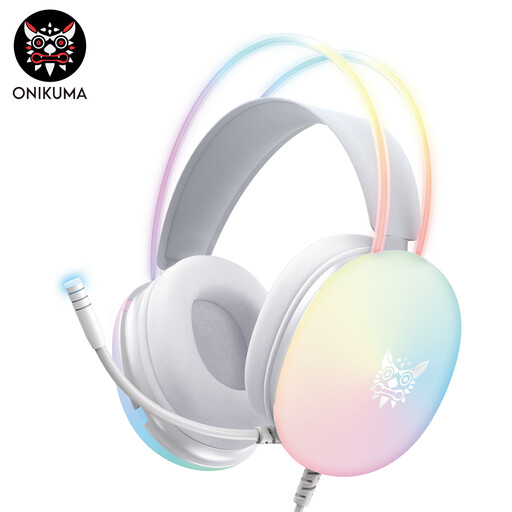 No image available
The description lists a retractable, swivel microphone. Check whether you can adjust it to suit your speaking position.
Audio connection: 3.5 mm. According to the description, USB powers the RGB lighting.
At the place where you plan to record, read a short passage in your normal quiet voice and position the microphone boom towards you. Listen back for speech clarity, breathing and background noise, then adjust the level so that peaks don’t clip. In one recording example, Audacity suggests around −6 dB as a peak level to aim for, not a requirement for every device.
Not all sounds can be reduced equally well. Audacity describes noise reduction for consistent sounds such as hum or fan noise; the results may differ with individual, irregular sounds. So check your recording location and microphone position first.
It depends on the specific headset version and your recording device. The beyerdynamic DT 297 PV MK II is supplied without a connection cable; the XLR setup described for the RØDE NTH-100M may require an adapter for the necessary plug-in power. Check the cable, adapter, microphone input and power supply before buying.
Section 201(1) of the German Criminal Code (StGB) makes it an offence to record another person’s private spoken words without authorisation. This does not apply simply because you’re recording your own tour script; if other people are to be audible, make sure you have permission before recording.