What to look for when choosing
Headphone headset with TRRS
Suitable if: you want to speak and monitor your audio at the same time using a compatible device with a headset socket.
Bear in mind: having a headphone socket doesn’t necessarily mean your device has a microphone input; the RØDE NTH-100M needs its TRRS cable for the microphone to work.
Headset with separate connections
Suitable if: your mixer or audio interface has compatible microphone and headphone connections, and you want to monitor your audio while recording.
Bear in mind: XLR and 6.3 mm plugs won’t connect directly to a single headset socket; for the beyerdynamic DT 297, you’ll also need to select the right connection cable.
Standalone headworn microphone
Suitable if: you already have suitable headphones or want to choose your monitoring system separately.
Bear in mind: headphones aren’t included; the plug type and any adapters you need must be compatible with your recording setup.
The figures below relate to the main purchase priority for each use case involving a quietly spoken safety announcement.
| What you need |
What to check before buying |
Who this matters most to |
| Capture a quiet voice clearly |
Adjustable microphone boom; test recording at your normal speaking volume. |
When I record a quiet announcement, I want to keep the microphone at a consistent distance from my mouth, even when I move my head, and avoid breath sounds. Around 37% of consumers prioritise voice recording. |
| Limit room and background noise |
Listen to a test recording made in the actual room; check the microphone position and, where relevant, its polar pattern. |
If there’s ventilation or other noise in the room, I want to hear how much of it is picked up along with my voice. For around 27% of consumers, reducing this kind of noise is the priority. |
| Find compatible connections |
Check the exact model’s plug against the microphone input, headphone output and items included. |
If my audio interface has separate inputs and outputs, I want to choose a headset with plugs that match. Around 18% of consumers prioritise connection compatibility. |
| Monitoring and comfort |
Consider the headphones you need, how the microphone boom fits, and whether cables or ear pads are replaceable. |
If I’m recording several takes, I want to monitor my voice directly and wear a headset that suits how I use it. For around 18% of consumers, monitoring and comfort come first. |
Joybuy products
The following Joybuy options are headphones or headsets with a microphone. Before recording, check that the connection and microphone on the specific version suit your recording device and voice recording needs.
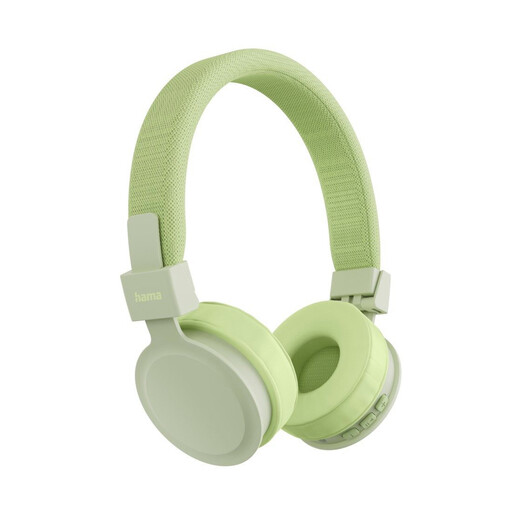 Image unavailable
Hama Freedom Lit III Bluetooth on-ear headphones, green
An option to consider if you’re looking for on-ear headphones with a built-in microphone and a 3.5 mm audio cable; check that your recording device’s connection supports the microphone signal.
Bluetooth 5.4; foldable design; 15 hours of playback time according to the product name.
View at Joybuy
 Image unavailable
JBL LIVE 770NC wireless over-ear headphones, white
May be worth considering if you’re looking for over-ear headphones with a built-in microphone; before recording speech, check how the microphone connects to your recording device.
The description lists two beamforming microphones and a detachable audio cable.
View at Joybuy
 Image unavailable
ONIKUMA GT889 wireless gaming headset
A possible choice if you want to consider a headset with a flexible, detachable microphone; make sure its connection is suitable for your recording setup.
The description lists 2.4 GHz wireless, Bluetooth 5.4 and wired operation.
View at Joybuy
 Image unavailable
Jabra Engage 75 SE wireless stereo headset
May suit your setup if you’re considering a wireless stereo headset with a microphone; check that the connection and intended recording setup are compatible with your device.
DECT; the description lists a base station and a wideband microphone. Described as an on-ear model weighing 90 g.
View at Joybuy
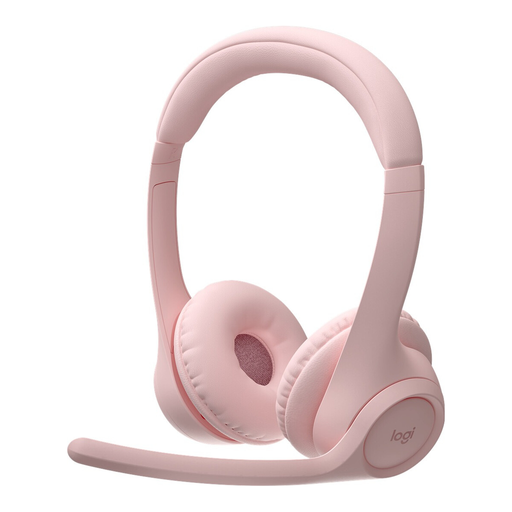 Image unavailable
Logitech Zone 300 wireless Bluetooth headset, pink
An option to consider if you’re looking at a Bluetooth headset with a microphone boom; check that the connection is suitable for your planned recording and device.
The description lists two beamforming microphones, a lift-to-mute microphone boom, Bluetooth multipoint and USB-C.
View at Joybuy
Frequently asked questions
Will increasing the input gain help if the narrator’s voice is very quiet?
It can increase the recorded level, but it won’t remove room noise or reverberation. First, position the microphone appropriately, speak a test sentence at your normal volume, then listen to the voice, breath sounds and surroundings together. Shure explains that a microphone can’t simply separate direct sound from unwanted reverberation.
Can I plug any broadcast headset straight into my laptop?
No, connections vary depending on the headset and version. The RØDE NTH-100M needs its TRRS cable for the microphone to work; the Audio-Technica BPHS1 version described has separate XLR and 6.3 mm plugs. Compare your device’s actual inputs and outputs with the version you’ve chosen.
What should I check on cables and wear parts before recording several takes?
Check that the microphone boom is secure and inspect the cable and ear pads. Audio-Technica lists replaceable cables and ear pads for the BPHS1; according to the manufacturer, the DT 297 range is supplied without a connection cable, which needs to be selected to suit the version.
Is a safety announcement recorded with a headset automatically suitable for a workplace voice alarm system?
No, a headset’s specifications don’t confirm approval for a particular alarm system. The German workplace regulation ASR A2.2 covers, among other things, measures for detecting fires and raising the alarm. DKE describes methods for assessing speech intelligibility in DIN EN IEC 60268-16, but this standard does not itself set certification criteria for a voice alarm system. Check the planning, requirements and testing for the specific system separately.
Do I always need consent to record or use someone else’s voice?
Without details about the person, intended use and legal basis, there’s no simple yes or no answer. If personal data is being processed, you need a valid legal basis; the Federal Commissioner for Data Protection and Freedom of Information describes consent as one possible basis. Clarify how you plan to use the recording before using it.


