First, choose a headset that suits your recording device. A USB headset can make connecting to a computer simpler, while a broadcast headset with separate microphone and headphone connections needs compatible inputs or a suitable interface. Before recording your weather report, test both quieter passages and those with stronger emphasis. Microphone position, room noise and recording level all affect how clear your recording sounds.
Who is a headset microphone suitable for?
Expressive weather presenters
If you switch between calm explanations and more emphatic delivery, you’ll want to control the microphone position and recording level. RØDE describes a headset with a detachable microphone, while the Audacity manual explains how to check the level in a test recording.
People recording on a computer
If you want to record without an existing audio interface, first check whether your computer has a suitable USB or headset input. Logitech describes the H390 as having a USB-A connection, while Audio-Technica specifies USB-A for the ATH-M50xSTS-USB.
Presenters who monitor their recordings
If you want to listen to your recording through headphones, the headphone connection needs to suit your setup. RØDE describes the NTH-100M as a headset with headphones, while Audio-Technica specifies separate microphone and headphone connections for the BPHS2.
What should you look for when buying?
First, check the signal path between the headset and your recording device. Then consider the microphone position, level control and whether you want to monitor your voice as you speak or move around freely.
| Priority |
What to check before buying |
Who should pay particular attention? |
| Clear speech with changing emphasis |
Position the microphone boom and record a test that includes the loudest passages you plan to deliver. The Audacity manual recommends lowering the level and testing again if clipping occurs; it suggests peaks of around −6 dB as a guide. |
If you want quieter parts of your sentences to remain audible and louder emphasis to come through without distortion, controlling your voice should be a priority. It’s the main concern for around 36% of consumers. |
| The right connection |
Compare your recording device’s inputs with the exact model variant and the cable you’ll need. You may also need to allow for an interface or preamp. |
If you want to record straight to your computer, the signal path needs to be right—not just the connector’s appearance. Around 29% of consumers prioritise device compatibility. |
| Monitoring and fit |
Check the headphone connection and the monitoring route you want to use. Test the fit and microphone position for a realistic length of time. |
If you want to hear yourself as you speak and wear the headset comfortably, both need to suit your recording routine. Around 21% of consumers put monitoring and comfort first. |
| Microphone position when moving |
Check the fit and the distance of the microphone boom as you make the movements you’ll actually use when presenting. |
If you gesture or move your head during your weather report, a microphone that stays securely in place is especially important. Around 14% of consumers prioritise freedom of movement. |
Avoid common assumptions
-
A connector that fits doesn’t necessarily mean the microphone input is compatible
TRRS, USB-A, XLR and headphone connections each have different functions. The Shure SM35-TQG and SM35-XLR also have different requirements for wired use.
Compare the full model name and signal path with the connections on your recording device. RØDE requires the supplied TRRS cable for the microphone function of the NTH-100M; Audio-Technica describes separate XLR and 6.3-mm connections for the BPHS2.
Depending on the variant you choose, you may need extra equipment, such as a suitable interface or cable, or a preamp for the SM35-TQG version.
-
“Noise reduction” doesn’t guarantee a natural-sounding voice
Logitech describes the H390 as suitable for calls. That doesn’t tell you how quieter and more emphatic passages will sound in your room.
Record an unedited test with typical room noise and the emphasis you plan to use, then listen back before making your actual recording.
-
A head-worn microphone isn’t automatically a complete headset
The Shure SM35 is a standalone microphone, whereas the RØDE NTH-100M and Audio-Technica BPHS2 have integrated headphones.
Before buying, decide whether you want to wear headphones while recording and how you’ll connect them to your device.
If you want to monitor your recording while using a standalone microphone, you’ll also need suitable headphones and a compatible connection.
Key brands at a glance
RØDE
The NTH-100M combines over-ear headphones with a detachable microphone. It may suit you if your device has a compatible analogue headset input.
- RØDE describes the microphone as detachable; according to the user guide, the supplied TRRS cable is required for the microphone function.
- Check that your recording device supports the microphone input through the intended signal path.
Audio-Technica
The BPHS2 is designed for setups with separate broadcast connections. The ATH-M50xSTS-USB connects to a computer via USB-A; it isn’t a connection variant of the BPHS2.
- Audio-Technica specifies XLR for the microphone and a 6.3-mm jack for the headphones on the BPHS2.
- The BPHS2’s separate connections need to match your interface or mixer; the ATH-M50xSTS-USB is a different model.
Logitech
The H390 is a USB computer headset with a microphone boom and controls for volume and muting.
- Logitech specifies USB-A as the connection and describes the H390 primarily for computer calls.
- The manufacturer’s noise-reduction claim doesn’t show how naturally emphatic passages in a weather recording will sound.
Shure
The SM35 is a standalone head-worn microphone for setups where you choose your headphones separately.
- Shure specifies an attached windscreen and offers different connection variants of the SM35.
- According to Shure, the SM35-TQG variant needs an optional preamp for wired use; the SM35-XLR version has a permanently connected preamp.
Related products from Joybuy
The following Joybuy products are headsets or earphones with a microphone for speaking and monitoring. For each model, check which connection carries the audio and whether it’s compatible with your recording device.
 No image available
ONIKUMA GT889 Wireless Headset
If you want to monitor your voice through the headphones as you speak, check which connection mode is compatible with your recording device.
The product name specifies 2.4-GHz wireless and wired modes, as well as a microphone.
View at Joybuy
 No image available
Jabra Engage 75 SE Wireless Stereo Headset
If you’re looking for a wireless headset for calls and monitoring on your PC, check that the intended connection is compatible with your recording device.
The product name specifies DECT and a USB-C-to-USB-A cable. It also lists a stand and a cable.
View at Joybuy
 No image available
Siukie CH25 Gaming Headset
For wired recording, check that the 3.5-mm audio connection is compatible with your recording device.
The product name specifies 3.5-mm audio and USB. According to the product details, USB powers the LED lighting; audio is carried via 3.5 mm.
View at Joybuy
 No image available
Siukie L200 Gaming Headset
If you want to monitor your voice as you speak, check that the 3.5-mm audio connection works with your recording device.
According to the product details, USB is for the LED lighting; the audio connection is 3.5 mm.
View at Joybuy
 No image available
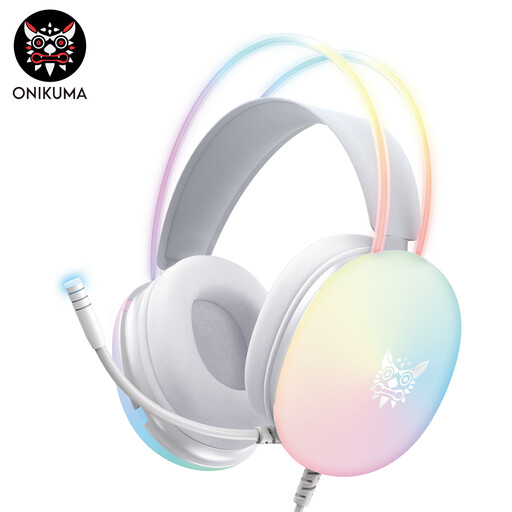
ONIKUMA X25 Wearable Gaming Earphones
If you want to use a microphone on the headset, check the audio connection and power supply first.
The product name specifies a wired 3.5-mm connection. According to the product details, USB provides power; audio is carried via 3.5 mm.
View at Joybuy
Frequently asked questions
How do I check the level for quieter and more emphatic sentences?
Record both speaking styles as a test and pay particular attention to the loudest parts. The Audacity manual suggests around −6 dB as a guide for peaks and recommends lowering the recording level and testing again if clipping occurs. This is software guidance, not a legal limit.
Will an analogue headset work with any 3.5-mm socket?
No. A 3.5-mm socket alone doesn’t confirm that there’s a compatible microphone input. For the microphone function of the RØDE NTH-100M, the manufacturer’s guide specifies the supplied TRRS cable; also check the signal path on your recording device.
Can I use a wireless microphone in Germany instead of a wired model?
Not on any frequency you choose. In Notice 37/2026, dated 15 April 2026, the Federal Network Agency allocated frequency ranges for wireless microphones, together with technical and operating conditions. If you’re using a wireless microphone, check its exact frequency and operating details against the current allocation.


