What should you look for when buying?
Wired PC headset
A good fit if: you’re recording at a PC and want to use a microphone and headphones in one device.
Bear in mind: Logitech G lists Blue VO!CE as a PC feature on the PRO X, used via G HUB. Check that the processing you want is compatible with your recording device.
Wireless office headset
A good fit if: you want to move around while recording or change recording locations.
Bear in mind: Jabra promotes ClearVoice on the Evolve2 65 Flex for voice transmission. This doesn’t prove that the fans’ cheering will remain in your recording as you want it to. Also check that it connects to your recording device.
Professional headworn microphone
A good fit if: you’re speaking at the venue and can use an adjustable microphone, particularly if you already have suitable audio or wireless equipment.
Bear in mind: Shure offers different connection versions of the SM35. The TA4F version needs an additional RPM626 preamp for wired use.
When recording in front of your club’s fans, consider microphone position, connection and how much of the crowd atmosphere you want to keep. Audacity says its conventional noise reduction is not suitable for irregular crowd noise.
| Priority |
What to check when buying |
Who is this important to? |
| Speech clarity |
Microphone boom and position relative to your mouth; if possible, listen to a test recording made in similar noise conditions. |
When I record a greeting above irregular cheering, I want my voice to be clear without a filter removing all the crowd noise. Around 42% of consumers put speech clarity first. |
| Freedom of movement |
Check how the headset fits, and compare the plug, receiver and connection for the exact version. |
If you need to move while speaking, you’ll want a comfortable fit and a reliable connection. Freedom of movement is the main priority for around 25% of consumers. |
| Connection and setup |
Choose your recording device and input; check the exact version and any extra equipment you need for USB, a jack or wireless connection. |
When I record on a PC, I want to use the input I already have without unnecessary setup. An easy connection is the main priority for around 17% of consumers. |
| Fan atmosphere |
Make a short recording with your intended settings and compare the processed and unprocessed versions. |
If I want the cheering to remain part of the greeting, I want to be able to adjust the filters rather than remove as much of the crowd noise as possible. Around 16% of consumers prioritise keeping the fans’ atmosphere. |
Joybuy products for voice recording
These Joybuy products are headsets with microphones for voice recording. Check that the connection, microphone type and connection options you need are compatible with your recording device.
 No image available
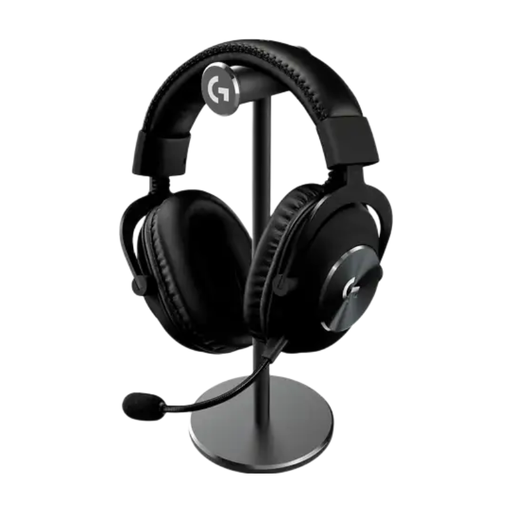
Logitech PRO X 2 LIGHTSPEED Wireless Gaming Headset, Black
The detachable cardioid microphone is an option for recording your voice with a headset.
Features include LIGHTSPEED, Bluetooth and a 3.5 mm connection.
View at Joybuy
 No image available
JBL LIVE 770NC Wireless Over-Ear Noise-Cancelling Headphones with Mic, White
The two beamforming microphones listed are described as being for hands-free calls; check how well they record your voice in the environment you plan to use them in.
Features include Bluetooth and a detachable audio cable. The model is described as over-ear headphones with noise cancelling.
View at Joybuy
 No image available
JBL Quantum 360P Over-Ear Wireless Gaming Headset, White
The directional boom microphone is an option if you want to use a microphone boom while speaking.
Specifications include Bluetooth 5, a detachable 3.5 mm cable, ANC and 22 hours of battery life. The product details list PlayStation, PC, Mac and Nintendo Switch as compatible platforms.
View at Joybuy
 No image available
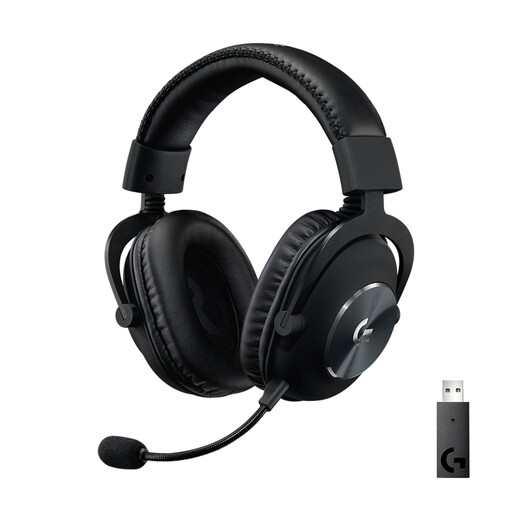
Logitech G PRO X LIGHTSPEED
The detachable cardioid microphone and Blue VO!CE may be worth considering for voice recording on a PC.
Features include LIGHTSPEED, compatibility with PC, PlayStation and Nintendo Switch, and up to 20 hours of battery life.
View at Joybuy
 No image available
Jabra Evolve2 75 Wireless PC Headset with Charging Stand, Black
The foldable microphone boom is an option if you’re looking for a wireless office headset for voice recording.
Features include Bluetooth, a USB-C Bluetooth adapter, 8-microphone technology and MS compatibility.
View at Joybuy
Frequently asked questions
Does noise reduction help with cheering fans?
Not reliably. Audacity says its conventional noise reduction is not suitable for irregular crowd noise. Aim to capture your voice and the crowd atmosphere in the balance you want while recording.
Can I connect a professional headworn microphone directly to my PC?
It depends on the version and your audio input. For the TA4F version of the Shure SM35, the manufacturer lists a Shure wireless system or an additional RPM626 preamp for wired use. Check the exact version before buying.
What should I test before recording an anniversary greeting?
Record a few sentences with the microphone in the position you plan to use and in similar noise conditions. Compare recordings with the filters switched on and off; Audacity warns that heavy noise reduction can create audible artefacts.
What if other fans’ voices are recorded too?
There’s no blanket answer for every event. The German Police Crime Prevention service for the federal states and the federal government notes that recording another person’s non-public spoken words without authorisation may be a criminal offence under § 201 StGB. If personal data is processed, a legal basis under Art. 6 GDPR is also required; consent is one possible basis, but not the only one. Check the details of the recording and any planned publication before using other people’s conversations.
Who should I contact if my headset is faulty?
If a product is faulty, you have statutory rights against the seller; these are separate from any voluntary manufacturer’s warranty. The Verbraucherzentrale (German consumer advice centre) lists repair or replacement as forms of the remedy you should request first.


