People who want to speak up in a shared flat
If you want to ask questions while people are talking nearby, look for a well-positioned microphone and an easy-to-reach mute button. Logitech, Jabra and Poly list these features for the models described.


If you’ll be staying at your desk and your device has a compatible USB port, a wired headset with a boom microphone and an easy-to-reach mute button is a good place to start. If you can hear conversations in your shared flat or move around, also check ear isolation and microphone filtering. For wireless models, consider connectivity and charging separately: a feature that helps you hear more clearly doesn’t guarantee that your voice will be transmitted without interference.
If you want to ask questions while people are talking nearby, look for a well-positioned microphone and an easy-to-reach mute button. Logitech, Jabra and Poly list these features for the models described.
If you want to follow the lecture despite conversations in the room, check the fit and how well the earcups block out sound. Noise cancellation on the microphone isn’t the same as a feature that affects what you hear.
If you switch between a laptop, tablet or workstation, check the connections and any adapters you might need before buying. Also check how to select the microphone and speakers in the lecture software you use.
A good fit if: You’ll be staying at your desk and have a compatible USB port.
The trade-off: The cable limits how far you can move, but you won’t need to charge a headset battery while using it.
A good fit if: Conversations nearby mainly make it harder for you to listen, and you’ll be staying at your computer.
The trade-off: Passive isolation from ear cushions isn’t the same as active noise cancellation. Fit and personal perception still matter.
A good fit if: You want to move around during the lecture and are looking for extra noise cancellation to help you listen.
The trade-off: You’ll also need to consider wireless connectivity and charging. ANC for listening doesn’t, by itself, tell you how clearly your voice will be transmitted.
| Buying criterion | What to check | Who is it important to? |
|---|---|---|
| Speaking clearly | Check the microphone position, mute button and microphone selection in the lecture software. | If you want to ask questions and speak clearly despite noise in your shared flat, pay particular attention to the call features. Around 25% of consumers prioritise these. |
| Hearing the lecture clearly | Compare the ear cushions and fit, as well as passive isolation and ANC, separately. | If you’re listening alongside flatmates, being able to follow the lecture comfortably with the fit you choose is the priority. Around 25% of consumers prioritise undisturbed listening. |
| Compatible device connection | Check the port on your device against the exact model variant and the adapters included. | If you want to use the headset with your device without connection issues, check the connection and what’s included first. Around 19% of consumers prioritise a compatible device connection. |
| Comfortable fit | Check the adjustability and style; if possible, try the fit for the length of time you plan to use it. | If you’ll be listening for a while during the lecture, a comfortable fit matters more than an extra feature you don’t need. Around 19% of consumers prioritise comfort. |
| Only the features you need | Before comparing models, decide whether you really need wireless connectivity, ANC and freedom of movement. | If you’ll be taking part from a fixed position, you may not want to pay for wireless features or ANC you won’t use. Around 12% of consumers prioritise a low purchase price. |
ANC or passive isolation at the ear first affects what you hear. Processing for your voice on the microphone is a separate feature.
Check the model description for ear isolation, ANC and microphone filtering separately. Don’t assume from the manufacturer’s claims alone how well these features will work in your shared flat.
A model may be available with different connection options. The Logitech H390 is listed in USB-A and USB-C versions; according to HP, the USB-A adapter is included with a specific USB-C version of the Poly Blackwire 3220.
Check your device’s port against the full variant name and what’s included in the box.
A voluntary guarantee is not the same as your statutory rights. The EU’s Your Europe consumer information distinguishes between the seller, who is responsible for your statutory rights under the contract, and an additional guarantee.
Make a note of who you’re buying from, and read the guarantee terms separately from your statutory rights.
The H390 is a wired computer headset with a boom microphone and on-cable controls. Make sure you distinguish between the USB-A and USB-C versions.
The wired Evolve2 40 SE and wireless Evolve2 65 Flex suit different needs, offering ear isolation or ANC and greater freedom of movement respectively.
The wired Blackwire 3220 is described in a USB-C version which, according to HP, includes a USB-A adapter.
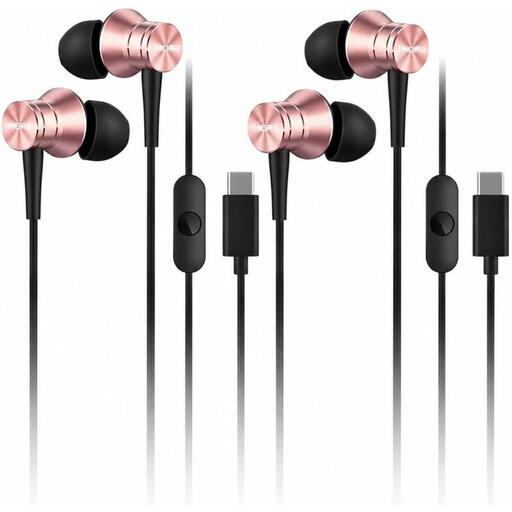
The models below include wired USB-C earbuds with a microphone and wireless over-ear headphones with a microphone. For the wired model, check that your device outputs audio over USB-C. For wireless models, connectivity and charging are part of your decision.
 No image available
For speaking up on a device with USB-C audio: the product details list a built-in microphone and an inline remote.
The description mentions a noise-isolating design; this doesn’t prove that the microphone filters noise. You’ll need a device with USB-C audio for the connection.
 No image available
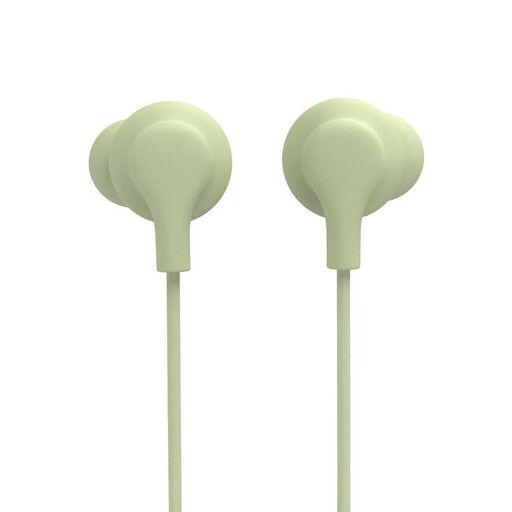
For calls on a device with USB-C audio: the details list a built-in microphone and an inline remote.
The description mentions silicone tips in different sizes. You’ll need a device with a USB-C audio output for the connection.
 No image available
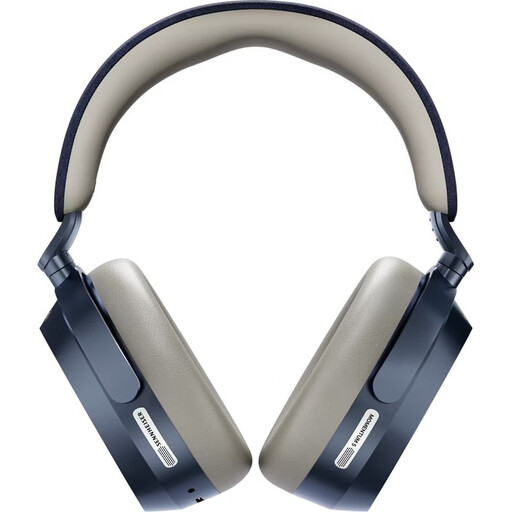
If you want to take part wirelessly and check ANC for listening, the product details also list a built-in microphone.
Bluetooth 5.4, ANC and battery life of up to 57 hours are stated in the product name. Wireless use requires the battery to be charged.
 No image available
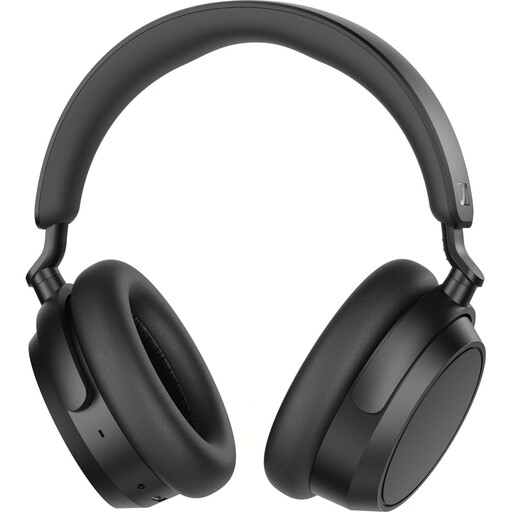
For taking part wirelessly with a microphone: the product description lists a built-in microphone and ANC.
Bluetooth 5.2 and a detachable cable are listed; the product name states up to 50 hours of battery life. Wireless use requires charging.
 No image available
If you want to listen and speak wirelessly, the product details list two microphones for calls and adaptive noise cancellation.
Bluetooth multipoint is listed. ANC doesn’t automatically affect how your voice is transmitted; wireless use requires the battery to be charged.
No, it doesn’t have to be the same brand. If the lecture is on Microsoft Teams, you can select your microphone and speakers there before or during the meeting. Also check that the headset connection is compatible with your device.
No. ANC or passive isolation at the ear first affects what you hear; processing for your voice is a separate feature. Jabra describes these features separately for the models mentioned.
Before you start, check the selected audio source and mute settings in the lecture software. Logitech, Jabra and Poly list controls on the wired models described; their position and how they work depend on the specific version.
For your statutory rights, the seller is generally your contractual point of contact, not the manufacturer. The EU’s Your Europe consumer information distinguishes these rights from a voluntary additional manufacturer’s guarantee.
Check whether your device outputs audio over USB-C and whether the version on offer includes any adapter you need. A USB-C connector alone doesn’t tell you whether the specific connection will work with your device.