What should you look for when buying?
First, make a short test recording with the fan running and check that your voice and the sounds important to your lesson remain clear. Then choose a connection and design that suit your recording device and the length of your sessions.
| Consideration |
What to check when buying |
Who it matters most to |
| Fan noise in the recording |
Check for an adjustable microphone boom and information about its pickup pattern; make a voice recording with the fan running. |
If I record lessons in a room with a constantly running fan, I want to hear as little background noise as possible in my voice. Around 36% of consumers would prioritise reducing fan noise. |
| Pronunciation detail |
Position the microphone boom to the side of your mouth and compare example words before and after noise processing. |
If individual sounds need to remain clear in my lesson, I check the finished recording particularly carefully. Around 29% of consumers would make preserving pronunciation detail their main priority. |
| Connection and recording setup |
Check the model variant, plug and any required adapter; make sure the recording software recognises the headset as a microphone input. |
If I need to connect my headset, device and recording software reliably, I check the entire recording setup in advance. Consumers who prioritise connection and recording reliability are likely to account for around 21%. |
| Comfort during longer lessons |
Check the design and adjustability, and if possible, try it during a session of your usual length. |
If I record longer lessons in one sitting, the headset needs to be comfortable and keep the microphone in position. Around 14% of consumers would name comfort as their most important consideration when buying. |
Joybuy product selection
The Joybuy selection includes wired USB and 3.5 mm headsets, as well as wireless models. Check whether the device is recognised as a microphone input and whether your test recording preserves the sounds that matter.
 No image available
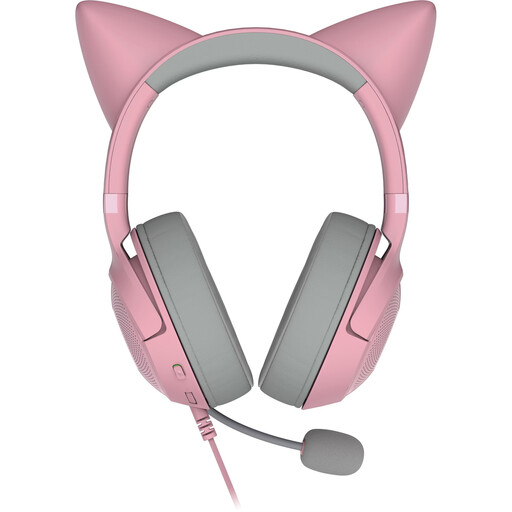
Razer Kitty Ears over-ear headset, detachable microphone, USB-A, pink
The positionable microphone and USB-A connection suit wired recording on a PC, provided your recording software recognises the headset as an input.
The product description also lists over-ear cushions and compatibility with PC, PS4 and PS5.
View at Joybuy
 No image available
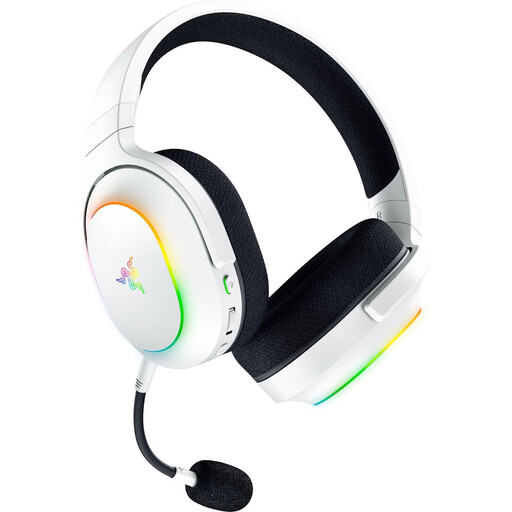
Razer Barracuda X Chroma Wireless Gaming Headset, White
The detachable cardioid microphone and wireless connections are worth considering if you need freedom to move around, but test the recording with your device first.
Features listed include 2.4 GHz wireless, Bluetooth 5.3 and battery life of up to 70 hours.
View at Joybuy
 No image available
ONIKUMA GT889 Wireless Headset
The flexible, detachable microphone is useful if you need to change your speaking position. Test your voice recording with the fan running before relying on the advertised voice communication features.
The product description lists 2.4 GHz wireless, Bluetooth and wired operation. Wireless use requires charging via USB-C; playback time is listed as up to 60 hours.
View at Joybuy
 No image available
Razer Barracuda Wireless Multiplatform Headset, Black
The built-in microphones and wireless connections are useful when switching between devices, but they don’t prove that your fan noise will be reduced or that your pronunciation will sound a particular way.
Features listed include SmartSwitch, Bluetooth and battery life of up to 40 hours.
View at Joybuy
 No image available
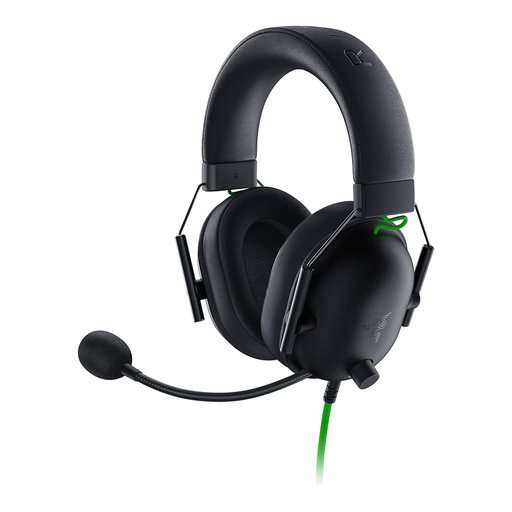
Razer BlackShark V2 X, wired, Black
According to the description, the flexible, unidirectional microphone can be positioned close to your mouth. Make a test recording to check that the sounds you want to retain remain clear.
The headset has a 3.5 mm connection. For PC systems with separate audio and microphone sockets, the description says a Y-splitter is required.
View at Joybuy
Frequently asked questions
Can I remove fan noise after recording?
You can use Audacity to reduce steady fan noise by selecting a section that contains only the noise. If the voice and fan noise overlap significantly, the results may be limited, so compare processed pronunciation examples with the original.
Where should the microphone boom sit?
Shure recommends positioning its headset microphone beside the corner of your mouth rather than directly in front, to reduce plosive sounds. Don’t assume this setting will work for every model: make a short test recording and check the sound.
How can I tell if the microphone input is working?
Check the plug and accessories supplied with the specific variant, then select the headset as the input device in your recording software. RØDE explicitly specifies the supplied TRRS cable for the NTH-100M’s microphone function; the presence of a 3.5 mm socket alone doesn’t confirm that the microphone input is compatible.
Is a manufacturer’s voluntary guarantee the same as your statutory rights?
No. Consumer purchases in the EU are covered by a minimum two-year legal protection for faulty goods from the date of receipt. A voluntary manufacturer’s guarantee is an additional benefit and doesn’t replace these rights. Check who the seller is and what guarantee terms apply to the specific offer.
Can I record someone else’s voice for the lesson?
In Germany, Section 201 of the German Criminal Code (StGB) covers unauthorised recordings of another person’s private speech. If you plan to record learners or other people, check in advance that you’re entitled to do so. Processing personal data also requires an applicable legal basis; consent is one possible basis, but not the only one.


