What should you look for when buying?
First, check how the microphone connects to your recording device. Then test the microphone position, recording level and fit with a short recording.
| What you need |
What to check when buying |
Who is it particularly important for? |
| Switching between voices without breath blasts or clipping |
Check whether the microphone boom can be positioned to the side. Test-record a quiet passage and the loudest one you plan to read, then check for breath noise and monitor the levels. Audacity Support recommends reducing an input level that is too high before you start recording properly. |
If you switch between character voices and quiet passages in a story, you’ll want to check your voice and breath noise before recording the whole thing. Around 33% of consumers put handling voice changes first. |
| The right connection and being able to monitor your audio |
Check the exact model variant, as well as the microphone input and headphone output on your device. Make sure recording and monitoring can work at the same time. |
If you’ve already chosen your computer or recording device, you’ll want to know whether both signal paths are compatible. Around 27% of consumers focus primarily on connection compatibility. |
| Comfort during longer reading sessions |
Check the design and padding, and try the headset for as long as you plan to read, if possible. A sidetone feature is only relevant if it’s listed for the specific variant. |
If you read longer stories in one sitting, you’ll want a headset that feels comfortable and works well for monitoring. Around 20% of consumers prioritise long-term comfort. |
| A straightforward recording setup |
Decide which device you’ll use to record and check which sockets it has. For analogue models, make sure you have the cables and inputs you need. |
If you want to get started without extra recording equipment, you’ll be looking for a simple signal path that works with your computer. Around 20% of consumers put ease of use first. |
Headsets at Joybuy
The models featured here may suit a computer recording test, depending on their connection. Check whether the specific USB, 3.5 mm or wireless connection is compatible with your recording device, and make sure both the microphone and headphone signal paths work.
 No image available
JBL Quantum 360P Over-Ear Wireless Gaming Headset
It may be suitable for a computer recording test if your device’s connection is compatible with the headset. Test your storytelling voice before recording the whole story.
The product title lists a boom microphone, 22-hour battery life, Bluetooth 5 and a detachable 3.5 mm cable. According to the product description, you can flip the microphone up to mute it.
View at Joybuy
 No image available
ONIKUMA GT889 Wireless Headset
The flexible, detachable microphone may be useful if you switch between different storytelling voices. Check that the connection works with your recording device and listen to a test recording.
The product description lists 2.4 GHz, Bluetooth and wired connections, as well as controls for muting the microphone and adjusting the volume.
The product description also mentions soft, breathable ear pads and a lightweight headband. You’ll need to decide for yourself whether the fit is comfortable for longer reading sessions.
View at Joybuy
 No image available
Logitech G PRO X Gaming Headset, Black, USB
According to the product description, you can position the detachable microphone by the corner of your mouth. Test how your quiet and loud passages are recorded.
The product description lists an external USB sound card and memory foam ear pads in faux leather and fabric.
According to the product description, you’ll need a USB connection to a PC to use the advanced features.
View at Joybuy
 No image available
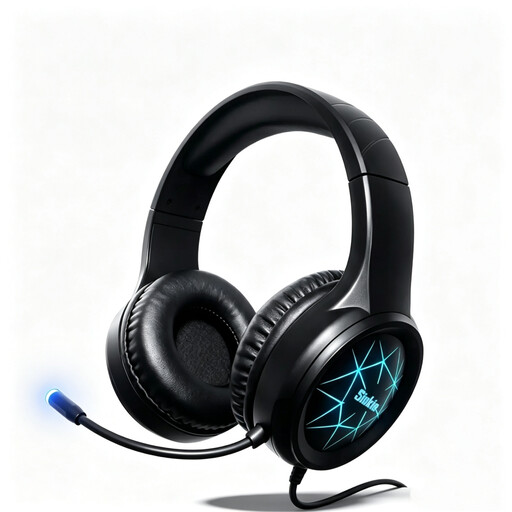
Siukie CH25 wired over-ear headset
The flexible microphone may suit switching between voices, provided the specific connection is compatible with your recording device.
The product title lists USB and a 3.5 mm jack. The product description mentions soft over-ear pads and an adjustable headband.
View at Joybuy
 No image available
Siukie L200 wired over-ear headset
The flexible microphone may be useful for a story with different voices. Test the microphone position and sound before recording the whole story.
The product title lists USB and a 3.5 mm jack. The product description mentions soft over-ear pads and an adjustable headband.
View at Joybuy
Frequently asked questions
How should I prepare to record whispers and loud character voices?
Position the microphone so that your breath doesn’t blow directly into it, then test the quietest and loudest passages. Check the recording level; Audacity Support recommends reducing a level that’s too high before you start recording properly.
Can I plug an XLR microphone headset straight into my laptop’s USB port?
Not with just a plug: according to Audio-Technica, the ATH-M50xSTS has an XLR microphone output for a compatible audio interface or mixing desk, as well as a separate headphone connection. The USB-A version is called the ATH-M50xSTS-USB.
What should I know about ear pads and faults after buying?
Check whether replacement pads are available for your exact model; beyerdynamic lists them for the MMX 300 PRO. The Verbraucherzentrale notes that your statutory rights against the seller are separate from a voluntary guarantee.
Can I secretly record someone else while they’re telling the story?
Section 201 of the German Criminal Code (StGB) protects other people’s non-public spoken words from unauthorised recording. If you want a child or someone else to speak on the recording, discuss it with them beforehand rather than recording them without their knowledge.
Can I publish a recording of a copyrighted children’s book?
A private recording and publishing it are not legally the same thing. Section 53 of the German Copyright Act (UrhG) covers copies made for private use and prohibits distributing those copies or using them for public performances. If you plan to publish, check the rights to the specific text.


