What to look for when buying
First decide whether you’ll stay in one place or need the freedom to move around. Then consider the headset style and whose voice needs to be picked up.
Wired USB headset
Best if: you’re hosting from a fixed computer and don’t want to rely on a wireless connection or battery charging.
Trade-off: The cable limits how much you can move around. Check whether you need USB-A or USB-C, the cable length and the specific Teams or UC version.
Wireless headset with boom microphone
Best if: you move around or want to host without a cable.
Trade-off: You’ll need to factor in an adapter, pairing and charging. In CHIP’s test, speech on the Jabra Evolve2 65 Flex sometimes sounded choppy when there was more background noise.
| What you need |
What to check |
Who it matters to |
| Make sure your voice comes across clearly |
Boom microphone, mute function and a test recording with typical shared-house noise. |
If I’m hosting while people are talking in the room, I want remote members to be able to understand me. Around 36% of consumers put clear transmission of their own voice first. |
| Hear remote contributions |
How the ear cushions fit, mono or stereo style, and ANC specifications for the exact model. |
If I want to follow remote contributions easily, I care about how the headset reproduces voices and how it fits. Around 27% of consumers prioritise listening without interruptions. |
| Include guests in the room |
Decide whether only the host or guests should speak online too; if needed, plan for a separate room audio source. |
If people in the room are joining in or need to be heard online, I need to think about both in-room interaction and audio capture. Around 19% of consumers prioritise in-room interaction or group contributions. |
| Connection and freedom to move |
USB-A or USB-C, any adapter you’ll need and the platform version; test the microphone and speakers in your meeting app before the session. |
If I move around or need a particular connection, it has to work with my device. Around 18% of consumers prioritise connectivity or freedom of movement. |
Joybuy products for your club night
These Joybuy products cover wired and wireless headsets, as well as different styles for hosting.
 No image available
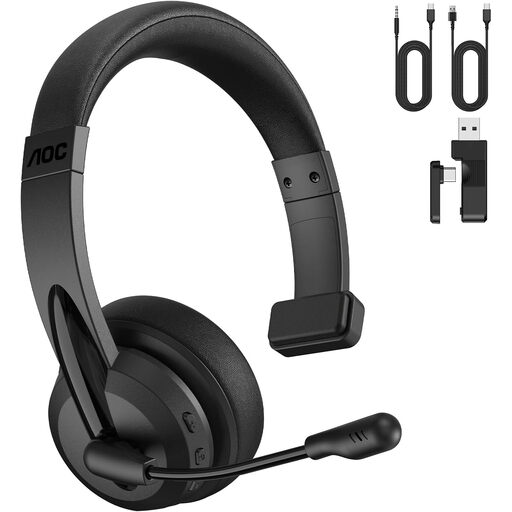
AOC 3-in-1 Bluetooth headset with microphone, mono and 2.4-GHz dongle
The mono style is worth considering if you want to keep one ear free to hear what’s happening in the room while hosting.
The product name specifies Bluetooth and a 2.4-GHz dongle.
View at Joybuy
 No image available
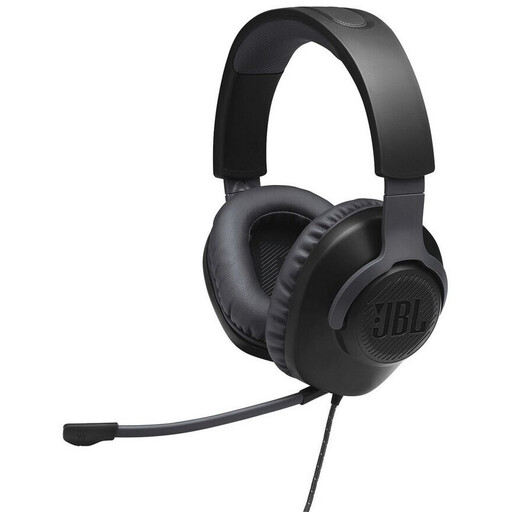
JBL Quantum 100 wired over-ear headset, black
The wired version may suit a fixed hosting spot; check that the connection type works with your device.
View at Joybuy
 No image available
Jabra Evolve2 75 wireless PC headset with charging stand, USB-C Bluetooth adapter and MS version
The wireless version may suit you if you want to move around while hosting.
The product name specifies a charging stand and a USB-C Bluetooth adapter. Check that the MS version works with your meeting app.
View at Joybuy
 No image available
ONIKUMA GT889 headset with 2.4-GHz wireless and wired modes
If you want to switch between wireless and wired connections depending on where you’re hosting, the stated connection options are worth considering.
The product name specifies 2.4-GHz wireless and wired modes.
View at Joybuy
 No image available
Razer Barracuda wireless multiplatform headset (SmartSwitch Dual Wireless)
The wireless version may appeal if you want to move around while hosting; check that it connects to your meeting device.
The product name specifies SmartSwitch Dual Wireless and USB-C.
View at Joybuy
Frequently asked questions
Can guests at the table speak through my headset?
Don’t rely on the headset name alone. Check whether the meeting app should use your personal microphone or a separate room audio source, and test the people in the room speaking before the session. Microsoft Teams distinguishes between computer, phone and room audio sources.
What should I set up before the club night starts?
Select the microphone and speaker you want to use in the meeting app. Check the mute setting and test noise suppression against typical background sounds; Microsoft Teams and Zoom offer audio settings for this, with options depending on how you’re using them.
What happens if the headset develops a fault after purchase?
For consumer purchases from a trader in the EU, the statutory guarantee lasts for at least two years from the date you receive the goods. This is separate from any additional manufacturer’s warranty; contact the seller if there’s a fault.
What should I look for in a Bluetooth headset in Germany?
For radio equipment, the Federal Network Agency checks matters including CE marking, product and manufacturer information, and the declaration of conformity. Check the product identity and the features needed for your connection in the specific listing; Teams certification is not the same as regulatory compliance.
Where should I take an old headset?
In Germany, electrical and electronic waste must not go in household rubbish. The Federal Environment Agency lists recycling centres and suitable retailer take-back points; removable batteries should be handed in separately.


