On your own in a busy shared flat
You want to follow the workshop without playing the discussion aloud through a speaker in the shared living space. The key question is whether a headset is a better fit for your individual workspace and connection.


If you’re taking part on your own and don’t want your flatmates to hear the workshop, a headset is usually the better choice: a conference speakerphone plays voices aloud in the room. If that’s not a problem, or you’re taking part as a pair, check that the specific speakerphone model offers full-duplex audio, echo cancellation, suitable microphone coverage and the right connection. Manufacturer claims are no substitute for a test call in your shared flat.
You want to follow the workshop without playing the discussion aloud through a speaker in the shared living space. The key question is whether a headset is a better fit for your individual workspace and connection.
You’re taking part on your own, it’s fine for the workshop audio to play aloud in the room, and you’d like to speak and listen while writing without wearing headphones.
You’re both joining from the same device. Check that the microphone covers both seats and that speakers can take turns clearly.
A good fit if: You’re taking part on your own and don’t want your flatmates to hear the workshop.
The trade-off: It won’t work for two people at one table; make sure the fit is comfortable and the connection suits your device.
A good fit if: You can take part hands-free and it’s fine for the workshop audio to be heard in the room.
The trade-off: Room audio isn’t private, and multiple active audio devices can cause echo, as Zoom Support explains.
A good fit if: You’re both taking part and your seats are within the microphone coverage of the specific model.
The trade-off: A manufacturer’s range claim doesn’t guarantee that voices will come through clearly over the noise of a shared flat.
| What matters | What to check when buying | Who it matters most to |
|---|---|---|
| Being overheard and noise in a shared flat | Is it OK for the audio to play aloud in the room? If not, choose a headset or a private space. | If I’m taking part on my own in a shared flat, I don’t want the workshop playing aloud through a room speaker. Around 36% of consumers prioritise avoiding being overheard. |
| Clear turn-taking | Check full-duplex audio and echo cancellation for the specific model; test speaker changes and muting on a call before the workshop. | If I want to ask questions and let others finish without losing track when the conversation moves quickly, a smooth flow of conversation is essential. Around 29% of consumers have this as their main concern. |
| Two voices at the table | Compare the stated microphone coverage with the distance between seats, and test both positions together. | If we’re taking part as a pair, the same device needs to pick up both our voices. Around 21% of consumers prioritise taking part together. |
| Connecting to a laptop or smartphone | Check USB-A or USB-C, the Bluetooth connection, whether an adapter is included, and the audio settings in your workshop software. | If I switch between my laptop and smartphone depending on the workshop, the connection needs to work with both devices. Around 14% of consumers prioritise switching between devices. |
Processing the microphone signal you send doesn’t stop the speaker from playing workshop discussions aloud in your shared flat.
If you don’t want your flatmates to hear, use a suitable private space or a headset. Don’t mistake noise-filtering claims for soundproofing.
Multiple active audio devices in one room can cause echo. Zoom Support notes that muting a microphone doesn’t switch off a speaker that is still active.
If you’re taking part together, keep just one audio connection active in the room and test the setup before the workshop.
Models can differ in whether they include a Bluetooth PC adapter or have particular platform features. For example, HP notes that the Poly Sync 20 and Sync 20+ come with different adapters.
Before buying, check the full model name, USB connection, whether you need a dongle and the exact platform version.
The Speak range covers small table setups and conversations with speakers taking turns.
The Poly Sync 20 is an option for a flexible individual workspace; the Sync 40 is designed for small meeting spaces.
The EXPAND 30 series includes portable speakerphones for individual workspaces or small group conversations around a table.
The OfficeCore M3 is a speakerphone option with USB, Bluetooth and a USB adapter.
The Zone Wired is an alternative headset for one person who doesn’t want to listen through a room speaker.
The Joybuy devices below are conference speakerphones for hands-free workshop calls. They play audio aloud in the room, so they’re not the right choice if you don’t want your flatmates to hear anything.
 No image available
For two people at the table: the product description specifies an 8-microphone array and a stated pickup range of 16.4 ft.
Bluetooth and 32 GB of internal storage for audio recordings are specified. Under Section 201(1) of the German Criminal Code (StGB), recording words spoken privately may be a criminal offence if done without authorisation; discuss any planned recording with everyone involved beforehand.
 No image available
For joining a workshop together at the table: the product details specify eight microphones and 360° pickup.
USB-C and Bluetooth connectivity, a stated microphone pickup distance of 3 m and mute controls are described. The stated range isn’t an independent test in a shared flat.
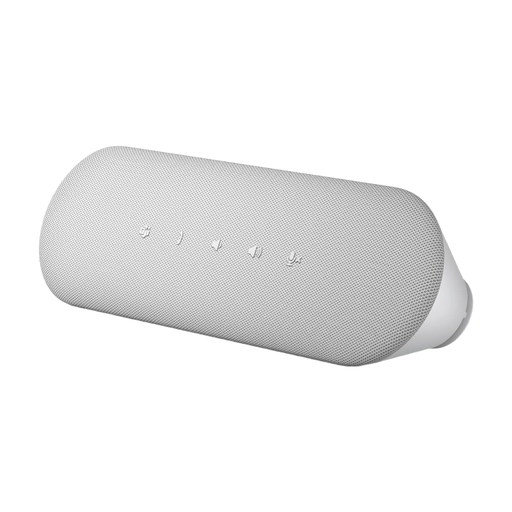 No image available
For hands-free calls on your computer: the product description specifies full-duplex audio and echo cancellation.
USB-A and USB-C connections and a Teams button are specified. Before the workshop, check that your software selects the device as both the speaker and microphone.
Keep just one device connected to the conference audio in the room. Zoom Support notes that muting a microphone doesn’t switch off a speaker that is still active, so test the setup before the workshop.
Connect the specific model using the appropriate USB or Bluetooth connection, then select it as both the speaker and microphone in your workshop software. Microsoft Support explains that you can change these settings in Teams before or during a meeting; for other platforms, check their audio settings.
Check whether you need a battery for your setup, which accessories come with the specific model and what firmware or support the manufacturer offers. The Verbraucherzentrale distinguishes statutory warranty rights against the seller from a voluntary manufacturer’s guarantee.
Not without first checking that you’re authorised to do so: Section 201(1) of the German Criminal Code (StGB) makes it a criminal offence to record another person’s privately spoken words on an audio medium without authorisation. Discuss any planned recording with those involved and the workshop organisers in advance.
For an ordinary online purchase of goods, you generally have 14 days from delivery to cancel; exceptions and conditions apply. Your Europe, the European Union’s information portal, explains this period. You also have statutory warranty rights against the seller; these are not the same as a voluntary manufacturer’s guarantee.