What to look for when buying
Broadcast headset with a dynamic microphone
A good fit if: you can connect the microphone and headphones to separate, compatible inputs and position the microphone boom precisely.
Consider: According to the manufacturer, the Audio-Technica BPHS1 has an XLR microphone plug and a 6.3 mm headphone plug. Its directional pickup pattern doesn’t guarantee that it will block out your fan.
Headset for recording and monitoring over TRRS
A good fit if: your recording device supports the microphone input on the designated TRRS cable and you want to monitor using the same headset.
Consider: The XLR microphone connection described for the RØDE NTH-100M requires a suitable adapter that provides the necessary plug-in power.
Wired USB office headset
A good fit if: you’re recording on a compatible computer and want to get started without a separate audio interface.
Consider: Logitech Zone Wired and Jabra Evolve2 50 are promoted as having noise cancellation for calls. Listen to the unprocessed narration track yourself.
Broadcast headset with a condenser microphone
A good fit if: you already have, or are putting together, a professional connection setup that suits the specific headset version.
Consider: The beyerdynamic DT 297 PV MK II has a positionable gooseneck. According to the manufacturer, DT 297 versions are supplied without a connection cable.
When recording a tour guide with a fan running, consider the connection, microphone position and playback of the saved file together.
| Buying criterion |
What to check before buying |
Who it matters most to |
| Fan noise in the narration |
Record a loud and a quiet passage, including pauses in speech, with the fan running. Then listen back to the saved file. |
If the fan has to run while I’m recording, I want quiet words in the narration to remain clear. That’s why around 33% of customers put fan noise first. |
| Connection and signal path |
Compare the recording device’s sockets with the microphone and headphone connections you need. Check the cables and any required power supply. |
If I want to record on my existing device without extra cabling, the connection needs to work for both the microphone and headphones. Around 27% of customers prioritise a compatible signal path. |
| Voice quality and recording checks |
Listen to the file on your intended monitoring device, checking for quiet words, plosive sounds and the pauses between sentences. |
If what matters most to me is having a narration track I can check, I want to listen back to the recording and spot any interference. Around 20% of customers put voice quality first. |
| Fit and microphone position |
Check the fit with glasses on and note any pressure. Test whether you can keep the microphone in the same position during longer takes. |
For longer chapters, I want the headset and microphone to be comfortable and easy to keep in position between takes. Around 20% of customers give particular priority to comfort. |
Headsets at Joybuy
This Joybuy selection includes headsets with microphones for voice recording. For each model, check that the microphone position and connection work with your recording device, then assess the saved track with a test recording.
 No image available
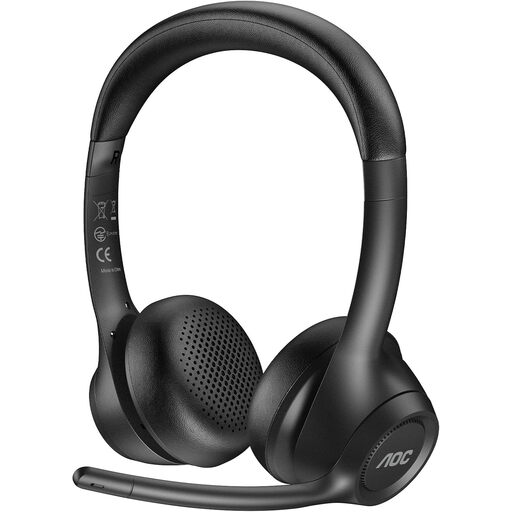
AOC Wireless Headset with Mic for Work
An option to consider if you want to check out a rotating microphone boom and several connection types.
Features include an ENC microphone, a microphone boom that rotates by 90°, a 2.4 GHz USB dongle, Bluetooth and a 3.5 mm wired connection.
Talk time is stated as up to 45 hours.
View at Joybuy
 No image available
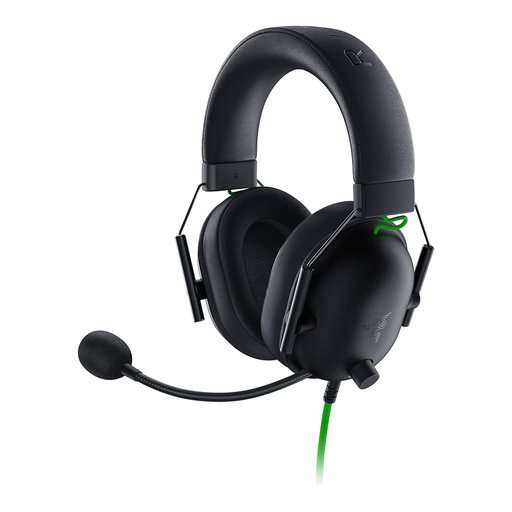
Razer BlackShark V2 X
An option to consider if you want to check out a wired headset with a positionable microphone and 3.5 mm connection.
Features include a cardioid microphone with noise cancellation and a Y-splitter for separate audio and microphone sockets on a PC.
The model is described as a wired headset.
View at Joybuy
 No image available
Logitech H151 Stereo Headset
An option to consider if you’re looking for a wired headset with a microphone for recording and monitoring your voice.
Features include a noise-cancelling microphone that rotates by 180°, a 3.5 mm connection, and in-line volume and mute controls.
The stated weight is 80 g.
View at Joybuy
 No image available
Logitech G PRO X
An option to consider if you want to check out a detachable microphone and USB recording on a PC.
Features include a cardioid microphone and an external USB sound card. The product description specifies a PC with a USB port and Logitech G HUB for the advanced Blue VO!CE features.
The advanced features require these PC and software specifications.
View at Joybuy
 No image available
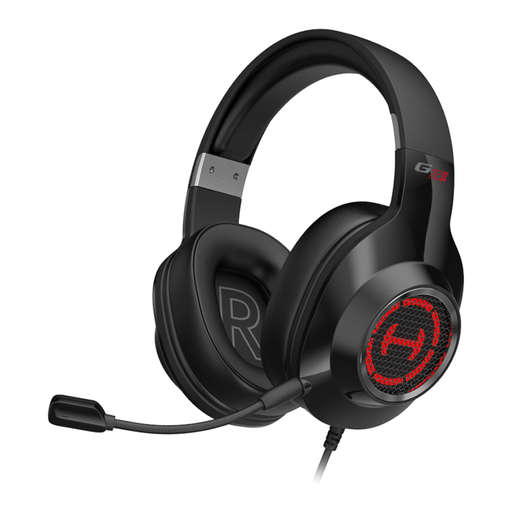
EDIFIER G2II
An option to consider if you want to check out a USB headset with an adjustable microphone position for recording and monitoring.
Features include a rotating microphone with noise cancellation and a USB connection. Compatible devices listed are PC, PS4 and Mac.
The model is described as a wired headset.
View at Joybuy
Frequently asked questions
Is ANC on headphones the same as a microphone that blocks out fan noise?
No. Jabra describes ANC for listening and noise-cancelling microphones as separate features on the Evolve2 50. What matters for your narration is the saved microphone recording, so check it with the fan running.
Can I connect an Audio-Technica BPHS1 directly to a USB port?
Not using only the plugs specified by the manufacturer for this version: the microphone has a 3-pin XLR plug and the headphones have a 6.3 mm plug. Check for compatible inputs or additional hardware.
What do I need to connect the RØDE NTH-100M microphone to an XLR input?
RØDE describes connecting it via the designated splitter cable and a suitable adapter that supplies the plug-in power required by the microphone. This guidance applies to the connection route described; it isn’t a general requirement for every headset.
What should I check before recording and between longer takes?
Reposition the microphone boom, record a short section with pauses in your speech and listen back to the saved file. If air is blowing directly onto the capsule, microphone position and a suitable windscreen may be important; Shure distinguishes airflow noise from plosive sounds.
Is the connection cable included with the beyerdynamic DT 297 PV MK II?
No. According to beyerdynamic, DT 297 versions are supplied without a connection cable. Before buying, check which cable suits your specific version and recording device.


