What should you look for when buying?
First decide whether you’ll be recording alone or in a conversation. Then check the connection on your recording equipment and test the fit and voice recording under the conditions you’ll actually be using.
| What matters |
What to check before buying |
Who it matters most to |
| Recording both voices |
Plan a suitable recording setup for each person; for remote interviews, check both technical setups. |
If I’m conducting an interview, I want both the questions and the answers to be audible. For around 33% of consumers, recording both voices is the top priority. |
| Comfort during long takes |
Try the fit for as long as you plan to wear it, if possible, and check for pressure and warmth. |
Anyone telling a story at length will want to be able to wear the headset for the planned recording time. Around 27% of consumers put comfort during long takes first. |
| A clear storytelling voice |
Make and listen back to a test recording using the planned microphone distance and in the actual recording environment. |
If I speak quietly or vary my volume, I want to be able to judge how clearly my voice comes through in a test recording. Around 20% of consumers prioritise how clearly their own voice can be heard. |
| A compatible connection |
Check the sockets on your recording equipment against the exact headset version and the cable supplied. |
If you want to keep using your existing recording equipment, you’ll need a compatible signal path. For around 20% of consumers, the connection is their main buying consideration. |
Joybuy products for voice recording
The Joybuy products below include wired and wireless headsets for recording your own voice. Before buying, check that the connection is compatible with your recording equipment and that the fit is suitable for the length of your planned recording.
 No image available
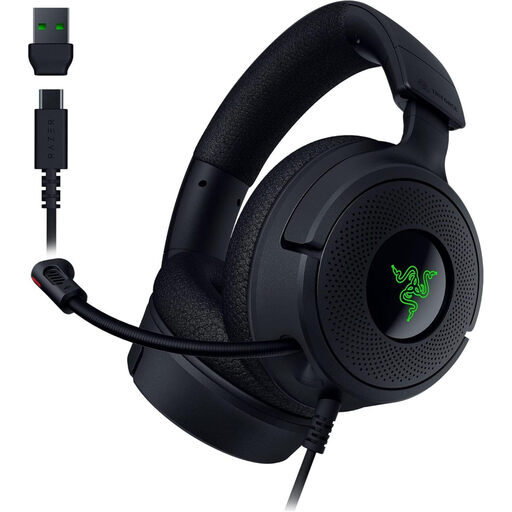
Razer Kraken V4 X wired gaming headset, black
For recording one voice on a PC if you’re looking for a wired USB headset with a microphone.
The description lists a retractable cardioid microphone, memory foam ear cushions and a USB-C to USB-A cable. Its lightweight design and ear cushions are product features, not a guarantee of individual long-term comfort.
View at Joybuy
 No image available
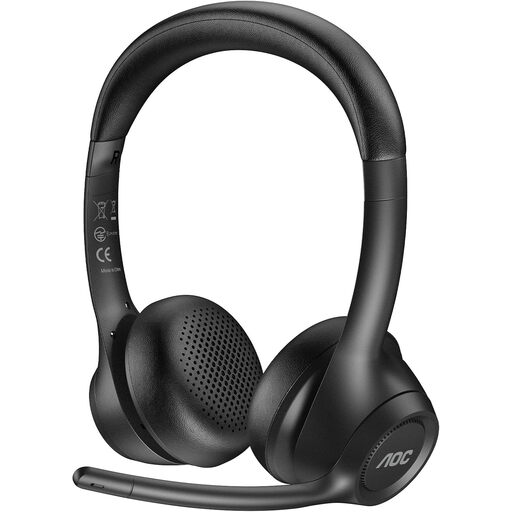
AOC wireless headset with microphone for work
An option to consider if you’d like a wireless headset with several connection methods.
The product description lists a 2.4 GHz USB dongle, Bluetooth and a 3.5 mm cable connection, as well as an ENC microphone with a rotating boom. It also lists up to 45 hours of talk time and memory foam ear cushions; talk time isn’t the same as recording time.
View at Joybuy
 No image available
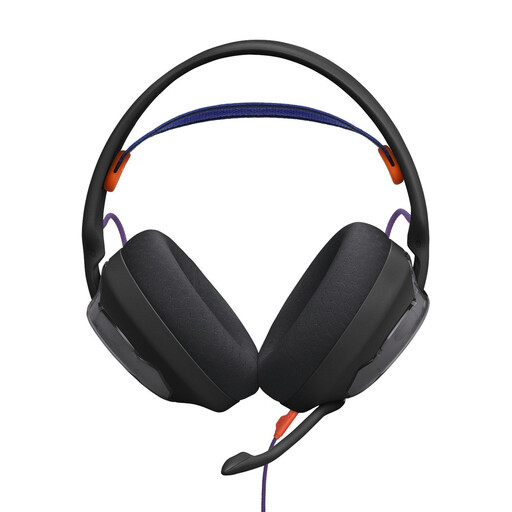
JBL Quantum 250 wired over-ear headset, black
For recording one voice if you’re considering a wired over-ear headset with a detachable microphone.
Features listed include a unidirectional cardioid microphone, a 3.5 mm audio connection and a detachable cable. The description also lists breathable ear cushions and a padded mesh headband.
View at Joybuy
 No image available
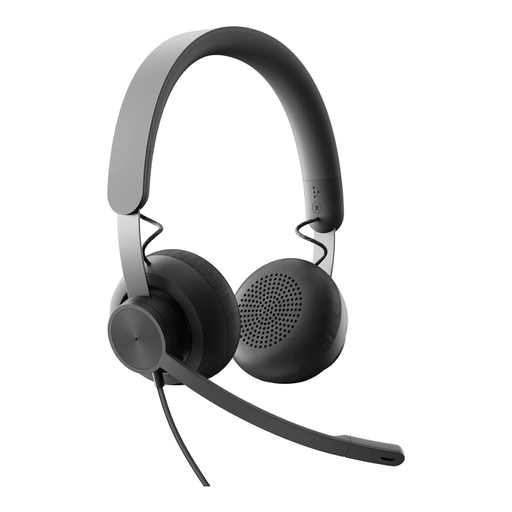
Logitech Business Zone Wired Teams Headset, graphite
A wired option if your recording equipment has a compatible 3.5 mm connection.
The product description lists an on-ear design, integrated volume control and push buttons. Office calls and multimedia are listed as its intended uses.
View at Joybuy
 No image available
Logitech 960 stereo headset, USB, 2.4 m cable, black
For recording one voice on a computer if you’re looking for a wired USB headset with a microphone boom.
The description lists an adjustable microphone boom, soft ear cushions, and in-line volume and mute controls. It’s described as a lightweight on-ear headset.
View at Joybuy
Frequently asked questions
Is one headset enough for a conversation between two people?
Don’t assume it will be: the headset microphone is positioned for the person wearing it. If both voices matter, plan a suitable recording setup for each person and test it; for a remote interview, you’ll also need to consider the other person’s equipment.
Why might an analogue headset not work with my existing recording equipment?
Connections vary by model. According to the manufacturer, the supplied TRRS cable is required for the microphone on the RØDE NTH-100M; the Audio-Technica BPHS2a has separate XLR and 6.3 mm plugs. So check the intended signal path, not just the shape of a socket.
How should I prepare for a long take?
Before recording, test the fit and microphone position, then make a short test recording in the actual recording location. Listen back to your voice and check whether the setup is suitable for the recording you have planned.
Might I need additional connection equipment?
Yes, if the headset isn’t compatible with the connections you already have. For example, the BPHS2a’s separate XLR and 6.3 mm plugs need to connect to a suitable recording setup; whether you need additional equipment depends on what you already own.
Can I record someone else’s personal stories in Germany without their permission?
Under § 201 of the German Criminal Code (StGB), recording another person’s privately spoken words on an audio medium without authorisation is a criminal offence. Check that you’re authorised to record before you begin. The Oral History Association also recommends obtaining and documenting the storyteller’s informed consent and discussing how you plan to use the recording.


