Long recordings at your desk
If you dictate longer entries at your computer, check the connection, selected input device and available storage before you start recording.


For long recordings at your computer, a wired headset with a compatible connection is a sensible starting point. You won’t need to factor in headset battery life during a recording, but the cable will limit your movement. If you’d like to keep one ear free or move around while dictating, consider a mono or wireless model. Test the fit, microphone and connection with a trial recording. The possible recording time also depends on your software and available storage.
If you dictate longer entries at your computer, check the connection, selected input device and available storage before you start recording.
If you’re speaking somewhere with background noise, a trial recording can help you assess your voice and the recording level.
If you’d like to keep one ear free, a mono headset could suit you. For greater freedom of movement, consider a wireless model. Test the fit and connection with your own recording setup.
First, check that the headset works with your recording device and consider whether you’ll be dictating at a desk or on the move. For recordings made with Audacity, the possible duration also depends on available storage and audio settings, according to the Audacity Manual.
| Priority | What to check before buying | Who it matters to |
|---|---|---|
| Long recordings with fewer interruptions | Check the connection against your recording device; make a trial recording and check available storage. | If I dictate at my computer for a long time, I don’t want to stop because my headset battery has run out. Around 33% of shoppers say avoiding interruptions is their top priority. |
| Clear speech in your recording | Position the microphone; listen back to the recording level and result in the environment where you plan to record. | If I record in a room with background noise, I want to be able to tell whether my voice is still clear. Around 27% of shoppers say speech clarity is their most important buying priority. |
| Comfort and keeping one ear free | Check whether the headset is mono or stereo and how it fits; assess comfort during a longer trial. | If I want to hear what’s going on around me while dictating, I check whether one ear stays free and the headset feels comfortable. Around 20% of shoppers prioritise comfort or keeping one ear free. |
| Freedom of movement | With wireless models, test the connection and battery level with your recording device. | If I don’t want to stay at my desk while recording, a headset without a cable matters more to me than avoiding the need to plan when to charge it. Around 20% of shoppers put freedom of movement first. |
Battery life relates to the headset, not the limits of your recording software. With Audacity, the possible recording duration depends partly on available storage, according to the Audacity Manual.
For a wireless model, check the battery and connection. Before a long recording, check the available storage in your recording software.
Having a compatible plug doesn’t guarantee that your recording software is actually using the headset microphone.
Check the exact USB or 3.5 mm connection against your device, then check the input with a short trial recording.
Reducing noise for the person wearing the headset and processing the voice being recorded are two different functions. Noise-processing claims for calls don’t automatically tell you how a diary entry will sound.
Listen back to a trial recording in the environment where you plan to record, and assess the fit, your voice and the background noise.
The wired H390 is an option for recording at your computer. Logitech offers USB-A and USB-C versions.
The Evolve2 40 SE is designed for wired voice communication at work. Check the connection and choose between the mono and stereo versions.
The Blackwire 3210 USB-C is a specific wired mono option if you want to keep one ear free while recording.
The MMX 150 wireless is worth considering if freedom of movement matters more to you than having a lightweight mono headset.
The wired Arctis Nova 3 is an option if you’d also like to use a gaming headset for voice recordings.
This selection features wired headsets with microphones for fixed recording setups. Before buying, check that USB-C, USB or a 3.5 mm connection is compatible with your recording device.
 No image available
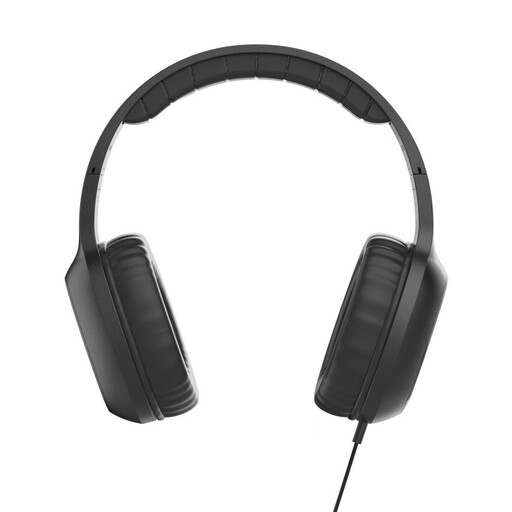
For a recording device with USB-C audio output: this wired on-ear model has a built-in microphone.
USB-C; 1.2 m cable; adjustable headband and padded ear cushions.
 No image available
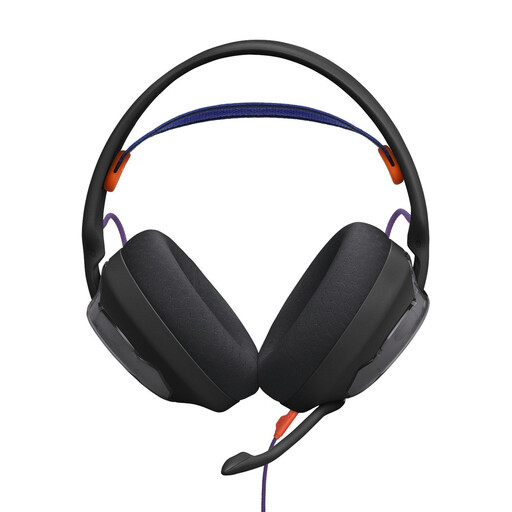
For a recording setup with a 3.5 mm audio connection: this wired headset has a detachable directional microphone.
3.5 mm connection; 1.5 m audio cable; microphone with mute; memory foam ear cushions.
 No image available
For recording at your computer: this wired USB headset has an adjustable microphone boom and an in-line mute control.
USB connection; 2.4 m cable; in-line volume and mute controls.
 No image available
For recording at your PC: this wired headset has a detachable microphone and an external USB sound card.
2 m PC cable; memory foam ear cushions in leatherette and fabric.
According to the product description, Blue VO!CE microphone filters and surround features require a PC, the USB sound card and Logitech G HUB.
 No image available
For recording speech at your computer while keeping one ear free: this wired mono headset has a microphone boom.
USB-A; in-line controls with mute and LED indicator; replaceable ear cushions.
Select the headset as the input device in your recording software, make a test recording and check the levels. In Audacity, free storage and audio settings limit the possible recording time. Save the project and back up the finished recording.
No. Manufacturers may describe noise cancellation for calls, for example, or say it works with specific software. A test recording made with your device and software will show whether your voice and the background sounds you want to capture come through as intended.
For a consumer purchase in Germany, statutory rights against the seller are separate from a voluntary manufacturer’s or retailer’s guarantee. If there’s a fault, the first step may be to request a repair or replacement. The Verbraucherzentrale explains the difference; check the guarantee terms separately.
There’s no general yes or no. Section 201 of the German Criminal Code (StGB) covers the unauthorised recording of other people’s private speech. If you’re recording anything other than your own words, check that you’re authorised to do so and follow workplace rules. For recorded phone calls, the German Data Protection Conference highlights the data protection requirements for obtaining consent.